
Birth announcement photo ideas
By the Baby Photo Art team · Updated
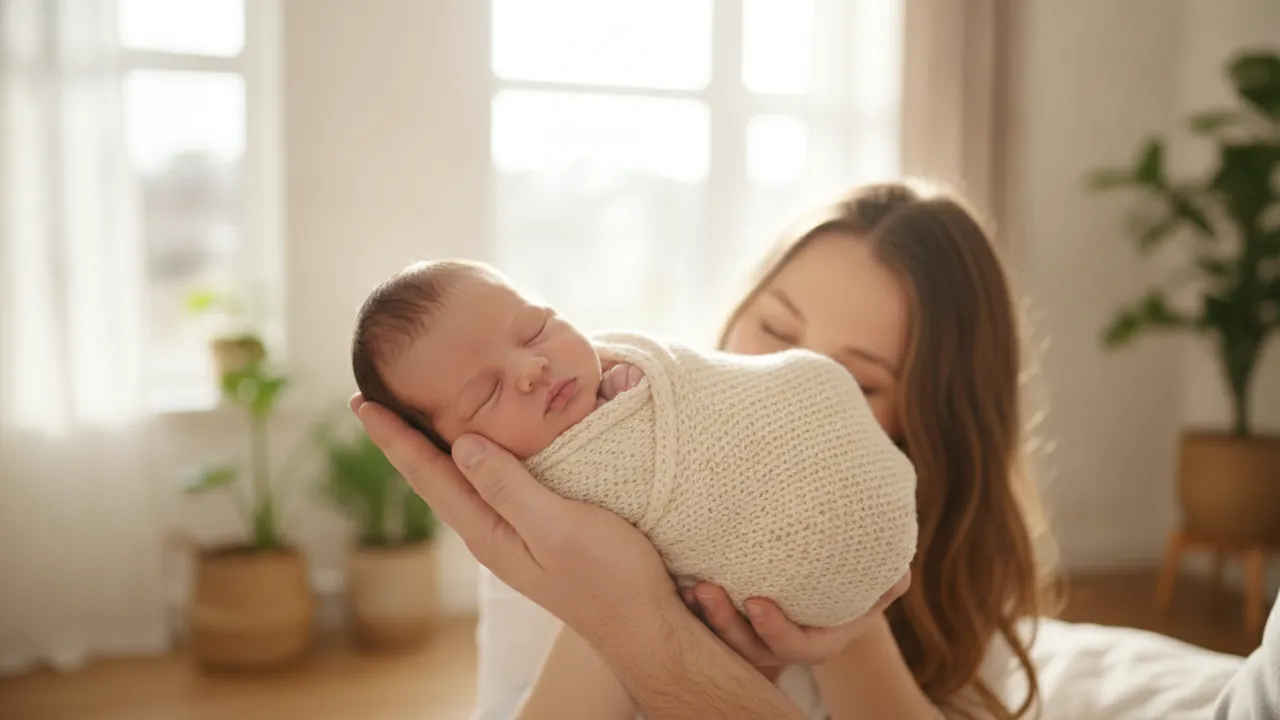
The easiest birth announcement photo ideas use one clean newborn portrait with a short line of text: name, date, weight and length. Hands and feet, a swaddled baby by a window or a parent's hands holding the baby all read well on a card or a message.
Twelve birth announcement photo ideas that work
- A swaddled newborn asleep on a cream blanket, shot from above.
- Baby's hand wrapped around a parent's finger.
- Both feet resting in a parent's palm.
- A parent's hands cradling the baby, face visible.
- Baby with a sibling, seated, with an adult close by.
- Baby beside a small sign with the name. Use paper or a small chalkboard, handwritten.
- The baby in a favorite family blanket or hand-me-down outfit.
- A family of three or four photographed from behind, looking at the baby in the middle.
- A pet beside the baby's basket, with an adult watching.
- A hospital bracelet and a tiny hat on a plain background.
- A black and white portrait, good for a more formal card.
- A collage of three small photos, such as hand, foot and face.
Most of these need only a window and a blanket. For the setup, see newborn photo ideas.
What to write on a birth announcement
Keep to the essentials. People want the name, the date of birth and, if you like, the weight and length. Add the time of birth only if you want to. A single line from the parents, such as "Welcome to the world," is enough. Check the spelling of every name twice before you print or send.
| Item | Include? |
|---|---|
| Baby's first name | Yes, if you have chosen it |
| Date of birth | Yes, usually |
| Weight and length | Optional, popular |
| Hospital name or address | No, it reveals location |
| Exact time of birth | Optional |
| Full legal name | Think first. Many families share only a first name publicly |
Digital or printed birth announcements
A message or email goes out quickest, and a printed card is the keepsake. Many families do both. Send the digital version in the first week, and order printed cards after the newborn photo session, when you have a better photo. Canva has card templates in standard sizes, and the baby photo collage maker guide covers other tools. Print orders follow the steps in how to print baby photos from your phone.
Privacy when you share a birth announcement
A public post reaches more people than you may intend. Consider sending to a private group, or leave out the full name and the location. Remove location data from the photo before you send it, using these steps, and read how to share baby photos online safely.
Birth announcement wording examples
The text can be as short as the photo. Here are a few patterns people use, which you can adapt to your own voice.
- "Welcome to the world, Ada. Born March 3, 7 pounds 2 ounces, 20 inches."
- "Our family just got bigger. Meet Leo, born June 12."
- "Hello, world. Mia arrived on October 9, and we are very happy."
- "Say hello to Noor. She arrived at last, on January 21."
Names above are only examples. Use plain words that sound like you. If you prefer to share less, leave out the weight and length, and say only the first name and the month.
Birth announcement sizes and file formats
| Format | Typical size | Notes |
|---|---|---|
| Message or social image | 1080 by 1350 pixels | Portrait shape fits most phone screens |
| Flat card | 5 by 7 inches | Standard size that fits an envelope |
| Postcard | 4 by 6 inches | Cheaper to print and mail |
| Folded card | 5 by 7 inches folded | Room for a second photo inside |
How to choose a birth announcement photo
A photo from the first day can work well too, and hospital newborn photos explains what to shoot and what to crop out first. Pick a photo where the baby's face is clear and the light is even. If the baby's eyes are closed, that is fine for a newborn. Avoid a photo with heavy shadows across the face, and skip any with a visible hospital address or wristband showing a full name and date. Keep a few of the same set in different crops, such as a square for a message and a vertical for a card. A small edit to fix brightness and color is often enough, and the baby photo editing guide shows how.
When to send a birth announcement
There is no deadline. Some families send within days, others wait a month or two so they can use a calmer photo. If you want a printed card, ordering takes about a week, and mailing takes more. For more ideas on what to photograph next, see baby photo ideas.
Questions about birth announcement photos
What should I include in a birth announcement?
A birth announcement usually has the baby's name, birth date and, if you like, weight and length. Leave out the hospital name and address, and check the spelling.
When should I send out birth announcements?
Anytime in the first few months works. Digital messages often go out within the first week, and printed cards after a newborn photo session, with no strict deadline.
What photo is best for a birth announcement?
A clear portrait of the baby's face in soft window light on a plain background works best. Hands, feet and a parent holding the baby are good alternatives.
Can I make a birth announcement on my phone?
Yes. Canva and similar apps have free card templates where you add a photo and text, then export a digital file or order prints. Check the print size first.
Is it safe to share a birth announcement online?
It can be with care. Share in a private group, remove location data from the photo, and decide whether to include the full name, since public posts can be copied.
How much do printed birth announcements cost?
Prices vary by service, paper and quantity, and most print companies show a per-card price before you order. Compare a few and check shipping time against your send date.