
Natural AI edits
Gentle portrait cleanup that keeps your baby recognizable.
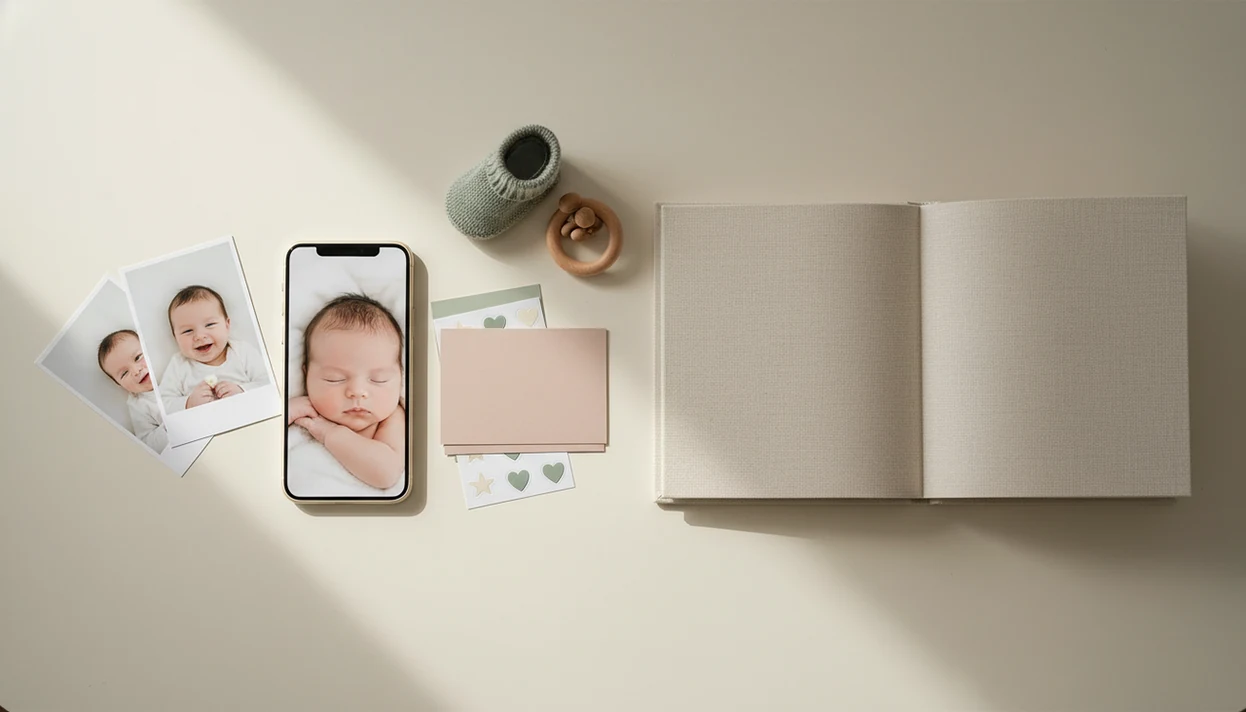

Gentle portrait cleanup that keeps your baby recognizable.
Monthly, 100-day, and first-year layouts ready in minutes.
Export keepsakes sized for albums, gifts, and grandparents.
> Definition: Baby Photo Art is a baby photo editor app that turns baby and newborn photos into milestone templates, stickers, portraits, and print-ready keepsakes for parents.
Baby Photo Art helps parents turn scattered phone photos into keepsake art without switching between separate editing, collage, and printing apps. It combines AI portrait cleanup, milestone layouts, stickers, and print-ready export in one parent-friendly workflow.
A typical camera roll has a lot of almost-good images. One photo has a sweet smile but a cluttered kitchen counter behind the bouncer. Another has the right expression, but the bedside lamp leaves an orange cast on the newborn's cheeks. Baby Photo Art uses AI to enhance portraits, suggest stronger shots, and place them into templates for monthly age markers, first holidays, and developmental firsts.
Parents who post family updates need more control before they share. In a 2020 Pew survey, 67% of U.S. parents with children under 12 had posted photos or videos of their children on social media source. Globally, more than 1.4 trillion digital photos were expected to be taken in 2020, according to Rise Above Research estimates cited by Mylio source, which explains why a focused baby workflow matters.
Small adjustments, not a new baby.
Good AI-powered baby and newborn photo tools deliver recognizable, family-safe keepsakes, not synthetic baby faces built for shock value.
A good baby photo editor app keeps the baby recognizable, makes milestone design fast, and gives parents clear control over output and privacy. The best choice is not the app with the loudest effects; it is the one that handles real newborn photos gently.
Use this checklist before you commit to one editor:
A good app should feel calm, practical, and parent-aware when the camera roll is messy.
Baby Photo Art focuses on the edits parents repeat most: portrait cleanup, milestone text, baby stickers, family collages, and print-ready formats. The goal is to keep the baby's face recognizable while making the image easier to save, share, or print.
AI portrait optimization: Baby Photo Art adjusts lighting, color, and softness without turning newborn skin into plastic. It helps with dim hospital-room photos, including those with a wrinkled white blanket and a rolling bassinet in the background.
Editable milestone templates: Parents can add dates, weights, captions, and age markers for month-by-month keepsakes. For portrait-specific workflows, the AI baby photo generator from photo guide explains face-preserving edits in more detail.
Baby sticker and frame library: The sticker set is designed for newborns and infants, including soft labels, seasonal accents, and first-year markers.
Collage and slideshow builder: BabyPhotoArt can group images into family collages, growth slideshows, photo books, calendars, and journals. For parents making grandparent gifts, print-ready export matters more than one pretty preview.
AI baby photo editing works by detecting baby faces, ranking image quality, applying subtle enhancement, and placing selected photos into layouts. In plain terms, the software looks for the clearest baby image, improves it lightly, then helps arrange it into a keepsake.
Face detection algorithms identify likely baby faces in the camera roll. Best-shot selection then ranks sharpness, lighting, eye contact, and expression. Image embeddings, which are numerical summaries of visual features, help group similar photos so the strongest one can be chosen from a burst.
Portrait enhancement should be restrained. Baby Photo Art applies skin-tone correction and soft lighting without heavy filters, because the tiny hospital ID bracelet or soft peach fuzz on a newborn cheek may be part of the memory. Layout generation can then auto-arrange images into templates, collages, or slideshows.
Privacy depends on processing design. On-device processing keeps more work on the phone; cloud processing can support heavier AI features but requires clear storage rules. A 2018 Pew survey found that 51% of U.S. parents were concerned about how much information advertisers could learn about their children online source.
Use Baby Photo Art by importing photos, choosing the strongest image, applying a baby-specific design, and exporting a finished keepsake. The process is built for a parent holding a phone, not someone sitting at desktop editing software.
On days when the baby finally naps and you have six minutes, Baby Photo Art earns the spot because the workflow goes from phone snap to finished milestone keepsake without opening three separate apps.
Baby Photo Art is built for parents and family members who want keepsake-quality baby photos without booking a studio session for every milestone. It fits smartphone-only users, new parents documenting the first year, expecting parents building pregnancy journals, and grandparents making photo gifts.
For new parents who take the same quilt photo every month, BabyPhotoArt covers the repetitive work with editable monthly templates and date fields. Expecting parents can turn bump photos into a pregnancy journal. Grandparents can make a printed collage on the dining table without learning desktop design tools.
If the goal is a birth card, holiday card, or sibling introduction, Baby Photo Art also supports announcement-style designs. Parents who need that specific workflow can compare options in the baby announcement photo maker guide.
No design degree required.
This mobile-first AI baby photo app is built for portraits, milestones, stickers, collages, and print-ready keepsakes. The table gives the quick evaluation details before you install.
| Attribute | Baby Photo Art |
|---|---|
| App name | Baby Photo Art, also known as BabyPhotoArt |
| What it is | AI baby photo editor for newborn, infant, pregnancy, and family keepsakes |
| Platforms | Mobile app experience for iPhone and Android users |
| Core capabilities | AI portraits, milestones, stickers, collages, slideshows, print export |
| Pricing model | Free tier with premium upgrades for expanded templates and exports |
| Privacy stance | Parent-controlled editing with attention to storage, deletion, and sharing settings |
For grandparents and family members who need a gift-ready layout, Baby Photo Art handles collages through a guided design flow. The dedicated baby photo collage maker page covers family grids, sibling layouts, and print sizing.
We evaluate baby photo editor apps by testing the full keepsake path, not just a pretty preview screen. The strongest apps make it easy to move from a real phone snapshot to a recognizable, print-ready baby memory with clear privacy controls.
Our review process follows the same parent-first flow each time:
The goal is simple: fewer cute previews that fall apart later, and more keepsakes parents can actually save, share, and print.
The evidence for baby photo editing is strongest at the category level: parents take and share many child photos, then need safer ways to choose, polish, organize, and export them. App-specific claims should be judged by hands-on testing, privacy language, and what the tool actually does with uploaded images.
Pew Research has reported that many parents share photos or videos of their children online, while also expressing concern about children’s data, advertisers, and platform exposure. That tension explains the need for baby photo tools that support private review, careful sharing, and clear deletion controls. Camera-roll volume adds another layer: a single milestone can create dozens of similar shots, blurry duplicates, screenshots, and half-finished edits. The friction is not just making one photo prettier; it is finding the right one, preserving the baby’s face, adding context, and exporting it before the moment gets buried.
A practical evidence check looks like this:
Baby Photo Art is useful for baby keepsakes, but it does not remove every photo problem. Parents should check the source image, privacy setting, and export needs before relying on any AI baby photo app.
Parents comparing safety controls should review the safe AI baby photo app checklist before uploading sensitive newborn images.
Baby Photo Art offers a free tier with basic editing and template access. Premium features may include expanded templates, higher-resolution exports, and print-ready keepsake formats.
Baby Photo Art may use cloud processing for some AI features, depending on the setting and workflow. Parents should review storage, deletion, and opt-out controls before uploading sensitive images.
AI baby photo apps can over-edit images if they use heavy filters or face-changing effects. Baby Photo Art focuses on natural-looking edits that keep the baby's face recognizable.
Baby Photo Art supports print-ready exports for photo books, calendars, journals, and standard image files. Actual printing may happen through a connected service or a downloaded file.
No, modern smartphone photos work well for most baby photo editor app workflows. Better lighting and a steady hand usually matter more than camera type.
Common milestone templates include monthly age markers, 100 days, first birthday, first holidays, and developmental firsts. Many layouts include editable dates, weights, and captions.
Baby Photo Art is designed for mobile use on major smartphone platforms, including iPhone and Android. Availability can vary by region and app store listing.
Baby Photo Art uses privacy settings, account controls, and data-handling options to help parents manage baby photos. Parents should check cloud backup, deletion, and AI training preferences before sharing.
Baby Photo Art is a baby photo editor app that uses AI to turn everyday baby snapshots into natural-looking milestone templates, stickers, portraits, and print-ready keepsakes, no…