
Christmas Baby Photo Template Ideas For Cards, Ornaments, And Keepsakes
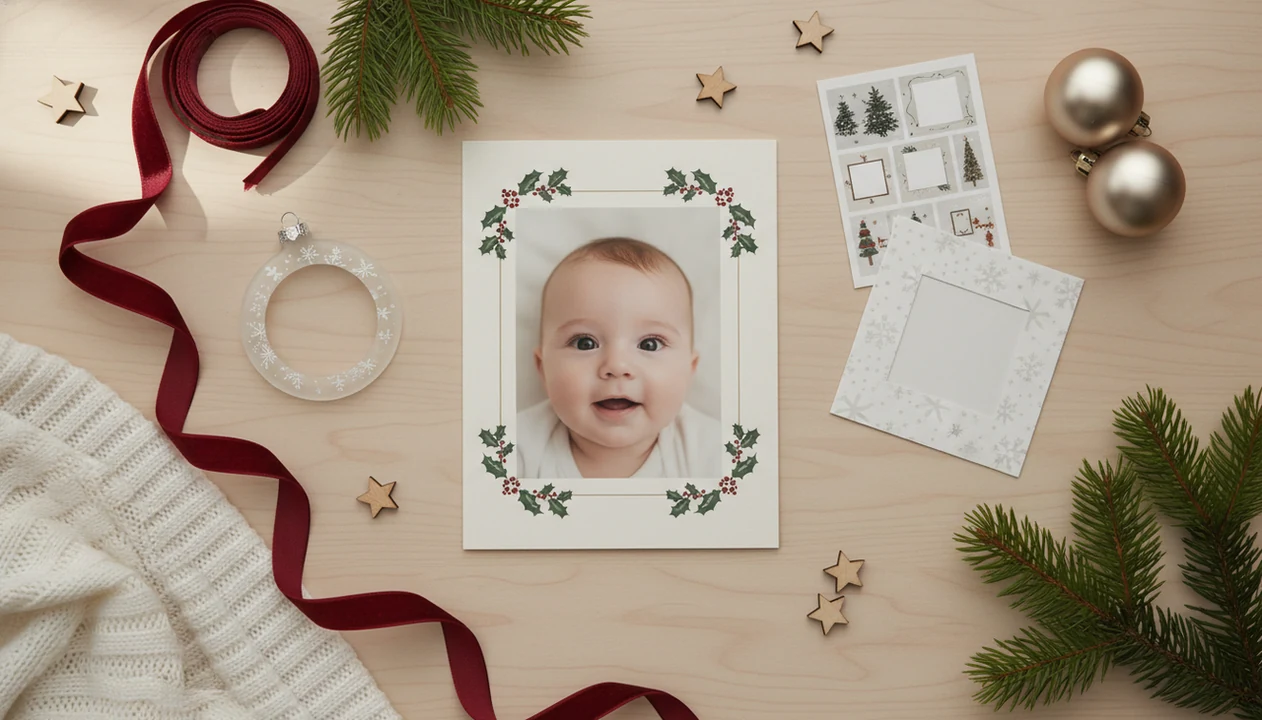
A Christmas baby photo template helps you turn one clear baby picture into a holiday card, social post, ornament insert, collage, or print-ready keepsake without designing from scratch. Choose the template by final use first, then match the aspect ratio, text, stickers, and export size so the photo looks cozy on screen and sharp in print.
Definition: A Christmas baby photo template is a ready-made holiday layout or AI-generated scene that places a baby photo into a seasonal design with optional text, frames, stickers, and print or sharing formats.
TL;DR
- Start with a bright, uncluttered baby photo where the face is fully visible.
- Pick a template size for the final destination: Instagram, 5x7 card, ornament, framed print, or collage.
- Use gentle Christmas styling so the baby remains the focus and the keepsake still feels timeless later.
Christmas Baby Photo Template Meaning And Best Uses
A Christmas baby photo template is a ready-made holiday design that turns a baby picture into a card, post, ornament, framed print, grandparent gift, or baby’s first Christmas collage. It saves parents from building a layout from zero.
Some templates are simple drag-and-drop frames. Others are AI-powered baby portrait scenes that add a soft winter background, seasonal text, or gentle stickers. The useful ones keep the baby’s face recognizable, even when the design adds holiday detail.
A dim hospital-room photo with a wrinkled white blanket can still become a sweet keepsake, but the edit should feel like small adjustments, not a new baby. Tools like Baby Photo Art focus on natural-looking baby photo edits for milestone templates, stickers, portraits, and print-ready keepsakes.
5 Christmas Baby Photo Ideas By Keepsake Type
Choose the finished product before choosing the design. That single decision prevents cropped hats, fuzzy lettering, and ornament circles that cut into cheeks.
| keepsake type | best template style | recommended orientation | note |
|---|---|---|---|
| 5x7 Christmas card | classic border with name and year | vertical or horizontal 5x7 | Leave room for greeting text. |
| square social post | bold center portrait with short caption | 1:1 square | Keep text large for phones. |
| ornament insert | circular frame with minimal text | square source, circular preview | Check that the face stays inside the safe area. |
| grandparents’ print | soft portrait with date | 4x6 or 5x7 vertical | Use a high-resolution export. |
| first Christmas collage | 3 to 6 photo grid | vertical or square | Mix close-up and full-body photos. |
In 2022, 89% of U.S. adults said they celebrate Christmas, according to Pew Research Center (https://www.pewresearch.org/short-reads/2022/12/21/most-americans-say-christmas-is-more-religious-than-cultural/), so holiday baby keepsakes fit a wide range of family traditions. For broader planning, the benefits of seasonal baby photos are strongest when you reuse the same size each year.
How Christmas Baby Photo Templates Work
Christmas baby photo templates work by combining a photo layer, background, frame, text, stickers, and export canvas into one editable design. The canvas is the final size, such as a square post, 5x7 card, or ornament insert.
AI baby photo tools may use face detection and image embeddings to locate the baby’s face area and understand the source image. In plain terms, the tool tries to keep identity cues, like eye shape and cheek outline, while creating a seasonal backdrop around the photo.
The source image still matters. A bright phone snap with clear eyes will usually edit better than a dark photo with a pacifier blocking half the face. Natural-looking edits should avoid changing the baby’s core features, even if the background becomes snowy, candlelit, or wrapped in soft garland. Good AI-powered baby and newborn photo generators with stickers, milestone templates, and portrait-style edits for parents deliver controlled keepsake options, not a reason to replace the real baby in the photo.
How To Use A Christmas Baby Photo Template
Use a Christmas baby photo template by starting with the final format, then editing around the baby’s face. For parents, the simplest workflow is format first, decoration second.
- Choose the final format before editing. Pick a 5x7 card, square post, ornament, framed print, or collage.
- Upload a bright, sharp baby photo. A clear face and soft light give the template more to work with.
- Add holiday text. Use short wording such as “My First Christmas,” the baby’s name, or the year.
- Adjust stickers, crop, and background. Keep the face central and avoid placing snowflakes over eyes or lips.
- Export separately for web and print. Save a smaller sharing file and a high-resolution print-ready version.
Apps such as Baby Photo Art, Canva, and Picsart can all help with this workflow, but check the crop yourself before ordering. That 4x6 print may cut off the top of a knit hat.
Baby’s First Christmas Photo Template Requirements Before Editing
A baby first Christmas photo template works best when you prepare both the photo and the design details before opening the editor. Simple photos usually outperform busy prop-heavy scenes.
- Use natural light when possible. Window light is easier to edit than a bedside lamp that leaves an orange cast on newborn cheeks.
- Choose a clear face. Avoid heavy shadows, motion blur, and hands covering the mouth or eyes.
- Confirm the final size. Decide whether the image is for a card, post, ornament, or print before adding text.
- Know the recipient. A grandparent print may need a date and name, while a social post may need less text.
- Review privacy terms. Check how the tool stores uploaded baby photos and whether images are used to train models.
If you are making a holiday birth card too, a newborn announcement photo app uses many of the same source-photo rules.
Christmas Baby Photo Template Ideas For Cards And Posts
Shareable Christmas baby photo ideas should read clearly on a phone screen. Among U.S. parents with a child under 18, 72% report posting photos or videos of their children on social media, according to Pew Research Center (https://www.pewresearch.org/internet/2020/07/28/parents-attitudes-and-experiences-related-to-digital-technology/), so square and vertical holiday templates are practical, not just cute.
- My First Christmas card. Use one close portrait, the year, and a short line of text.
- Cozy pajama portrait. Match soft typography to warm fabric colors.
- Santa hat close-up. Keep stickers away from the eyes and mouth.
- Winter nursery scene. Use pale backgrounds so text stays readable.
- Family name greeting card. Place the surname below the baby, not across the face.
Tiny text disappears fast.
For square posts, test the design at phone size before sharing. For vertical stories or reels covers, keep the baby’s face in the upper center so app overlays do not cover it.
Christmas Baby Photo Ideas For Printed Keepsakes
Printed Christmas baby photo ideas need more margin and resolution than social posts. Ornaments, framed prints, photo books, grandparents’ gifts, canvases, and 12-month milestone collages all crop differently.
Aspect ratio is the shape of the image. A square post, a 5x7 card, and a round ornament do not protect the same parts of the photo. Safe margins are the quiet border areas that keep names, dates, and tiny toes away from the trim line.
The global photo printing and merchandise market, including photo books, cards, and gifts, generated an estimated $17.7 billion in revenue in 2023, according to Statista (https://www.statista.com/outlook/cmo/consumer-electronics/photographic-equipment/photo-printing-merchandise/worldwide). Parents still print the images that matter. Before ordering, open the vendor’s print preview and zoom in. A baby photo collage maker is especially useful for first-year Christmas layouts because it can keep monthly photos consistent.
Common Christmas Baby Photo Template Mistakes
The most common Christmas baby photo template mistakes happen when the design is chosen before the photo’s limits are clear. A blurry or low-light source image will not become sharp just because the border is beautiful.
Avoid choosing a phone-only design for a printed card. Social templates often use smaller files, tighter crops, and text that looks fine on screen but soft on paper. Also watch for stickers, fake snow, or Santa hats covering the baby’s face.
Busy backgrounds need quieter text. Red and green lettering over plaid pajamas can turn into visual noise, especially on a small card.
Done is allowed.
Pew Research found that 82% of parents feel pressure to be perfect, and holiday photos can make that worse. Perfection pressure often leads to over-editing. Keep the baby’s skin texture, face shape, and little expression intact.
Christmas Baby Photo Template Quality Check Before Sharing
A final quality check helps catch the small problems parents usually notice after posting or printing. Run the checklist before you send the file to family.
- Check face sharpness at 100% zoom. If the eyes look soft there, they may print soft too.
- Check spelling. Confirm the baby’s name, date, and “My First Christmas” text.
- Check print-safe margins. Keep names, hats, and hands away from trim edges.
- Check export type. Use JPG or PNG for sharing and a high-resolution file for print.
- Check privacy settings. Before you share, remove visible location clues, school badges, or private family details.
The pocket check is real. BabyPhotoArt users should still open the exported file outside the editor before ordering prints, because phone galleries and vendor previews often reveal different crop problems.
If the image also works as a birth or holiday announcement, the same review habits apply to a baby announcement photo maker.
Limitations
Christmas baby templates are helpful, but they cannot fix every source photo or design problem. Honest limits matter more when the image is of a child.
- Very blurry, dark, or obstructed photos may not produce usable template or AI results.
- Some AI edits can distort fingers, blanket edges, hats, eyelashes, or the outline of the baby’s face.
- Heavy filters and fake snow can make a milestone keepsake look dated within a few years.
- Phone-friendly designs may crop badly on 5x7 cards, canvases, or round ornaments.
- Not every app has the same privacy, retention, or model-training policy, so review settings before uploading.
- Low-resolution exports can look acceptable on Instagram but blurry in a printed frame.
- Trend-heavy fonts, meme captions, and oversized stickers may age poorly in family albums.
- A template cannot replace basic safety judgment during the original photo session.
BabyPhotoArt and similar editors can help create a print-ready version, but parents should still inspect the final file closely.
FAQ
What is a Christmas baby photo template?
A Christmas baby photo template is a ready-made holiday layout for turning a baby photo into a card, social post, ornament, collage, or print. It may include frames, text, stickers, and seasonal backgrounds.
How do I make a Christmas baby photo template?
Choose the final format, upload a clear baby photo, customize the text, adjust the crop, and export the file. Save separate versions for sharing and printing.
What baby photo works best for a Christmas template?
A bright, sharp, uncluttered baby photo with a clear view of the face usually works best. Avoid heavy shadows, motion blur, and objects covering facial features.
Can I print AI Christmas baby photos?
Yes, AI Christmas baby photos can be printed if the export is high resolution and the aspect ratio matches the product. Always check the print preview before ordering.
What size is best for Christmas baby photo cards?
Use the card vendor’s exact template size whenever possible. A 5x7 format is common for holiday baby photo cards.
Are free Christmas baby photo templates good enough?
Free templates can work well for simple cards and posts. Check resolution, licensing, watermarks, export options, and print settings before using them.
How do I avoid blurry Christmas baby photo prints?
Start with a sharp original photo, export at high resolution, and preview the crop at the print vendor’s size. Do not rely on a compressed social media file for printing.
Are AI Christmas baby photo edits safe to use?
AI Christmas baby photo edits are safer when they preserve the baby’s face and avoid extreme changes. Review each tool’s privacy, retention, and model-training policies before uploading child photos.