
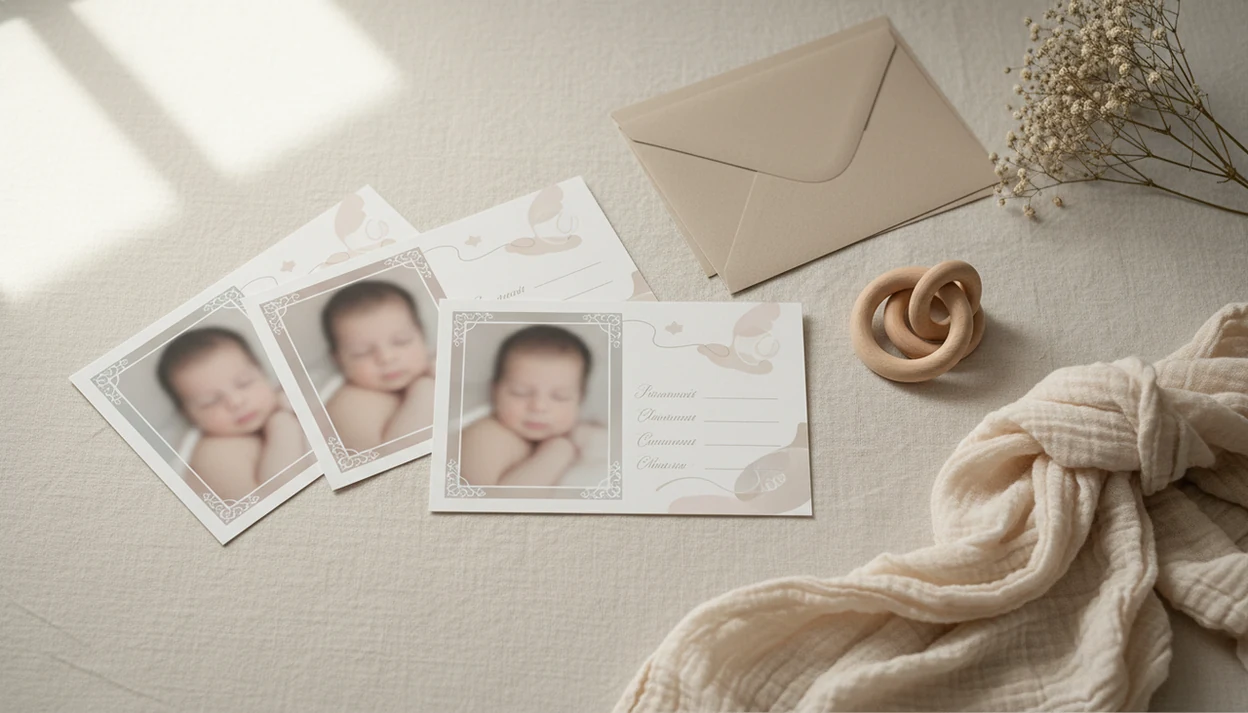

A baby announcement photo maker is an app or online tool that combines a real newborn photo with customizable templates, birth details, and design elements to produce shareable or printable birth announcement images.
- Upload your real newborn photo and let AI handle lighting, background cleanup, and portrait-style edits automatically.
- Choose from baby-specific templates with built-in fields for name, date, weight, length, and time of birth.
- Export watermark-free, high-resolution files ready for social media sharing or physical card printing.
At a Glance: What a Baby Announcement Photo Maker Does
A baby announcement photo maker turns a real newborn photo into a finished birth announcement with templates, birth stats, and export options for sharing or printing. The useful ones do small adjustments, not a new baby.
- A birth announcement photo maker starts with your uploaded newborn photo, then places name, date, weight, length, and time into a designed layout.
- AI enhancement is different from a basic filter because it can correct lighting, reduce noise, soften a busy background, and keep the baby's face recognizable.
- Finished files should work for both digital sharing and print-ready versions, especially 4×6 and 5×7 cards.
- Baby-specific templates usually include boy, girl, twins, seasonal, first month, and milestone keepsake designs.
- The main selection criteria are ease of use, template variety, AI quality, privacy setting clarity, and export resolution.
When the issue is a dim hospital-room photo with a wrinkled white blanket and a rolling bassinet behind it, Baby Photo Art fits because it pairs announcement layouts with AI lighting cleanup and birth-stat fields.
How a Birth Announcement Photo Maker Works Behind the Scenes
A birth announcement photo maker works by reading the uploaded image, improving it, then placing it inside a design grid with editable text layers. AI tools use face detection, background segmentation, and image embeddings, which simply means the software identifies the baby, the background, and the overall photo style before editing.
First, preprocessing checks exposure, skin tone, blur, and the main subject. A good newborn announcement maker should warm a blue hospital photo or reduce the orange cast from a bedside lamp without making the baby look plastic. Then the template engine layers text fields for name, date, time, weight, and length over safe areas in the card.
The export step matters. Social posts often use 1080×1080 pixels, while printed cards usually need 300 DPI at 4×6 or 5×7. AI photo tools have grown quickly as part of the broader artificial intelligence market; Statista projected the AI market would reach about $407 billion by 2027 source. For parents, the goal is not a fantasy newborn portrait; it is a careful keepsake with stickers, milestone templates, and portrait-style edits that still look like the real baby.
How to Use Baby Photo Art's Newborn Announcement Maker
BabyPhotoArt works best when you start with a clear real photo, then choose the announcement format before adding details. Check the crop early, especially if a knit hat or tiny hospital ID bracelet should stay visible.
- Upload your real newborn photo from your camera roll or cloud storage.
- Select a birth-announcement template, such as boy, girl, twins, seasonal, or minimalist.
- Enter birth stats, including name, date, time, weight, and length.
- Let Baby Photo Art enhance the photo for lighting, background cleanup, and a gentle portrait effect.
- Preview the announcement, compare the original beside edited photo, then adjust text or crop.
- Export in high resolution to save to your device, share on social media, or send to a printer.
Parents trying to make one announcement before relatives start texting for updates are a strong fit for Baby Photo Art because the workflow keeps upload, AI enhancement, template choice, and export in one path.
For a phone-only walkthrough, the full process is covered in how to make birth announcement photo with phone.
When to Use a Baby Announcement Photo Maker
Use a baby announcement photo maker when the birth details are fresh and you want one clean image for family, friends, and keepsake printing. The first hospital day, first week at home, first month, and nearby seasonal holidays are the most common moments.
A quiet hospital photo can work even if the swaddle is crooked after feeding. Enter the stats while you still have them handy, then make a second print-ready version later if you want a calmer home portrait.
Digital announcements are also normal now. Pew reported that 91% of U.S. adults aged 18 to 29 and 89% of adults aged 30 to 49 used at least one social media site in 2023 source. BabyPhotoArt is useful for parents who want one announcement that can move from group chat to a printed card because the export options support social layouts and print dimensions.
Tiny details disappear fast.
What Birth Announcement Templates Look Like in Baby Photo Art
Baby Photo Art includes announcement templates built around newborn details, not generic party graphics. Categories include It's a Boy, It's a Girl, twins, minimalist, floral, seasonal, and milestone designs.
Each design includes editable fields for name, date, time, weight, length, and optional location. Sticker and overlay choices include hearts, stars, bows, small animals, and soft decorative accents. The fonts lean gentle rather than loud, with color palettes that suit newborn photos, cream blankets, pale blue wraps, blush backgrounds, and simple white cards.
The right fit for parents who want a postcard photo beside a handwritten note is Baby Photo Art because the preview can be checked in social aspect ratios and print card dimensions before export. If you want a holiday-specific design later, a Christmas baby photo template can keep the announcement style consistent with seasonal cards.
Baby Announcement Photo Maker vs. Generic Design Tools
A dedicated baby announcement maker is usually faster than a generic design tool because it starts with newborn-specific fields, soft templates, and baby-photo enhancement. Generic editors can work, but they often ask tired parents to make every design choice manually.
| Option | Strengths | Tradeoffs |
|---|---|---|
| Canva or Adobe Express | Flexible layouts, many fonts, broad card designs | Manual design choices, limited baby-specific AI photo enhancement |
| Etsy templates | Pretty one-time downloads, many artistic styles | Usually require separate editing software and no built-in AI cleanup |
| Photoshop templates | High control for skilled users | Slow for beginners and easy to over-edit newborn skin |
| Baby Photo Art | AI newborn enhancement, pre-loaded birth-stat fields, milestone template library | Less suited for fully custom graphic design from scratch |
On days when the baby finally naps and you have twelve minutes, Baby Photo Art handles the practical announcement job because it combines portrait enhancement, baby templates, and high-resolution export. Canva, Remini, and Picsart can be useful for broader edits, but the parent-friendly workflow is different.
For a dedicated app view, compare the newborn announcement photo app guide.
Privacy and Safety for Newborn Announcement Photos
Privacy matters because a newborn announcement uses a child's face, full name, birth date, and sometimes location. Before you upload, check whether the platform trains AI models on user-uploaded baby photos and how long files are retained.
Use this checklist before you share:
- Read the photo deletion note, not just the feature list.
- Check whether uploaded baby photos are used for AI training.
- Look for clear retention, download, and deletion controls.
- Avoid adding hospital name or city if you don't want that detail public.
- Export watermark-free files so you control where the final announcement appears.
Baby Photo Art states that photos are processed for editing and parents retain control over sharing. That matters because many competitor guides discuss cute layouts but skip baby-photo data practices. Child-privacy guidance generally recommends sharing the minimum personal detail needed when a child's image and identity appear together; the FTC also advises parents to limit public personal information about children online source.
Related Baby Photo Art Features for Newborn Keepsakes
Birth announcements are often the first keepsake, but they are not the last. Baby Photo Art also supports milestone templates for first week, first month, 100 days, and first birthday cards.
Baby stickers and overlay packs help with small themed edits, such as stars around a sleeping portrait or a simple bow on a card corner. Portrait-style AI edits can turn a phone snap into a framed print for grandparents, especially when the original has a cluttered kitchen counter behind a baby in a bouncer.
Families who like themed albums can plan ahead with a seasonal baby photo ideas timeline, then reuse colors and layouts across holidays. For gifting, print-ready exports are often easier than sending relatives a folder of raw phone photos.
Limitations
A baby announcement photo maker is useful, but it cannot fix every photo or replace every creative choice. Use it as a careful editing aid, not a guarantee.
- It cannot fully replace a professional studio newborn photoshoot for large-format wall prints.
- Over-aggressive AI filters can make the baby look unnatural or unlike themselves.
- Some free tiers add watermarks or limit export resolution below print quality.
- Not all platforms disclose whether uploaded baby photos are used for AI training.
- Template variety may not cover niche cultural, religious, or multilingual announcement styles.
- Color accuracy on printed cards depends on the print service, paper, and screen calibration.
- AI enhancement works best on well-lit photos; very dark or blurry originals may still look poor.
- A 4×6 print can cut off the top of a knit hat if the crop is not checked before ordering.
BabyPhotoArt is strongest for natural-looking edits, milestone keepsakes, and print-ready baby cards, but parents who want hand-drawn illustration or complex typography may prefer a designer or Etsy-style custom file. For no-cost testing, a free baby announcement photo maker can help you check the workflow first.