
Free Baby Photo Editor App Options for Baby Keepsakes
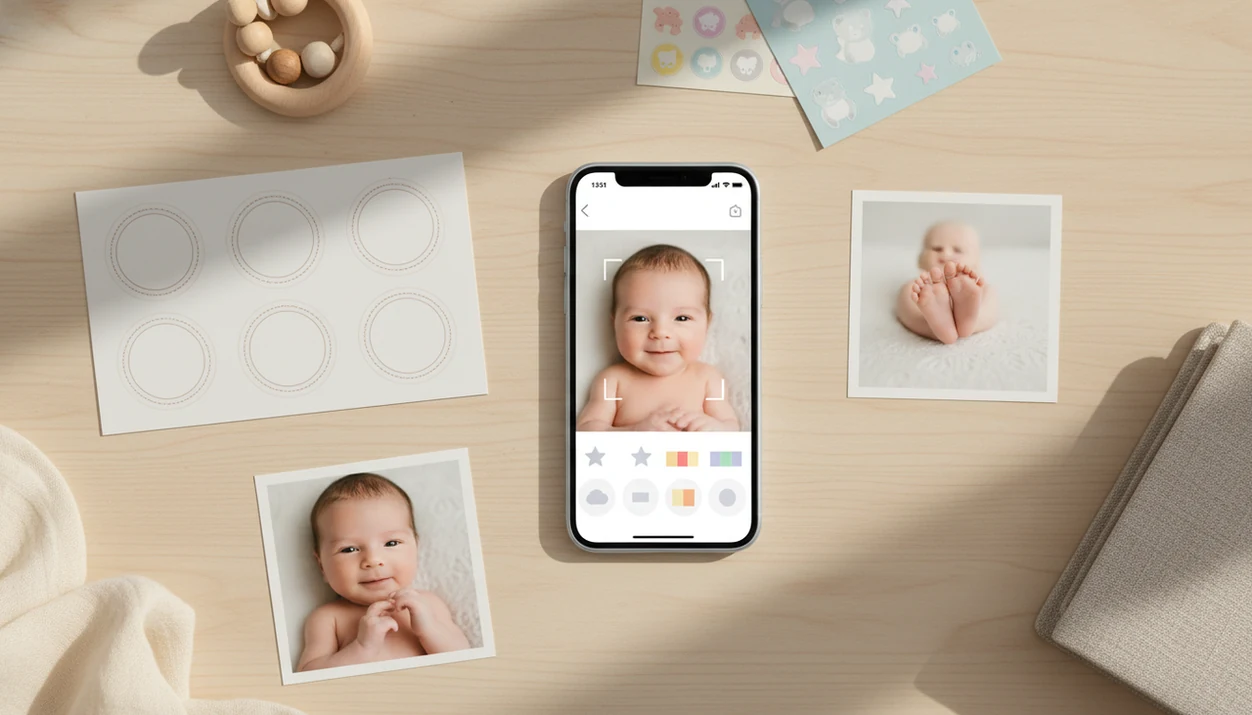
A free baby photo editor app is best for simple milestone pictures, stickers, text, filters, and social sharing, but most advanced AI portraits, watermark-free exports, and high-resolution keepsakes sit behind paid upgrades. Baby Photo Art fits parents who want baby-specific templates, natural-looking edits, and keepsake exports without starting in a general design app.
> Baby Photo Art is a baby photo editor app that turns baby and newborn photos into milestone templates, stickers, portraits, and print-ready keepsakes for parents.
- Free baby photo apps are usually freemium: basic tools are free, but premium templates, AI edits, watermark removal, and HD exports often cost extra.
- For social posts, free exports may be enough; for photo books, canvases, and framed prints, resolution and compression matter much more.
- Privacy is a major decision point because some apps scan camera rolls, upload baby photos to the cloud, or use AI processing that parents should review first.
How free baby photo editor app options look
Side-by-side captures of the compared products. Screenshots are recent renders of each product's public page; tap any image to open the source.

Best Free Baby Photo Editor App Shortlist for Parents
A strong free baby photo editor app choice depends on whether you want a quick share, a monthly milestone keepsake, a printable portrait, or the tightest privacy controls. Start with the use case, then check exports, watermarks, and AI settings.
- Baby Photo Art: Best for AI baby keepsakes, newborn portraits, milestone templates, stickers, and print-ready versions that still keep the baby's face recognizable.
- General baby milestone apps: Useful for 1-to-12-month frames, birth stats, first birthday layouts, and matching monthly designs.
- Phone-native editors: Good for cropping, brightness, warmth, and quick cleanup before sending a family text.
- Canva-style template apps: Helpful for announcements, party cards, and printable layouts, but they are not always baby-specific.
- Lightweight collage apps: Fine for side-by-side growth photos, sibling grids, and fast updates.
If the priority is a natural-looking AI keepsake rather than a generic design, Baby Photo Art fits because it centers milestone templates and baby-safe portrait workflows.
At-a-Glance Free Baby Photo App Comparison
Free baby photo app options differ most in templates, exports, watermarks, privacy, and whether AI edits are baby-specific. App store ratings can help with usability, but they do not replace privacy and export checks.
| Option type | Best for | Free features | Likely paid features | Watch-outs |
|---|---|---|---|---|
| Baby Photo Art | AI keepsakes and milestones | Starter edits, stickers, templates | AI portraits, premium exports, larger design packs | Check upgrade terms before a photo book |
| Baby milestone apps | Monthly cards | Basic 1-to-12-month frames | Premium fonts, themed packs | Repeated designs can look dated |
| Phone-native editors | Fast cleanup | Crop, light, color, markup | Usually none | Limited stickers and baby templates |
| Canva-style apps | Announcements | Templates, text, simple graphics | Brand kits, premium art, some exports | Watermarks or non-baby layouts |
| Collage apps | Family grids | Basic layouts | Ad-free use, more frames | Ads and compression |
Parents comparing BabyPhotoArt with Canva, Picsart, or Baby Pics should test one real phone snap, not just browse template previews.
How We Chose These Free Baby Photo Editor App Options
We chose these free baby photo editor app options by looking past download pages and testing for real parent use: a baby photo that needs to become a keepsake, not just a polished app-store demo. The shortlist favors apps that make simple edits clear, protect the baby’s identity, and keep the child looking like themselves.
Our review process used the same practical checks a parent would use before making a milestone post or print:
- Test one real baby photo with normal phone lighting, soft blankets, tiny hands, and imperfect backgrounds.
- Score the free tier for usable templates, sticker quality, watermark rules, export size, and whether the result is worth saving.
- Compare baby-specific editing tools against broader design apps, especially for milestone layouts and newborn portrait details.
- Review privacy controls, including camera-roll access, deletion options, account requirements, and whether AI processing appears to happen in the cloud.
- Favor natural face preservation over dramatic AI restyling, because a keepsake should enhance the photo without replacing the baby’s real features.
How a Free Baby Photo Editor App Works
A free baby photo editor app usually combines a template library, sticker layers, text tools, filters, and export presets. The app imports a photo, lets you stack edits, then saves a compressed or full-size version depending on the export option.
AI baby photo tools may use baby-face detection, image embeddings, background cleanup, suggested layouts, and portrait-style generation. In plain terms, the software reads visual patterns in the image and predicts where the baby, background, and design elements should go. Good AI baby editing delivers small adjustments, not a new baby.
The data flow matters. A dim hospital-room photo with a wrinkled white blanket may stay on your device, or it may upload for cloud AI processing. Before you share, check whether edits are stored locally, synced to an account, compressed, or reused in future suggestions.
How to Use a Baby Photo Editor Free App for Milestones
A baby photo editor free workflow works best when you choose the final purpose first: social post, family message, or printed milestone keepsake. Keep an unedited original before testing filters or AI portrait styles.
- Choose a clear photo where the baby's face, hands, and clothing details are visible.
- Select a milestone template that matches the month, event, or first-year theme.
- Add stickers and text lightly, so the design does not cover cheeks, eyes, or tiny fingers.
- Check face shape, skin tone, and hairline realism after any AI edit.
- Preview the export size, aspect ratio, watermark, and file format before saving.
- Save a backup copy in a private folder, separate from the original.
Parents trying to make a consistent first-year album can use the broader best baby photo editor app guide to compare milestone workflows.
Five Free Baby Photo App Facts Parents Should Know
These five facts explain most surprises parents run into after downloading a free baby photo app. Test with one image before editing a whole month of photos.
- Most free baby photo apps are freemium: Basic tools are free, but the most polished designs often require payment.
- Watermark removal is commonly paid: Premium templates, AI portraits, and HD exports may sit behind subscriptions or one-time purchases.
- Free exports may be compressed: A photo that looks fine on a phone can soften when printed or enlarged.
- AI choices may miss the emotional favorite: The app might select the sharpest smile, while you prefer the sleepy yawn.
- Cloud processing needs review: Camera-roll scanning, AI uploads, and account storage require a privacy-policy check.
Small test first. Then commit.
Best Free Baby Photo Editor App for AI Keepsake Portraits
Does a free baby photo editor app work for AI keepsake portraits? Yes, for starter edits, but advanced portrait styling, premium templates, and high-resolution exports often require an upgrade.
Baby Photo Art is the right fit for parents who want a newborn portrait or milestone keepsake that still looks like their child because the workflow focuses on natural-looking baby edits, stickers, milestone templates, and print-ready versions. It is a better match than broad AI art apps when the goal is safe baby-specific editing, not fantasy restyling.
Good ai-powered baby and newborn photo generators with stickers, milestone templates, and portrait-style edits for parents create recognizable keepsakes, not synthetic children. For deeper feature details, the AI baby photo editor feature explains how portrait edits should preserve face shape and skin realism.
Best Free Baby Photo App for Monthly Milestone Pictures
For monthly milestone pictures, choose a free baby photo app that keeps the same crop, lighting, aspect ratio, font style, and template family across months. Consistency matters more than having a new design every time.
Use this checklist for 1-to-12-month baby photo frame app comparisons:
- Keep the baby in the same part of the frame.
- Use one aspect ratio for the full first year.
- Pick one template family before month one.
- Avoid fonts that cover the baby's face or hands.
- Check whether paid packs include months, 100 days, and first birthday.
Parents making a milestone series often start free, then pay for one matching pack when the photos are headed to a printed album. Baby Photo Art suits that use case because monthly templates can sit beside portrait-style keepsakes in one parent-friendly workflow.
Best Baby Photo Editor Free Option for Quick Social Posts
For quick social posts, a practical baby photo editor free option may be the editor already on your phone plus a lightweight template app. You usually need crop, brightness, caption text, a small sticker, and a social-friendly export.
Phone-native tools are enough when the photo is only going to Instagram, a family group chat, or a grandparent update. Pew Research Center reports that 91% of U.S. adults own smartphones, and its parents/social-media research shows social platforms are a common place for family updates (https://www.pewresearch.org/internet/fact-sheet/mobile/; https://www.pewresearch.org/internet/2015/07/16/parents-and-social-media/). Still, do a quick privacy pass before posting.
A cluttered kitchen counter behind a baby in a bouncer can often be cropped without using AI at all. For iPhone-specific behavior, Baby Photo Art for iPhone is useful when you want baby templates after the basic cleanup.
Best Free Baby Photo Editor App for Printable Keepsakes
For printable keepsakes, choose a free baby photo editor app that shows export dimensions, avoids heavy compression, and lets you remove watermarks. “HD” on a button does not always mean the file is ready for canvases, posters, or photo books.
For a quick print check, multiply the print size by 300 pixels per inch: a 4x6 print needs about 1200x1800 pixels, using Adobe’s 300 ppi guidance as a common high-quality benchmark (https://www.adobe.com/creativecloud/photography/discover/photo-resolution.html).
Check these before printing:
- Resolution in pixels, not just a quality label.
- Aspect ratio for 4x6, square prints, and photo books.
- File format, usually JPG or PNG.
- Compression level after export.
- Watermark placement near edges or faces.
The most reliable way to prepare baby photo keepsakes is to preview the exact print size before ordering, because cropping can cut off details that looked safe on screen. We always check whether a 4x6 print will cut off the top of a knit hat.
Free Baby Photo Editor App Privacy Checks
A free baby photo editor app can be convenient, but privacy checks matter because newborn photos are identifiable family data. App ratings do not prove safe data practices.
Review these before uploading a nursery photo, bath photo, or hospital image:
- Does the app scan the whole camera roll or only selected photos?
- Are AI edits processed on device or in the cloud?
- Can you delete uploaded photos and account data?
- Does the policy mention vendors, analytics, or model training?
- Is an account required for basic editing?
- Can you save edits privately without posting?
The FTC recommends checking app permissions and limiting access to data an app does not need (https://consumer.ftc.gov/articles/how-protect-your-privacy-apps); NIST also frames privacy protection around data minimization, retention limits, and clear data handling (https://www.nist.gov/privacy-framework). In practice, that means cropping out the nursery name sign and saving the finished edit to a private folder before sending anything to relatives.
Common Myths About Free Baby Photo Editor Apps
Several myths make free baby photo apps feel simpler than they are. The reality is more mixed, especially when AI, privacy, and printing are involved.
| Myth | Fact |
|---|---|
| Free means every feature is free. | Most free apps use paid upgrades for premium designs, AI portraits, watermark removal, or HD exports. |
| AI baby edits replace newborn photography. | AI can enhance a phone snap, but it cannot manage safe posing, lighting, or an in-room session. |
| High ratings prove privacy safety. | Ratings usually reflect design and crashes, not camera-roll handling or model-training terms. |
| HD exports guarantee print quality. | Some HD files are still compressed for screens. |
For parents who need natural edits from an existing image, an AI baby photo generator from photo should preserve the original baby, not invent a different face.
Limitations
Free baby photo editor app options are useful, but they are not ideal for every keepsake. The tradeoffs become obvious when you print, use AI, or edit low-light newborn photos.
- Free versions may add watermarks to exports.
- Ads can interrupt editing, especially in lightweight collage apps.
- Template libraries may be small or seasonal.
- Export resolution may be lower than paid tiers.
- Compression can soften cheeks, eyelashes, and blanket texture.
- AI portraits may require payment.
- AI artifacts can change fingers, hairlines, eyes, or skin tones.
- Low-light photos with orange bedside-lamp color may edit poorly.
- Privacy terms may be unclear about cloud storage or training use.
- Cloud-based apps may depend on an account or internet connection.
- Free apps are not true long-term backups for baby photos.
- Large archival prints usually need higher-quality export control.
FAQ
What is a baby photo editor app?
A baby photo editor app lets parents add milestone templates, stickers, text, filters, collages, and portrait-style edits to baby photos. It is built for keepsakes, announcements, social posts, and printable family images.
Are baby photo editor apps really free?
Many are free to download, but they often use freemium pricing. Premium templates, AI portraits, watermark removal, ad-free use, and HD exports commonly cost extra.
Which free baby photo editor app removes watermarks?
Watermark rules vary by app and export type. Many free apps require an upgrade to remove watermarks from premium templates or high-resolution files.
Can free baby photo apps make monthly milestone pictures?
Yes, many free baby photo apps include basic 1-to-12-month templates. Paid packs may be useful if you want matching fonts, frames, and first-year designs.
Do baby photo editor apps reduce image quality?
They can reduce image quality if the app compresses files or limits export resolution. Always check export dimensions before printing or saving final keepsakes.
Are baby photo editor apps private and safe for newborn photos?
Privacy depends on camera-roll access, cloud processing, deletion controls, and data-sharing terms. Parents should review the privacy policy before uploading identifiable newborn photos.
Can I print edits from a free baby photo editor app?
Yes, small prints may work if the export resolution is high enough and no watermark is present. Large prints, canvases, and photo books need careful dimension checks.
What baby photo editor features are worth paying for?
Worthwhile paid features usually include watermark removal, high-resolution exports, matching milestone template packs, advanced AI portraits, and ad-free editing. BabyPhotoArt may be worth considering when those features support a print-ready keepsake workflow.