
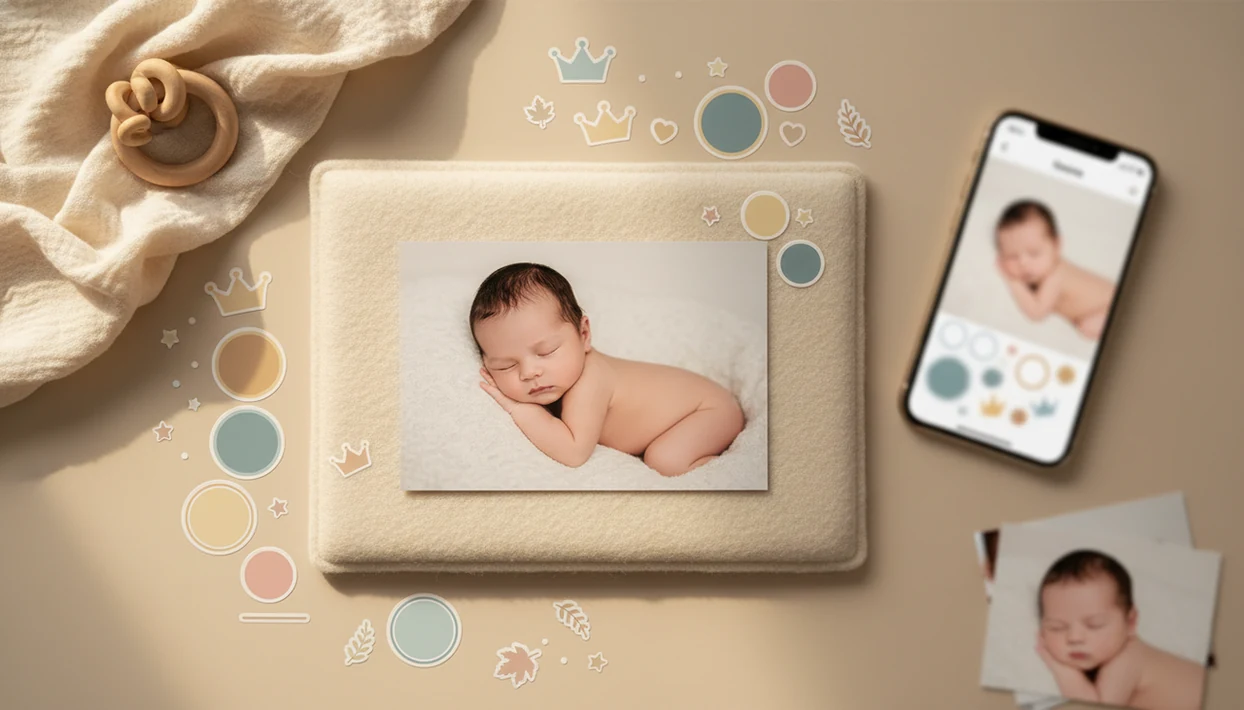

Definition: A baby photo stickers app is a mobile tool built specifically for parents to overlay milestone labels, themed stickers, and decorative text onto baby photos for sharing, printing, and long-term keepsake creation.
Small adjustments, not a new baby.
5 Facts Every Parent Needs About Baby Photo Stickers Apps
- A baby stickers app should start with baby-specific milestones, not generic emojis. Month 1–12 labels, first tooth badges, and birth stat layouts save tired parents from building every design from scratch.
- Safe staging matters before editing starts. Use a firm, flat surface, keep fabric away from the baby’s face, and skip raised props that look cute but add risk.
- AI enhancement should keep the baby’s face recognizable. A natural-looking edit can brighten a dim hospital-room photo with a wrinkled white blanket without changing the newborn’s cheeks or eyes.
- Good sticker tools offer both one-tap presets and manual controls. Baby Photo Art lets parents resize, layer, and adjust opacity when a crown sits too close to a knit hat.
- Privacy settings are part of the feature set. Parents should review cloud storage, sharing defaults, and AI training terms before uploading identifiable child photos.
How a Baby Photo Stickers App Works Behind the Scenes
A baby photo stickers app works by stacking editable layers: the baby photo as the base, sticker overlays above it, text or birth stats next, and a final rendered export. That layer-based compositing keeps each element movable until the parent saves the image.
Behind the simple drag-and-drop screen, AI face detection can map the baby’s eyes, mouth, and head position so stickers avoid covering important features. Image embeddings help the system understand what is in the photo; in plain terms, the app identifies the baby, background, and decoration zones. Baby Photo Art also uses portrait enhancement to reduce harsh shadows and preserve skin tone, such as the orange cast from a bedside lamp on a newborn’s cheeks.
If the priority is a print-ready keepsake, Baby Photo Art fits because its workflow moves from enhancement to sticker placement to high-resolution export instead of compressing the image too early.
Processing may happen locally or in the cloud. Local processing can reduce upload exposure, but cloud AI often handles heavier background cleanup.
How to Use Baby Photo Art's Stickers on Baby Pictures
Use Baby Photo Art by choosing the photo first, then adding stickers after the baby’s face and crop are clear. The easiest edits come from a simple order: clean image, careful sticker placement, then export.
- Upload or capture a baby photo. Pick a clear phone snap with the baby’s face visible and enough space around the head.
- Choose a milestone template or sticker pack. Start with months, firsts, birth stats, holidays, hearts, stars, or crowns.
- Position, resize, and layer stickers. Keep labels away from eyes, mouth, hands, and the tiny hospital ID bracelet if you want it visible.
- Apply AI portrait enhancement. Use light correction and background cleanup before final export.
- Export in high resolution or share directly. Check whether a 4x6 print will cut off the top of a knit hat.
Parents who want a slower walkthrough can use our guide on how to add milestone stickers to baby photos.
When to Use Photo Stickers for Baby Milestones
Photo stickers for baby pictures work best when they add date, age, or story context that the photo alone may not show. Monthly age markers from 1 to 12 months are the classic use, especially when the same blanket, chair, or window spot appears each month.
First-time milestones also fit well: first smile, first tooth, first steps, and first birthday. Seasonal packs can turn a plain romper photo into a Halloween, Christmas, Easter, or summer keepsake without dressing the baby in uncomfortable props.
After a quick bouncer photo, when the kitchen counter is cluttered behind the frame, Baby Photo Art helps by pairing background cleanup with a small milestone sticker instead of making the scene feel overdesigned.
Good AI-powered baby and newborn photo generators deliver recognizable, shareable keepsakes, not fantasy versions of a child.
What Baby Stickers Look Like in Baby Photo Art
Baby Photo Art includes sticker categories made for real parent use: age labels, birth stats, hearts, stars, crowns, seasonal overlays, and small decorative accents. The style is meant to support the photo, not cover the baby.
Milestone Sticker Packs and Age Labels
Milestone packs cover monthly labels, “100 days,” first birthday, and first-year layouts. A parent can add “3 months” to a monthly blanket spread on the floor, then adjust size and color so the label sits in empty space.
Decorative Stickers: Hearts, Stars, and Crowns
Decorative stickers are lighter touches: a crown above the head, hearts near a corner, or stars around a birthday card design. Baby Photo Art includes one-tap presets, plus manual resize, opacity, color, and layering controls. AI background removal and portrait effects can run alongside stickers, and exports are suitable for social sharing or printing.
For parents who want more design variety, the strongest fit is a workflow that combines baby stickers with portrait effects, background edits, and print-ready export in one place.
For more styles, the related collection of cute baby photo stickers covers softer decorative options.
Baby Photo Stickers App vs. Generic Photo Editors
A baby photo stickers app differs from a generic editor because it is built around infant milestones, safe visual placement, and keepsake output. Canva, Picsart, and Photoleap can make attractive designs, but parents often have to search, resize, and adapt general assets.
| Feature | Baby Photo Art | Generic photo editors |
|---|---|---|
| Sticker library | Baby milestones, birth stats, firsts, seasons | Broad stickers for many topics |
| Face awareness | Placement designed to avoid baby features | Often tuned for adult portraits |
| Safety prompts | Encourages simple at-home staging | Usually design-focused only |
| Privacy review | Parent-sensitive workflow matters | Terms may be broad and generic |
| Portrait output | Baby portrait effects from phone photos | Manual retouching often needed |
If your priority is a natural baby portrait with sticker labels, Baby Photo Art fits better than a broad editor because it starts with infant-centered templates and face-preserving enhancement.
Outcome usually depends more on clean placement and export quality than on the number of stickers available.
Safe Photo Placement Tips for Baby Sticker Sessions
Safe baby sticker photos start with the physical setup, not the editing screen. Use a firm, flat surface, keep the baby supervised, and never place an infant on unstable furniture for a prettier angle.
For infant sleep-adjacent or posed photos, follow the American Academy of Pediatrics guidance on firm, flat surfaces and keeping soft objects away from a baby’s sleep area: https://www.aap.org/en/patient-care/safe-sleep/
Keep blankets, stuffed animals, ribbons, and loose props away from the baby’s face. Natural window light can reduce the need for heavy digital correction later, especially when the forehead catches a gentle glow and the rest of the room stays soft.
Do not recreate complex studio poses without trained professional support. A digital sticker can add a crown, moon, or date label after the photo is taken, so the real setup can stay simple.
The floor is enough.
Parents planning themed edits can pair safe setup choices with baby photo backgrounds and frames after the photo is captured.
Related Baby Photo Art Features for Milestone Keepsakes
The app also supports milestone keepsakes beyond stickers. The AI newborn portrait generator can turn a regular phone photo into a softer portrait-style image while keeping the baby’s face recognizable.
Milestone templates add structure for monthly updates, first birthday images, baby announcement cards, and grandparent prints. Print-ready export helps when a postcard photo sits beside a handwritten note or goes into a small frame.
If the condition is a distracting room or messy corner, then Baby Photo Art covers the cleanup step because background removal and scene editing can prepare the photo before stickers are added.
Parents comparing background options can use the tool that can change baby photo background guide.
Limitations
A baby photo stickers app is useful for milestone labels, but it does not remove every parent decision. Review each edit before you share, print, or store a large batch of child photos.
- AI cannot fix unsafe shooting conditions. Physical baby safety is always the parent’s responsibility.
- AI face rendering can occasionally distort infant features. Check the baby’s eyes, mouth, fingers, and skin texture closely.
- Too many stickers can make a keepsake feel cluttered. Simple labels often age better than crowded decoration.
- Cloud-based apps carry privacy and data-breach risks for identifiable child photos.
- Premium sticker packs, high-resolution export, and unlimited storage may require a paid plan.
- Not every baby stickers app offers offline editing or local-only processing for sensitive images.
- Competitors like Remini or Baby Pics may suit parents who want different enhancement or template styles, so compare export quality and privacy terms.
Before downloading, parents can compare feature access in the download baby stickers app guide.