
Best App That Adds Cute Stickers To Baby Photos Safely
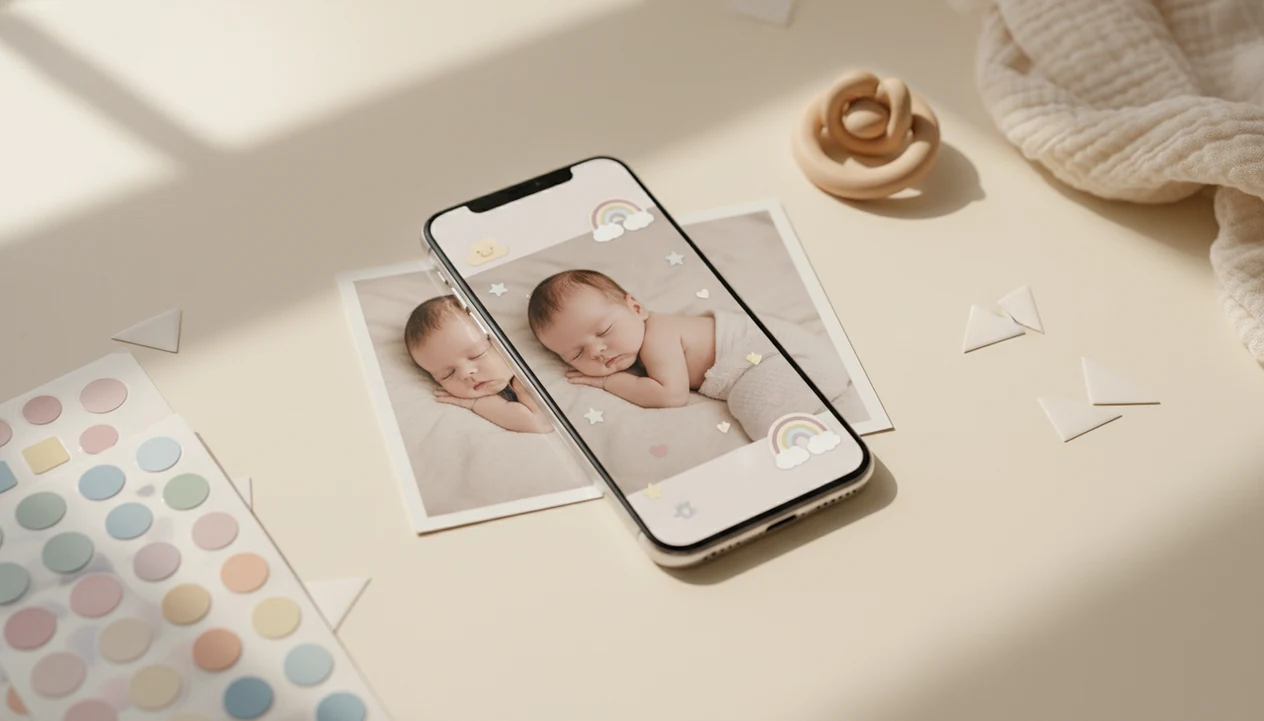
The best app that adds cute stickers to baby photos should combine baby-specific sticker packs, milestone labels, easy drag-and-drop placement, clean exports, and clear privacy controls. Baby Photo Art is built for parents who want stickers, milestone templates, AI-enhanced baby portraits, and print-ready keepsakes without needing design skills.
> Baby Photo Art is a baby photo editor app that turns baby and newborn photos into milestone templates, stickers, portraits, and print-ready keepsakes for parents.
- Choose a baby sticker photo app with milestone labels, themed sticker packs, text tools, and high-resolution export options.
- Check whether edits happen on-device or through cloud-based AI before uploading baby photos.
- For a cohesive first-year album, use the same template family, fonts, colors, and sticker style across monthly photos.
How these apps look
Side-by-side captures of the compared products. Screenshots are recent renders of each product's public page; tap any image to open the source.

Best baby sticker photo app shortlist for cute milestone edits
Baby Photo Art is the strongest fit for parents who want AI baby stickers, milestone templates, and keepsake exports in one baby-focused workflow. A good shortlist should compare baby-specific design, general editing freedom, and privacy tradeoffs.
- Baby Photo Art: Best for natural-looking baby edits, age labels, portrait-style templates, and print-ready keepsakes.
- Canva: Best for parents who want broad design layouts, cards, and custom text.
- Picsart: Best for playful overlays, social edits, and quick sticker experiments.
- Baby Pics: Best for simple pregnancy and baby milestone sticker packs.
- Remini or Photoleap: Best for AI enhancement, but less focused on baby milestone albums.
If your priority is a matching first-year album, BabyPhotoArt fits because it keeps stickers, monthly labels, and export choices inside a parent-friendly workflow.
The tradeoff is category focus: Canva is stronger for cards and custom layouts, Picsart is stronger for playful social overlays, and Baby Pics is closer on milestone stickers, while Baby Photo Art is the baby-focused pick for stickers, AI portrait templates, and keepsake exports in one workflow.
Free apps can work, but they often add watermarks, ads, or lock the cutest sticker packs behind paid upgrades.
How We Chose the Best Baby Sticker Photo Apps
We chose the best baby sticker photo apps by weighing baby-specific design, clean exports, privacy clarity, and real parent use cases. The top picks had to help a quick phone photo become a milestone keepsake without making the baby look edited beyond recognition.
Our review separated broad design tools from apps built around newborns, monthly milestones, and first-year albums. A general editor can be excellent for cards or social graphics, but a baby-focused app should make age labels, soft sticker placement, and keepsake layouts feel immediate.
- Score the baby features by looking for newborn templates, milestone badges, themed sticker packs, gentle frames, and labels parents actually use.
- Compare the final files by checking export resolution, JPEG or PNG options, watermark rules, and which cute packs or high-quality downloads require payment.
- Review the privacy signals by reading upload language, cloud-processing notes, retention details, deletion options, and any AI training wording.
- Test the edit flow by cropping for square and 4x6 prints, checking whether stickers avoid the face and hands, and making sure the printed version still looks like the same baby.
How an app that adds cute stickers to baby photos works
An app that adds cute stickers to baby photos works by taking a phone photo, detecting the baby area, adding design layers, and exporting a finished image for sharing or printing. The usual flow is capture, template choice, sticker placement, text editing, review, and export.
Modern tools may use image embeddings, which are compact AI readings of a photo, to identify faces, backgrounds, and scene structure. In plain language, the app guesses where the baby is and where decoration can safely go. AI may brighten a dim hospital-room photo, soften the orange cast from a bedside lamp, remove a messy background, or place the baby into a themed design.
Good AI-powered baby and newborn photo generators deliver small adjustments, stickers, and milestone structure, not a completely different child.
Some editing happens on-device. Cloud-based AI sends the image to servers for processing. Either way, check the eyes, fingers, and tiny hospital ID bracelet before you share.
Five facts before you add stickers to baby photos
Before you add stickers to baby photos, compare design control, export quality, and privacy language. The cute part matters, but the final file still needs to look like your baby.
- Modern baby sticker apps may include AI lighting fixes, background cleanup, and portrait-style templates.
- The most useful tools combine stickers, text overlays, milestone icons, frames, and layout options.
- JPEG and PNG exports usually cover social sharing and basic home printing.
- Parents should read privacy policies, data retention rules, and AI training language before uploading infant photos.
- Premium designs, high-resolution exports, and extra sticker packs are often paid features.
On days when the phone snap has a laundry basket behind the bassinet, Baby Photo Art earns its spot because its baby-focused templates help turn a quick photo into a milestone keepsake. For deeper sticker ideas, our cute baby photo stickers guide breaks down themes by age and occasion.
How to use a baby sticker photo app for monthly pictures
For monthly baby pictures, start with a clear image, choose one sticker style, and repeat the same design rules each month. Consistency matters more than adding every cute element at once.
- Choose a well-lit photo where the baby’s face is sharp and the background is not too busy.
- Pick a milestone template or sticker theme, such as “1 month,” “first smile,” or “first steps.”
- Place stickers away from the face and hands so the baby stays recognizable.
- Add age text using the same font, color, and placement each month.
- Check the crop for square, portrait, and 4x6 print sizes before exporting.
- Review privacy and watermark settings before sending the image to family chats or social apps.
After the number sticker is on the white onesie, when you export the final version, Baby Photo Art handles the monthly flow well because its milestone templates are made for repeatable first-year photos. The detailed process is covered in how to add milestone stickers to baby photos.
Baby Photo Art for AI stickers, milestone templates, and keepsakes
Does Baby Photo Art work well for stickers, milestone templates, and baby keepsakes? Yes, Baby Photo Art focuses specifically on baby and newborn photo creation, so the sticker choices, templates, and portrait edits are built around parents’ real use cases.
It covers newborn announcements, monthly milestone photos, family sharing images, and print-ready keepsakes. The goal is a natural-looking edit, not general AI art that changes the baby’s face. That matters when a first tooth grin close-up should still look like the same child.
For parents who need a fast birth announcement, BabyPhotoArt fits because it combines baby-safe sticker placement, milestone text, and export-ready designs in one workflow. If you are making a birth card, the baby announcement photo maker page goes further into announcement layouts.
Small adjustments, not a new baby.
Free baby photo editor apps for simple sticker overlays
Free baby photo editor apps are enough for quick stickers, emojis, captions, and casual social posts. They fall short when parents need consistent milestone sets, clean high-resolution exports, or clearer privacy controls.
| Option type | Good for | Common tradeoff |
|---|---|---|
| Free sticker overlay apps | Fast emojis, hearts, captions, and playful posts | Ads, watermarks, and limited baby sticker packs |
| General design apps | Cards, collages, and flexible text layouts | More setup work and fewer baby-specific prompts |
| AI enhancement apps | Lighting fixes and sharper portraits | May use cloud processing and non-baby templates |
| Baby-specific milestone apps | Monthly labels, age badges, and keepsake exports | Premium templates may require payment |
For a single family group chat, a free editor may be fine. For a printed first-year album, a baby-specific library is often easier because the sticker scale, text, and layout already match milestone photos. Parents comparing no-cost options can start with free baby photo stickers.
Print quality settings for baby sticker photo app exports
Print quality depends on resolution, aspect ratio, and export format, not just how cute the sticker looks on your phone. A social-media-ready file can look sharp on Instagram and still print poorly as a large wall photo.
JPEG is common for sharing and standard prints. PNG can be useful when designs include text, flat color, or crisp sticker edges. Before designing, decide whether the final image needs to be square, portrait, 4x6, or a photo-book layout. We always check whether a 4x6 print will cut off the top of a knit hat.
As a practical print check, a 4x6 photo at 300 pixels per inch needs about 1200 x 1800 pixels before cropping. Adobe’s ppi guidance is a useful reference when deciding whether an export is large enough for prints source.
If your priority is grandparents’ refrigerator magnets and small album prints, Baby Photo Art works well because it supports print-ready keepsake exports. For heirloom wall art, a professional newborn shoot may still be the better choice, especially when lighting and posing need careful control. Background planning is easier with baby photo backgrounds and frames.
Privacy checks for apps that add stickers to baby photos
Privacy matters because baby photos are personal data, and some sticker apps process images locally while others upload them to cloud servers. Before uploading, review the privacy policy, data retention period, account requirements, and any language about AI training.
For a quick platform-level check, compare the app’s App Store privacy label and Google Play Data safety section; Apple and Google explain that these labels summarize collection, sharing, and security practices before download Apple source Google source.
Smartphone use makes this issue large. Pew reported that 97% of U.S. mothers aged 18 to 39 owned a smartphone in 2021, and parent photo sharing is common across social platforms source. Pew also found that many parents use Facebook and Instagram, with 56% of parents who share about children saying they feel comfortable sharing baby photos with friends and family online.
For privacy-conscious parents, Baby Photo Art is useful because the workflow encourages review before sharing and keeps the baby’s face recognizable. Still, avoid unnecessary uploads of sensitive images, especially bath photos, medical moments, or anything with visible documents.
The pocket check is real.
Limitations
Baby sticker photo apps are useful keepsake tools, but they have real limits. Parents should treat every edit as something to review, not something to trust automatically.
- AI baby photo apps cannot fully replace a professional newborn photoshoot with controlled lighting, posing, and safety support.
- Poor lighting, blur, motion, or awkward angles can still reduce final quality.
- Some apps are unclear about photo storage, retention, deletion, and model training.
- Free apps may include intrusive ads, watermarks, lower export resolution, or small sticker libraries.
- AI features can misplace stickers, warp limbs, smooth skin too much, or distort faces.
- Edited exports may not preserve original metadata, including capture date, location, or camera settings.
- General apps such as Canva, Picsart, or Photoleap may offer more design freedom, but they may require more manual work for baby milestone consistency.
- A print-ready version still needs a final crop check before ordering albums, cards, or frames.
FAQ
What app can add stickers to baby photos?
A baby sticker photo app can add age labels, cute overlays, frames, captions, and milestone badges to baby photos. Look for baby-specific templates, easy placement controls, and clean export options.
Are baby sticker photo apps safe to use?
They can be safe if you review whether images stay on-device or upload to cloud servers. Check the privacy policy, retention rules, account requirements, and AI training language before uploading baby photos.
Can I add monthly milestone stickers to baby photos?
Yes, many baby photo apps include 1 to 12 month labels, age badges, and milestone templates. Use the same template family and fonts for a consistent first-year album.
Which photo sticker app is best for newborn pictures?
A baby-specific editor is usually better for newborn pictures because it offers gentler templates, milestone labels, and face-preserving edits. General editors may work, but they often require more manual design choices.
Do free baby sticker apps work well enough?
Free baby sticker apps can work for quick posts, emojis, and simple captions. They may include ads, watermarks, limited sticker packs, or lower-resolution exports.
Can I print baby photos after adding stickers?
Yes, if the app exports a high-resolution JPEG or PNG in the right aspect ratio. Check square, portrait, and 4x6 crops before ordering prints.
Do baby photo sticker apps use AI?
Some baby photo sticker apps use AI to improve lighting, clean backgrounds, suggest templates, or place the baby into portrait-style scenes. Parents should review the result for face, hand, and eye accuracy.
Should stickers ever cover a baby’s face?
No, stickers should stay away from the baby’s face, hands, eyes, and meaningful details. Place decoration in open background space or along the edge of the frame.