
Cute Baby Photo Stickers That Keep Baby Photos Clean
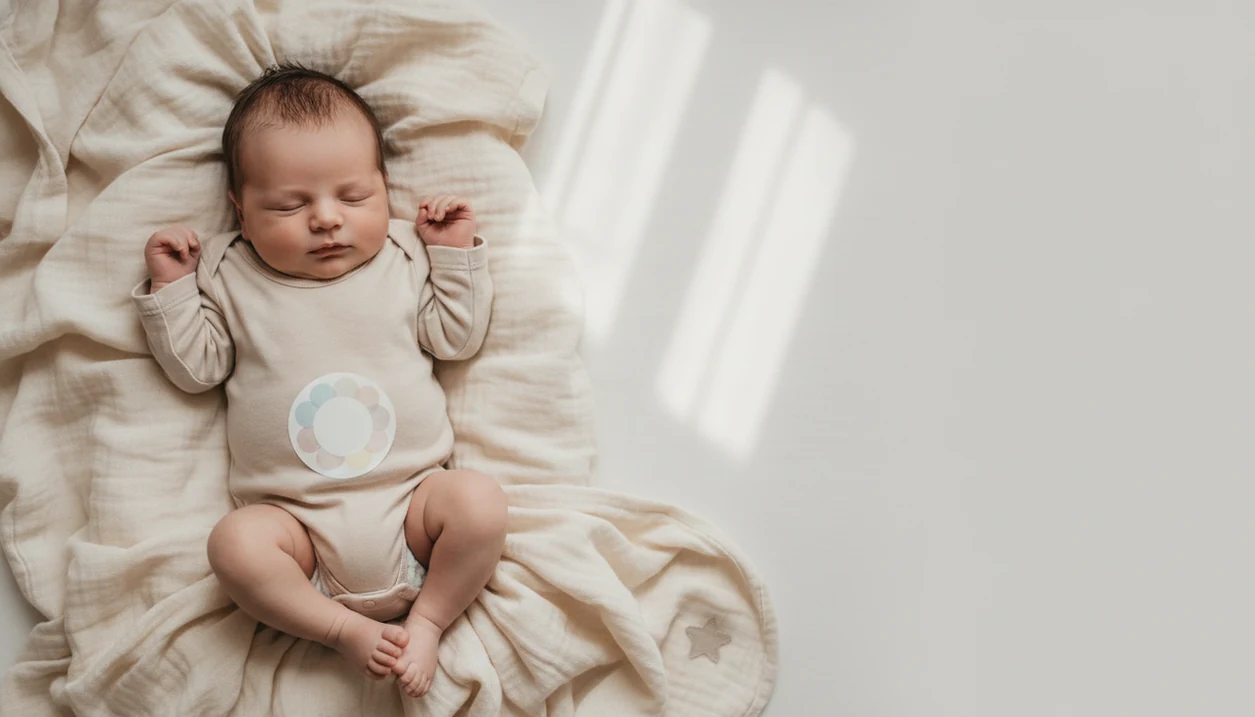
Cute baby photo stickers look best when they are simple, readable, and placed where they support the moment without covering the baby’s face. Use one main sticker, consistent colors, and a repeatable placement rule so each milestone photo feels coordinated instead of cluttered.
> Cute baby photo stickers are decorative physical or digital labels added to baby pictures to mark ages, dates, milestones, moods, and keepsake captions.
- Choose one large, high-contrast sticker instead of several small decorations.
- Place stickers on a onesie, blanket corner, or open background space so the baby’s face stays the focal point.
- Use the same sticker style, background, and crop each month for a cleaner milestone series.
Cute Baby Photo Stickers At A Glance
- Month labels, date tags, stars, florals, tiny captions, and first-milestone badges are the most useful sticker types for baby photos.
- The cleanest placement zones are the onesie center, a blanket corner, the side of the frame, or a digital overlay added after the photo.
- One focal sticker should support the memory; the baby’s face should remain the main subject.
- Smartphone editing is common: Pew Research Center reports that 85% of U.S. adults owned a smartphone in 2021 (https://www.pewresearch.org/internet/fact-sheet/mobile/).
- High-contrast stickers read better in small social thumbnails and 4x6 prints.
In our own edits, a “3 months” badge usually works better than five floating hearts. The baby does the emotional work. The sticker just labels the day.
How Cute Baby Photo Stickers Work In Clean Photo Designs
Cute baby photo stickers work as visual labels that add context, scale, and milestone meaning without changing the baby’s actual expression or identity.
Good sticker design depends on visual hierarchy: baby first, sticker second, background third. In editing terms, the sticker should sit in unused negative space and follow the photo’s color balance. That means a cream date tag on a warm crib sheet, not neon text fighting a newborn’s cheeks under window light.
Digital stickers can be resized, moved, recolored, and removed after the photo is taken. AI-powered baby photo editors can also suggest layouts, rebalance spacing, and keep the edit natural-looking. Baby Photo Art is a baby photo editor app that turns baby and newborn photos into milestone templates, stickers, portraits, and print-ready keepsakes for parents.
The best AI baby sticker edits make the label look placed, not pasted: edges stay clean, shadows stay subtle, and the baby’s skin tone does not change.
Cute Stickers For Baby Photos Before You Start
Start with the photo, not the sticker. Soft natural light, a plain blanket, a crib sheet, or a neutral wall gives cute stickers for baby photos enough room to breathe.
Pick two or three colors before choosing designs. If the baby is wearing sage green, cream, and white, a pale blue sticker set may feel random. A dim hospital-room photo with a wrinkled white blanket and a rolling bassinet in the background can still work, but the sticker should stay calm.
Keep the baby comfortable and supervised, especially around physical stickers. Don’t rely on a sticker to fix missed focus, motion blur, or a dark room. Parents often end up with a crowded camera roll before the first birthday.
That camera roll gets crowded fast.
How To Use Cute Baby Photo Stickers Without Clutter
Use cute baby photo stickers by giving each sticker one job, placing it in open space, and checking the final image at both phone and print size.
1. Choose One Sticker Message
- Set one purpose for the sticker: age, date, milestone, or caption.
- Choose one main sticker and one optional tiny accent only.
2. Place The Sticker In Open Space
- Place the sticker on open blanket space, on the onesie, or beside the baby.
- Keep it away from eyes, mouth, fingers, and the main facial expression.
3. Resize For Phone And Print
- Resize the sticker so it is readable but not louder than the baby.
- Check whether a 4x6 print will cut off the top of a knit hat or the sticker edge.
4. Save A Clean Copy
- Review the image as a small thumbnail before saving or sharing.
- Save both the original photo and a print-ready version for albums.
For step-by-step milestone layouts, the more detailed workflow is covered in how to add milestone stickers to baby photos.
Baby Sticker Ideas For Monthly Milestone Photos
Baby sticker ideas work best when they repeat a clear style across the series. A matching background, similar crop, and consistent sticker position make the first year feel intentional.
- Month numbers: Use “1 month,” “2 months,” “6 months,” and “12 months” in the same font family.
- Keepsake captions: Add date, weight, or a short note for albums, especially if you print each month.
- Firsts: Mark first smile, first tooth, first steps, and first holiday with small badge-style stickers.
- Personality notes: Try “nap time boss,” “tiny explorer,” or “milk drunk” if the tone fits your family.
- Family events: Use soft frames for visits, birthdays, or a printed collage on the dining table.
A first tooth grin close-up usually needs only one label. Anything more competes with the tiny new tooth.
Cute Stickers For Baby Photos Placement Rules
Where should cute stickers for baby photos go? Place them in the same corner, side, or open background zone across a milestone series so the baby remains the visual focus.
Keep stickers away from the baby’s eyes, mouth, fingers, and facial expression. Use negative space on the blanket, wall, bassinet sheet, or outfit instead. If the baby’s dimpled hand is gripping a parent finger, don’t cover that moment with a star cluster.
Avoid scattering multiple stickers across the frame. High contrast matters because many parents share photos in small feeds; Pew Research reported that around 93% of parents with children ages 0–4 use social media. For small prints and social thumbnails, dark text on a light sticker usually reads better than pastel text on a pale blanket.
For coordinated background choices, use baby photo backgrounds and frames that leave room for the label.
Physical Vs Digital Cute Baby Photo Stickers
Physical, digital, and AI sticker workflows all work, but they solve different parent problems.
| Sticker type | Best for | Watch out for |
|---|---|---|
| Physical stickers | Quick onesie shoots and tactile milestone photos | Can wrinkle, peel, or distract a baby |
| Digital overlays | Albums, 4x6 prints, and matching month-by-month layouts | Need good resolution and careful sizing |
| AI editor stickers | Birth announcements, Instagram stories, and coordinated templates | Still need parent review for realism and placement |
Digital stickers are easier to move, resize, undo, and match across months. AI baby photo editors can generate coordinated templates and correct layout clutter after the shot. That fits how people already edit; global consumer spending on photo and video apps reached an estimated $7.8 billion in 2023, according to data.ai’s State of Mobile report (https://www.data.ai/en/go/state-of-mobile-2024/).
A baby photo stickers app is often easier than physical labels for wiggly babies because you can fix placement after nap time.
Common Cute Baby Photo Sticker Mistakes
The most common mistake is adding too much at once. Several stickers, two captions, a filter, and three fonts can make a sweet phone snap feel crowded.
Low-contrast pastel text is another problem. Pale pink letters on a cream blanket may look gentle on your phone, then disappear in a printed album. Covering the baby’s face, hands, expression, or natural pose also weakens the keepsake. A sleepy yawn under window light should not sit behind a giant “so cute” sticker.
Switching sticker styles every month makes the series feel accidental. Trendy slogans can be fun, but some age poorly in keepsake books. For long-term prints, simple month labels and short captions usually hold up better than meme-style text.
Clean Baby Sticker Photo Checklist
Before you save, print, or share, run through a short check.
- Confirm the baby’s face is sharp, bright, and unobstructed.
- Check that the sticker is readable at thumbnail size.
- Confirm there is only one main sticker message.
- Review color harmony with the blanket, outfit, and background.
- Save the original unedited photo plus the sticker version.
- Check the crop before making a 4x6 print or album page.
Tools like Baby Photo Art can help parents create milestone templates, stickers, portraits, and print-ready keepsakes while keeping the baby’s face recognizable.
One clean version is enough.
Limitations
Cute baby photo stickers are useful, but they cannot rescue every photo or design choice.
- Overusing stickers can pull attention away from the baby’s expression.
- Physical stickers can wrinkle, fall off, or become a choking hazard if peeled by the baby.
- Some fabrics make stickers buckle, especially soft ribbed onesies.
- Digital stickers may print fuzzy if the original photo is low resolution.
- No sticker can fix poor lighting, motion blur, or missed focus.
- Bright cartoony designs can date photos quickly in printed keepsakes.
- AI sticker tools still need parent review for placement, realism, and keepsake style.
- Privacy settings matter before you share, especially with baby names, birth dates, or location details.
Apps such as BabyPhotoArt can speed up layout work, but parents should still check the eyes after an AI edit and save the original.
FAQ
What are baby photo stickers used for?
Baby photo stickers are decorative labels used to mark ages, dates, milestones, captions, and baby photo themes. They can be physical stickers, digital overlays, or part of an AI-edited template.
Where should I place stickers on a baby photo?
Place stickers on a onesie, blanket corner, side of the frame, or open background space. Keep them away from the baby’s face, fingers, and main expression.
Are digital baby stickers better than physical stickers?
Digital baby stickers are more flexible because they can be moved, resized, removed, and matched across months. Physical stickers can look tactile, but they need close supervision.
Can baby photo stickers go on clothes?
Baby photo stickers can go on clothes if they lie flat and the baby is supervised. A blanket corner or digital overlay is often cleaner if the fabric wrinkles.
What stickers are best for baby milestone photos?
Simple month numbers, date tags, first-milestone badges, and short keepsake captions work best for milestone photos. Consistent colors and fonts make the series easier to read.
How many stickers should I use in one baby photo?
Use one main sticker and, if needed, one small accent. More than that usually pulls attention away from the baby.
Do baby photo stickers print clearly in albums?
Baby photo stickers print clearly when the original photo is sharp, high resolution, and high contrast. Always check the sticker at 4x6 size before ordering prints.
Are physical stickers safe to use around babies?
Physical stickers require close supervision because they can peel, wrinkle, detach, or become a choking hazard. Remove them immediately if the baby grabs or mouths them.