
How To Share Baby Photos Online Safely With Family
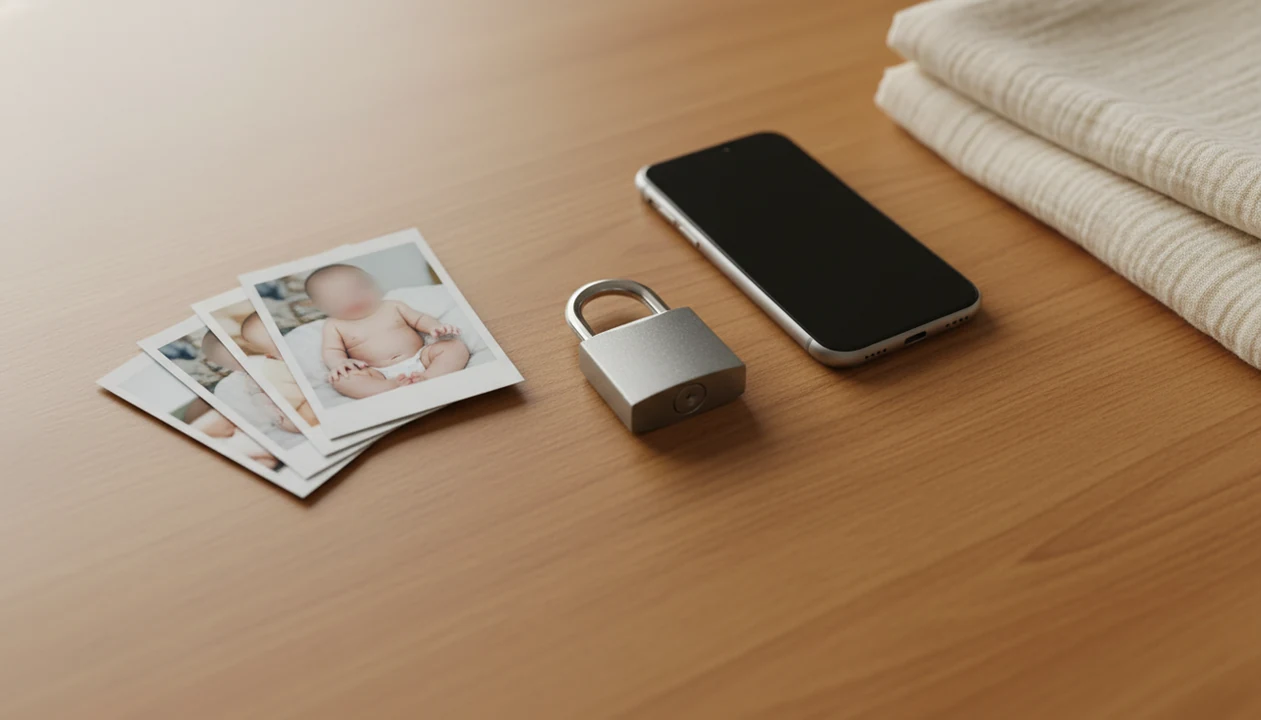
The safest way to share baby photos online is to remove identifying details, use a private access-controlled channel, and set family rules before anyone reposts. This guide explains how to share baby photos online safely without exposing your child’s face, full name, location, birthdate, or edited milestone images to people or platforms you did not choose.
Safe baby photo sharing means showing baby pictures to trusted family and friends while reducing exposure of your child’s identity, location, metadata, face data, and long-term digital footprint.
This is a privacy-risk guide for parents and caregivers, not legal, cybersecurity, or child-protection advice. If a baby photo has been stolen, sexualized, used for impersonation, or shared by someone who may pose a safety risk, document it and contact the platform, local authorities, or a qualified professional.
- Use encrypted messages, invite-only albums, or private family-sharing apps instead of public social feeds.
- Remove names, birthdates, location clues, metadata, school logos, house numbers, and other children’s faces before sharing.
- Check AI baby photo app policies for storage, model training, face data use, deletion options, and third-party access before uploading.
Safe Baby Photo Sharing At A Glance
Safe baby photo sharing works best when you use the most private channel that still fits your family. In order of safer to riskier, consider encrypted messaging, invite-only albums, private family apps, locked social accounts, and public feeds.
Private accounts reduce casual exposure, but they don't stop screenshots, downloads, screen recordings, or reposts. That matters with baby milestone posts, which often include a full name, birth date, hospital bracelet, monthly sticker, or location clue in one cheerful image.
A simple rule holds up well: share fewer images, with fewer identifiers, to fewer people. Before posting the round-cheeked bonnet photo, check the crop, caption, background, and audience. If one detail feels too specific for a stranger, remove it before you share.
Small circle. Fewer clues.
Five Facts About Sharenting Baby Photos
Sharenting baby photos means parents create part of a child’s online identity through posts, captions, albums, birth announcements, and milestone edits. The risk is not one cute picture; it is the pattern that builds over time.
- A 2010 AVG Technologies study reported that 92% of U.S. children under age two already had some form of online presence created by parents or others source.
- A Pediatrics survey found that 56% of parents who post about children include photos, and 51% share personally identifiable information such as a name or birthdate source.
- The C.S. Mott Children’s Hospital National Poll warns that sharenting can reveal a child’s location, routines, embarrassing details, or identifying information, and recommends using privacy settings and asking permission before posting source.
- Identity clues include names, birthdays, captions, monogrammed blankets, daycare shirts, and hospital details.
- Location clues, metadata, reposting, and AI data scraping can spread a baby photo beyond the original family audience.
The hospital bracelet on a newborn wrist can be precious. It can also reveal more than parents meant to show.
How Safe Baby Photo Sharing Works Behind The Scenes
Safe baby photo sharing works by controlling the data trail from capture to viewing, not just by choosing a private-looking app. A baby photo can move through a phone camera, device storage, cloud backup, editing app, export folder, upload service, recipient device, and screenshots.
Metadata is hidden file information. It may include GPS location, device model, date, time, and app-generated file details. Platforms may also create backups, index content, analyze images, suggest tags, run face recognition, support ad systems, or allow resharing.
AI baby photo editors add another layer. Uploaded faces, prompts, edits, and exported keepsakes may be stored, processed, analyzed, or reused according to each app policy. Image embeddings, which are mathematical summaries of visual content, can help systems match or classify photos.
For parents, the plain version is this: privacy is a chain. One weak link can expose the photo.
How To Use A Private Workflow To Share Baby Photos Online Safely
A private workflow helps parents move from phone snap to shared keepsake without leaking avoidable details. It is especially useful for edited milestone images, where text, stickers, and frames can add identifiers fast.
- Set camera and app privacy defaults before taking photos, including location access, cloud backup, and album permissions.
- Review the original image for names, dates, address clues, hospital labels, school logos, other children, and reflective surfaces.
- Edit identifiers before adding milestone templates, stickers, or portrait-style effects.
- Export a clean copy and strip metadata where possible, especially before public posting or large group sharing.
- Share through encrypted messages, invite-only albums, or private family apps with named recipients.
- Review album members, link-sharing settings, and old access every few months.
For a 4x6 print, we also check whether the top of a knit hat gets cut off. Print habits make privacy checks slower, but they catch details.
Step 1: Remove Names, Dates, And Location Clues From Baby Photos
What identifying details should parents remove from baby photos? Remove full names, exact birthdates, hospital names, daycare names, school logos, addresses, street signs, car plates, house numbers, and unique routines before sharing.
Use initials, nicknames, or broad timeframes instead. “Three months old this spring” reveals less than a full name beside an exact birth date. Check captions, stickers, milestone boards, blankets, onesies, and the background before you export.
Face blurring alone is not enough if the image still shows a home address, a hospital bassinet card, or a daycare cubby label. A dim hospital-room photo with a wrinkled white blanket may feel ordinary, yet the rolling bassinet in the background can hold printed details.
For most families, removing visible identifiers before sharing is easier than trying to control a photo after relatives save it.
Step 2: Turn Off Geotags And Strip Baby Photo Metadata
Can baby photo metadata reveal private information? Yes. Metadata is hidden file information, such as GPS location, device details, date, time, and sometimes app or export history.
A 2010 study found that 41% of users were unaware that online photo metadata can contain sensitive information, including GPS location source. That gap matters when a nursery photo, hospital photo, or first-birthday image leaves your phone.
Turn off location access for the camera and photo apps. Check cloud backup settings, shared album settings, and whether your platform removes metadata on upload. When appropriate, export a clean copy or use a metadata-removal tool. Some parents use a screenshot as a lower-detail copy, but quality can drop.
Settings can reset after app updates, phone changes, or cloud sync changes. Recheck them after a new device.
Step 3: Choose Private Channels For Safe Baby Photo Sharing
The safest channel is usually the one with the fewest recipients and the clearest controls. Examples include WhatsApp, Signal, Apple shared albums, Google Photos, Instagram, and Facebook, but the privacy result depends on settings and recipient behavior.
| Channel | Access control | Screenshot risk | Ease for grandparents | Metadata handling | Best use case |
|---|---|---|---|---|---|
| Encrypted messaging | Named chats or groups | High | Usually easy | Varies by app and backup | A few trusted relatives |
| Invite-only photo albums | Album members and links | Medium to high | Easy after setup | Varies by service | Ongoing family updates |
| Private family-sharing apps | Account-based access | Medium | Often simple | Check policy | Baby-only albums |
| Locked social accounts | Followers or friends | High | Familiar | Platform-dependent | Low-sensitivity updates |
| Public social media | Anyone or broad audience | Very high | Easy | Platform-dependent | Avoid for identifiable baby photos |
A grandparent holding a glossy photo print does not need a public post. A private album or direct message often does the job with less exposure.
Step 4: Check AI Baby Photo App Policies Before Editing
AI baby photo tools can process a child’s face, original image file, prompts, edits, and exported keepsake. Before uploading, check whether images are used to train AI models, how long uploads are stored, whether deletion is available, and whether third-party processors receive data.
Use natural-looking edits that keep the baby's face recognizable. Avoid adding full names, exact dates, hospital names, or location text inside milestone templates. Choose edits that make the keepsake easier to read or print, such as light retouching, simple stickers, and date-free milestone text, not edits that create a new-looking face or add a public identity record.
Tools like Baby Photo Art can be part of a parent-friendly workflow when parents still review privacy settings, captions, and exports. For deeper questions, the baby photo app privacy policy checklist explains the policy terms to inspect before upload.
Step 5: Set Family Rules For Sharenting Baby Photos
Family rules make safe baby photo sharing less awkward because everyone knows the boundary before the first album arrives. Write the rules once, then repeat them calmly when new relatives join a chat.
- Recipient list: Decide who can receive baby photos and whether group members may add anyone else.
- Face rule: State whether your baby’s face can appear on public feeds.
- Caption rule: Ban full names, birthdates, locations, and parent tags if you prefer.
- Repost rule: Ask relatives not to repost, screenshot into public feeds, or add location information.
- Other children rule: Get permission from other parents before sharing group photos.
A simple message works: “We’re sharing baby photos here for family only. Please don’t repost, tag us, or add names, dates, or locations.”
Plain beats fancy.
Common Myths About Safe Baby Photo Sharing
Some privacy myths make parents feel safer than they are. The fix is not panic; it is checking the actual path a photo can take.
- Myth: A private Instagram or Facebook account prevents copying. Private settings limit visibility, but followers can still screenshot, save, forward, or repost.
- Myth: Turning off location once removes all future geotags. App updates, new phones, cloud sync, and separate camera apps can change location behavior.
- Myth: Baby photo apps are safe by default because they are made for parents. Read storage, deletion, model training, face data, and third-party access terms before uploading. The guide on can AI apps use baby photos for training covers that risk in more detail.
- Myth: Blurring a face makes everything else harmless. Names, logos, addresses, captions, and background objects can still identify a child.
One uncanny smile change is a warning sign, too. Reject edits that stop looking like your baby.
Safe Baby Photo Sharing Checklist Before You Post
Use this checklist before sending a baby photo, posting a milestone keepsake, or sharing an edited portrait.
- Confirm there is no full name, exact birthdate, hospital name, school, daycare, address, house number, street sign, car plate, or other children’s faces.
- Confirm metadata and geotags are removed or minimized where possible.
- Confirm privacy settings, album invitees, link-sharing settings, and download permissions.
- Confirm AI editing app storage, deletion, face data, and training settings were reviewed.
- Confirm family members understand reposting, tagging, caption, and location boundaries.
For safe baby photo sharing, the most practical habit is to check the image, caption, metadata, audience, and app policy before every upload. If you need a focused location walkthrough, use how to remove location data from baby photos.
When To Get Help Or Report A Baby Photo Privacy Problem
Get help quickly if a baby photo is reposted without permission, used for impersonation, tied to harassment, sexualized, or connected to a real-world safety concern. Do not try to argue with accounts that threaten, exploit, or fixate on a child’s image.
- Save the evidence first. Record the URL, account names, screenshots, dates, captions, comments, direct messages, and any repost trail before content disappears.
- Use the platform’s reporting tools for unauthorized reposts, fake profiles, harassment, sexual content, or privacy violations. Keep confirmation emails or case numbers.
- Ask trusted relatives, caregivers, or friends to remove posts calmly and clearly when the problem appears to be family oversharing rather than malicious use.
- Escalate to a school, daycare, custody professional, legal counsel, or local authorities if the photo reveals routines, location, access to the child, threats, stalking, or exploitation.
- Block instead of engaging when an unknown account sexualizes, threatens, bargains over, or repeatedly reposts the image.
The goal is to preserve proof, reduce spread, and move the issue to people with authority to act.
Limitations
No online sharing method can remove all risk. Private sharing reduces exposure, but it does not create full control once another person can view the image.
- Recipients can screenshot, download, forward, print, or repost baby photos from almost any channel.
- Privacy settings and platform policies change often, so one-time setup is not enough.
- AI app data practices may be unclear, especially around model training, storage, face analysis, and third-party processors.
- Cropping, stickers, and face blurring reduce re-identification risk, but they do not erase all clues.
- Legal protections, child privacy rules, and content moderation vary by country and platform.
- Old posts, backups, cached files, and shared albums can stay accessible longer than parents expect.
- Family rules depend on people following them, including grandparents, caregivers, friends, and separated households.
If a photo feels sensitive, don't upload it. Keep a print-ready version for private family use instead.
FAQ
What is safe baby photo sharing?
Safe baby photo sharing is controlled sharing that reduces identity, location, metadata, face data, and reposting risks. It usually means private channels, fewer identifiers, and clear family boundaries.
Should I post baby photos publicly?
Public posting carries the highest risk because strangers, platforms, scrapers, and search systems may access the image. Private channels reduce risk, but they cannot remove all risk.
Are private Instagram accounts safe?
Private Instagram accounts limit who can see posts, but they cannot prevent screenshots, downloads, or resharing. Treat locked social accounts as lower exposure, not full protection.
Can baby photos reveal location?
Baby photos can reveal location through GPS metadata, timestamps, street signs, house numbers, hospital names, school logos, and background details. Check both the file and the visible image.
How do I remove photo metadata?
Disable camera location, export a clean copy, use a metadata-removal tool, or check whether your sharing platform strips metadata. Recheck settings after updates or phone changes.
Is Google Photos safe for babies?
Google Photos safety depends on album permissions, link sharing, account security, metadata handling, and recipient behavior. Review shared album members and turn off broad link access when possible.
Is WhatsApp safe for baby photos?
WhatsApp offers encrypted messaging, which helps protect photos in transit. Risks remain through forwarding, screenshots, cloud backups, and large group membership.
Are AI baby photo apps safe?
AI baby photo app safety depends on storage, deletion, model training, face data use, and third-party access policies. Parents should review these terms before uploading baby photos to tools such as BabyPhotoArt.
Should I blur my baby’s face?
Face blurring can reduce exposure, but it is not enough by itself. Remove names, locations, logos, captions, and metadata as well.
How do I stop family reposting?
Set clear rules before sharing photos, use private albums, ask for no public posts, and remind relatives before new albums or milestones. Privacy choices reduce risk, but they cannot guarantee compliance.