
Baby Photo App Privacy Policy Checklist for Parents
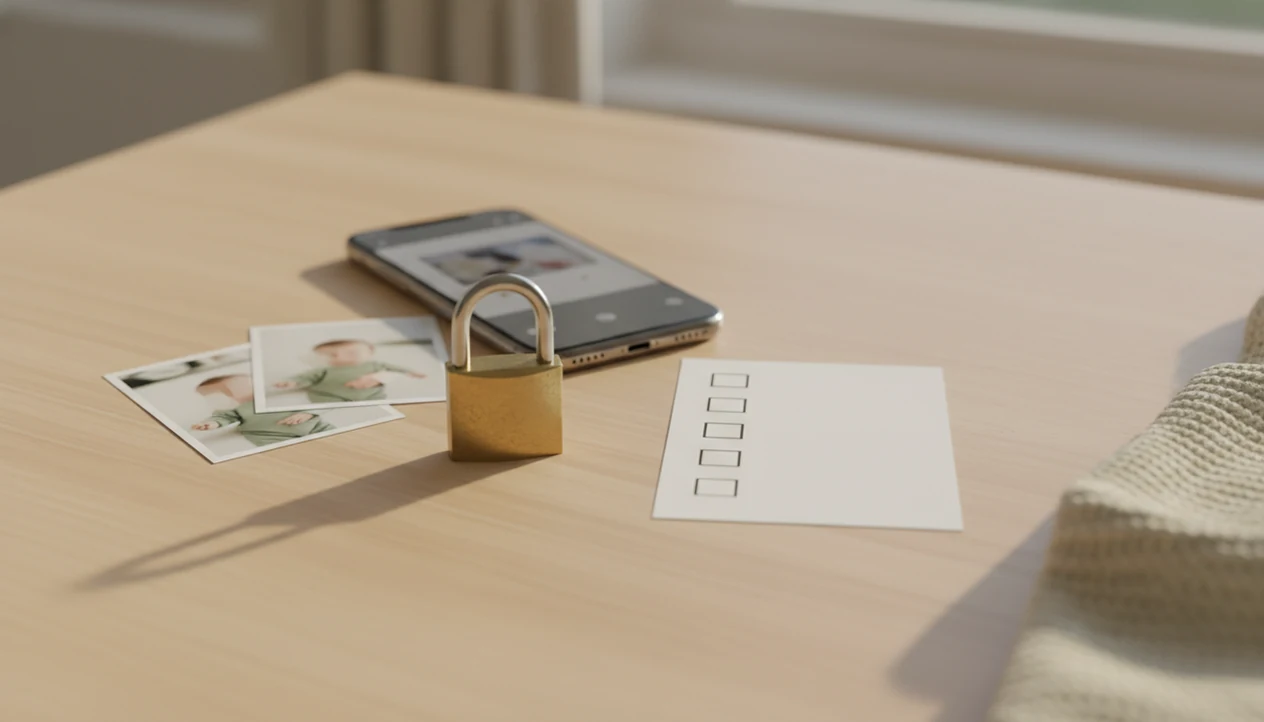
A baby photo app privacy policy checklist helps parents decide whether an app is safe enough before uploading baby or newborn photos. Use it to check photo storage, deletion rights, AI training language, third-party sharing, metadata, parental consent, and who owns the edited images.
Definition: A baby photo app privacy policy checklist is a parent-focused review tool for checking how a baby photo editor collects, uses, stores, shares, and deletes a child’s photos and related data.
TL;DR
- Check whether the app uses baby photos only to create edits, templates, stickers, and keepsakes, or also for AI training, analytics, advertising, or product development.
- Look for clear deletion controls, retention timelines, parental consent language, third-party vendor disclosures, and limits on location or metadata collection.
- Avoid apps with vague rights language, permanent licenses, unclear AI model training terms, no privacy contact, or policies that contradict app store data disclosures.
Baby Photo Privacy Checklist at a Glance
Before uploading baby photos, parents should check collection, AI use, storage, deletion, third parties, metadata, ownership, consent, and the privacy contact. A cute phone snap can carry more data than it appears to carry.
Baby photos may include personal data because faces, filenames, timestamps, device IDs, account emails, IP addresses, and location metadata can identify a child or household. A dim hospital-room photo with a wrinkled white blanket may also show a room number, wristband, or visitor badge in the background.
Use this baby photo privacy checklist before trying AI-powered baby and newborn photo generator with stickers, milestone templates, and portrait-style edits for parents, not broad reuse of a child’s face. In a 2020 Pew Research Center survey, 81% of U.S. parents said the potential risks of companies collecting data about their child outweighed the benefits (https://www.pewresearch.org/internet/2020/07/28/parenting-children-in-the-age-of-screens/). A large-scale Android study published in Proceedings on Privacy Enhancing Technologies found that 67% of child-directed apps transmitted persistent identifiers to third parties (https://petsymposium.org/popets/2018/popets-2018-0021.php). High ratings do not prove strong privacy practices.
Five Baby Photo App Privacy Policy Facts Parents Should Know
- Baby photos can be personal data. Baby and newborn photos, metadata, device IDs, account emails, uploaded images, and edited outputs may identify a child or home.
- Children’s privacy rules may apply. Policies for apps directed to, or used by, children under 13 should explain parental notice and verifiable parental consent where COPPA applies. The FTC says COPPA can cover photos, videos, audio files, and persistent identifiers when they can identify or contact a child over time (https://www.ftc.gov/business-guidance/resources/complying-coppa-frequently-asked-questions).
- AI terms need a manual search. Parents should search for machine learning, model training, face data, biometric identifiers, avatars, and generated images. The tiny hospital ID bracelet may be meaningful, but it is still identifying.
- Retention and security should be specific. Strong policies explain encryption, access controls, retention periods, deletion timelines, and backup handling.
- Parents need usable controls. You should be able to delete photos, revoke consent, opt out of sharing where available, and contact a privacy team. FTC children’s privacy enforcement examples show regulators scrutinize children’s images, avatars, facial data, and algorithms trained from that data.
How an AI Photo App Privacy Policy Works
An AI photo app privacy policy should explain the full data path from upload to deletion. The usual path is simple on the surface: a parent selects a baby photo, the app processes it, applies templates or AI edits, stores the output, and may involve cloud vendors.
The important differences sit underneath. On-device processing keeps more work on the phone. Cloud processing sends the image to remote servers. Temporary processing may delete files quickly, while account storage keeps drafts, thumbnails, and exports. Backups, analytics, crash logs, and marketing data may follow separate rules.
A useful policy connects each data type to a purpose, retention period, sharing category, and user control. Tools like Baby Photo Art are baby photo editor apps that turn baby and newborn photos into milestone templates, stickers, portraits, and print-ready keepsakes for parents. The policy still matters because small adjustments, not a new baby, require trust in how the original photo is handled.
AI Photo App Privacy Policy Language to Search
Search the policy for exact words that reveal AI use: AI, artificial intelligence, machine learning, training, improve our models, biometric, face geometry, facial recognition, avatars, generated content, user content, license, subprocessors, analytics, advertising, retention, and deletion.
- AI and training terms. Phrases like “improve services” or “research and development” need extra scrutiny when baby photos are involved.
- Face and biometric terms. Look for face geometry, facial recognition, avatars, and biometric identifiers, especially in portrait-style edits.
- Rights and license terms. AI-generated baby portraits and milestone edits may need a limited license to process the photo, but not broad ownership of the child’s image.
- Vendor terms. Subprocessors, analytics, advertising, and cloud providers show who else may touch the data.
Prefer policies that clearly say photos are not used to train models unless the parent gives explicit consent. For deeper AI training language, parents often ask can AI apps use baby photos for training before choosing an editor.
Baby Photo Storage, Deletion, and Retention Checklist
Where does the app store my baby’s original and edited photos? Parents should look for separate answers for original uploads, edited outputs, drafts, thumbnails, backups, and account records.
A clear policy gives a retention timeline. Good examples include “deleted after processing,” “stored until account deletion,” or “retained for 30 days after deletion request.” Vague wording, such as “as long as necessary,” “legitimate business purposes,” or “indefinitely,” needs explanation.
Deleting the app from your phone usually does not delete cloud-stored photos or account data. You may need to delete each project, close the account, revoke consent, and request deletion by email or in-app form. Ask whether backup deletion is delayed and whether you receive confirmation.
The confirmation email matters.
Sharenting research and child-safety guidance commonly warn that children can have large online photo trails before they can consent; for example, Parent Zone has reported that many children have roughly 1,500 images shared online by age five (https://parentzone.org.uk/article/sharenting). That makes deletion controls more than a tidy-account feature. For sharing decisions after export, use a separate guide on how to share baby photos online safely.
Third Parties, Metadata, and App Store Privacy Mismatches
Parents should compare Apple App Store privacy labels or Google Play data safety disclosures against the full privacy policy. If the two materially conflict, do not treat the shorter app store label as the final answer.
| Checkpoint | What to compare | Why it matters |
|---|---|---|
| Cloud hosting | Policy vendor list vs app store data sharing | Baby photos may be stored or processed off-device. |
| AI providers | Subprocessors vs AI feature claims | Portrait edits may rely on outside model providers. |
| Analytics and crash logs | “No ads” claims vs tracking tools | No ads does not always mean no data sharing. |
| Metadata | Location, timestamps, filenames, camera details | A nursery photo can reveal more than the baby’s smile. |
| Support and email tools | Help desk systems vs contact forms | Uploaded screenshots may include baby images. |
Third-party categories can include cloud hosting, AI processors, analytics tools, crash reporting, payment processors, email tools, advertising networks, customer support systems, and social sharing integrations. Metadata may include device IDs, IP addresses, usage patterns, and location data. If you need a practical device-level step, review how to remove location data from baby photos.
Consent, Ownership, and Copyright Checks for Baby Photos
Who is allowed to upload a child’s photo? Parents should confirm whether the app requires a parent or legal guardian to consent before collecting or processing a child’s personal information.
Where COPPA applies, services collecting personal information from children under 13 must provide direct notice to parents and obtain verifiable parental consent. The FTC has emphasized parental notice and consent in children’s privacy guidance and enforcement.
Ownership is separate from permission to process. Parents should check whether they retain ownership and copyright in original baby photos and edited outputs. A limited license lets the app provide the service, such as cropping a 4x6 print-ready version or placing birth stats beside tiny footprints. A broad, perpetual, transferable license can be risky if it allows advertising, training data, public galleries, sublicensing, or promotional examples without explicit permission.
For parents comparing overall upload risk, the question is it safe to upload baby photos to AI apps deserves its own check before any batch upload.
Baby Photo App Privacy Policy Red Flags
Choose apps with narrow data collection, clear purpose limits, parent controls, and transparent support contacts. Avoid policies that make baby photo use feel open-ended.
- No policy or unreadable legalese. Parents need plain answers before uploading.
- No child privacy section. Baby and child images deserve direct treatment, not a generic paragraph.
- No deletion process or retention timeline. “Indefinitely” without explanation is a serious warning.
- No AI training disclosure. Free, high-quality AI baby portraits need a clear funding and processing explanation.
- No third-party list. Cloud, analytics, AI, and support vendors should not be hidden.
- Broad content license. Watch for advertising, sublicensing, public galleries, or promotional reuse.
- Unclear metadata collection. Location and device data can expose family routines.
- No privacy contact. Parents need a real channel for deletion and consent requests.
App ratings, influencer posts, and beautiful sample edits do not replace privacy review. This checklist supports safe, natural-looking AI baby photo editing and milestone keepsakes rather than general AI art use.
When to Contact a Privacy Professional or Regulator
Contact the app’s privacy team first when you need a child’s photos deleted, consent changed, or a copy of data connected to your account. Bring in outside help or a regulator when the answer is unclear, ignored, or contradicted by how the app appears to use baby images.
A parent should not have to guess whether a newborn portrait is being used beyond the edit they requested. If the policy mentions COPPA, GDPR, state privacy rights, biometric data, or AI training in a way you cannot understand, a qualified privacy professional can help interpret the obligation and the practical risk.
- Send a clear request to the app privacy contact asking for deletion, access, consent withdrawal, or an explanation of processing.
- Save screenshots of the policy, app store label, upload screen, consent flow, emails, and any support replies.
- Ask a privacy professional if child-data rules, cross-border processing, or state-law rights are unclear.
- Report deceptive app-store labels, missing consent, or ignored deletion requests to the relevant consumer or data-protection regulator.
- Escalate immediately if your baby’s photo appears in ads, public galleries, example prompts, model-training samples, or promotional materials without permission.
Authoritative Sources Used for This Checklist
This checklist is based on U.S. children’s privacy guidance, app-store disclosure rules, and independent research on children’s apps and tracking. It is a practical parent review tool, not legal advice.
- Start with FTC COPPA guidance as the main U.S. child-privacy reference, especially when an app is directed to children or collects photos, identifiers, contact details, or other information connected to a child under 13.
- Compare the app’s full privacy policy with Apple privacy labels and Google Play Data safety disclosures, because those store summaries can reveal claimed data collection, sharing, tracking, and deletion practices.
- Weigh independent research on children’s apps, persistent identifiers, third-party SDKs, advertising technology, and data sharing. Research does not prove what one app does today, but it explains why parents should check vendors, analytics, and tracking language.
- Treat legal coverage as location-specific. COPPA, GDPR, state privacy laws, biometric rules, and consumer-protection standards can differ by country, state, child age, app audience, and consent flow.
- Use this checklist to prepare better questions for the app developer or a qualified privacy professional, not as a substitute for legal advice about your family’s rights.
Limitations
A checklist can reduce risk, but it cannot prove what happens inside a company’s internal systems. Parents still rely on the app developer’s honesty, security controls, and legal compliance.
- A checklist cannot inspect private servers, vendor contracts, internal dashboards, or employee access logs.
- Children’s privacy laws vary by country, state, age threshold, and service design.
- Privacy policies can change after a parent has already uploaded photos.
- Third-party cloud, analytics, AI, and support vendors may be hard for parents to evaluate fully.
- App store privacy labels may simplify actual practices or lag behind current product behavior.
- Deletion can be delayed by backups, legal retention duties, fraud prevention, or support records.
- A privacy contact may respond slowly, especially after an app update or ownership change.
- A natural-looking edit can still involve sensitive processing if face data leaves the device.
This article is not legal advice and should not replace advice from a qualified privacy professional. For a broader safety checklist, compare this page with a safe AI baby photo app review process.
FAQ
Are baby photos personal data?
Yes. Baby photos can be personal data because a child’s face, account email, device ID, timestamp, filename, location metadata, and upload history may identify the child or household.
Can apps train AI on baby photos?
Some apps may train or improve AI models on baby photos if their privacy policy, terms, or consent flow allows it. Parents should search for “training,” “machine learning,” “improve our models,” and “user content.”
What is COPPA for photo apps?
COPPA is the U.S. children’s privacy law that can apply when services collect personal information from children under 13. Where it applies, operators generally need parental notice and verifiable parental consent.
Does deleting the app delete photos?
Usually, no. Uninstalling an app often removes local access from your phone, but cloud-stored photos, account records, backups, and support data may remain until you use the deletion process.
Should metadata worry parents?
Yes, metadata can matter. Location, timestamps, device IDs, camera details, and filenames may reveal where a baby lives, when routines happen, and which household devices were used.
Are app store labels enough?
No. App store privacy labels and data safety disclosures are summaries, not full policies. Parents should compare them with the complete privacy policy and avoid apps with major conflicts.
Who owns edited baby photos?
Parents usually retain ownership of their original baby photos unless the terms say otherwise. The app may still need a limited license to process, store, and export edited versions.
What privacy red flags matter most?
The biggest red flags are no privacy policy, no deletion process, no AI training disclosure, broad content licenses, unclear third-party sharing, vague retention language, and no privacy contact.
How often should parents recheck privacy policies?
Parents should recheck privacy policies after major app updates, new AI features, ownership changes, changed sharing settings, or before uploading a new batch of baby photos.