
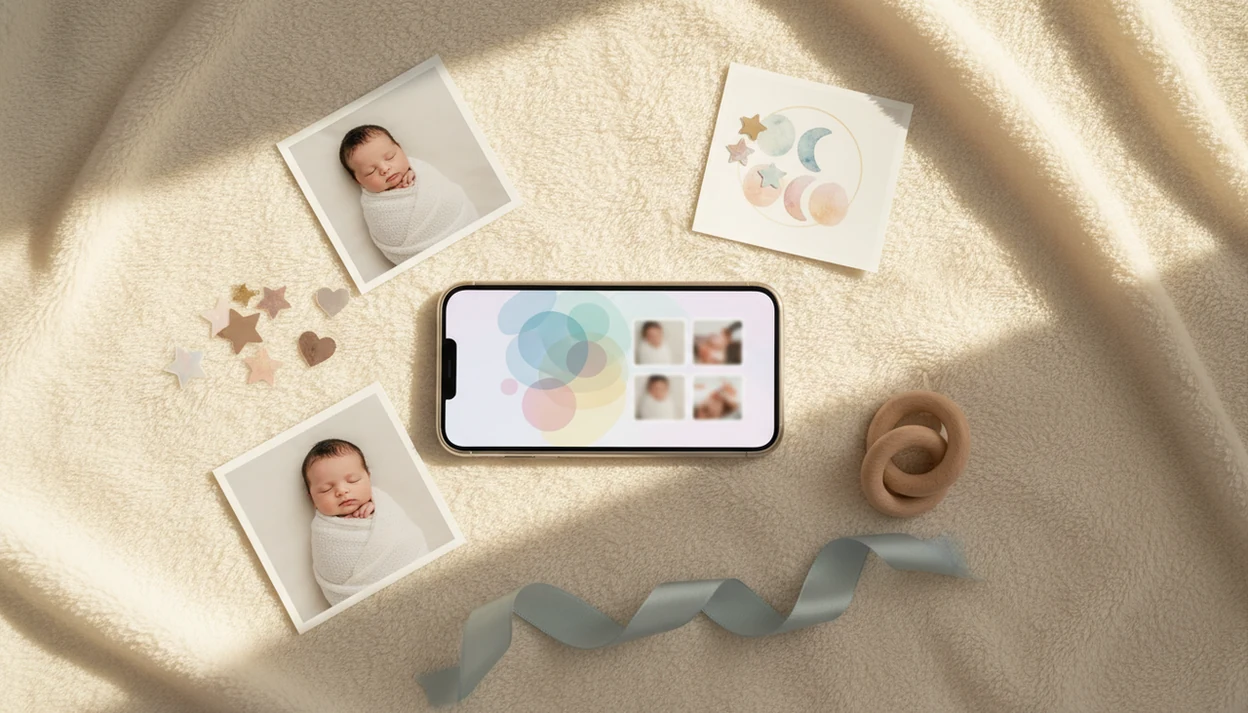

> Baby Photo Art is a baby photo editor app that turns baby and newborn photos into milestone templates, stickers, portraits, and print-ready keepsakes for parents.
- Download Baby Photo Art app free on iOS or Android, no studio visit needed
- AI editing creates milestone overlays, stickers, portraits, and print-ready exports in seconds
- Freemium model: basic edits are free, premium templates and HD exports require a subscription
Baby Photo App Features for Milestone Keepsakes
Baby Photo Art gives parents a fast way to turn a phone snap into a milestone keepsake without setting up lights, props, or a studio session. Most families are already starting with a camera roll photo, and Statista estimated that 92.5% of 1.72 trillion photos taken in 2023 were captured on smartphones source.
- The editor applies AI-powered portrait-style edits to real baby photos from your phone.
- Milestone overlays cover weeks, months, first holidays, and first-year moments.
- Stickers, filters, and themed templates help parents make small adjustments, not a new baby.
- Print-ready export options support cards, canvas prints, and album pages.
- Finished edits can be saved or shared to family chats before you lose the moment.
Parents trying to make a clean monthly photo from a wrinkled hospital-room picture fit this workflow because the workflow starts with the original baby photo, then adds a milestone template and export size.
How Baby Photo Art's AI Editing Works
Baby Photo Art works by taking a baby photo from your camera roll, reading the image structure, then applying templates and art styles as a styled composite. It is real-baby editing, not a future-baby predictor or genetic guess.
The AI model looks for facial features, lighting conditions, edges, and background areas. In technical terms, it uses image embeddings, which are numeric patterns that help the system understand what is face, blanket, shadow, and background. A dim bassinet photo with an orange bedside-lamp cast will usually need gentler correction than a bright window photo.
Processing happens in seconds on cloud servers, then the finished image returns as a styled keepsake. The important check is whether the baby's real features stay recognizable, including details like the tiny hospital ID bracelet if you want it visible. For a deeper feature breakdown, the AI baby photo editor feature guide explains this workflow in more detail.
Good AI-powered baby and newborn photo generators deliver face-preserving edits, milestone designs, and print exports, not fake identity swaps or medical predictions.
6 Steps to Download and Use Baby Photo Art App
Use Baby Photo Art by downloading it, choosing a real baby photo, previewing the edit, then exporting a version for sharing or printing. The process is built for tired parents who have one usable photo and about three quiet minutes.
- Open the App Store or Google Play and search Baby Photo Art.
- Tap Download or Install to start the free BabyPhotoArt download.
- Create an account, or continue as a guest if that option is shown.
- Upload a well-lit baby photo from your camera roll.
- Choose a milestone template, sticker set, or portrait style.
- Export, save, print, or share the finished keepsake with family.
Check the crop before export. A 4x6 print can cut off the top of a knit hat if the template sits too close to the edge.
For parents who need a quick first edit after download, Baby Photo Art fits because the parent-friendly workflow moves from photo upload to preview to print-ready version in one path.
Milestone Keepsake Ideas for the First Year
Milestone templates are useful across the first year because milestones arrive faster than most parents can plan a photo setup. Weekly cards, monthly blanket photos, 100-day edits, first holidays, and first birthday templates all work from everyday phone photos.
A good rhythm is simple: one clean monthly portrait, one seasonal edit, and one printable favorite for grandparents. Pew Research reported that 75% of parents with children under 18 use social media, so many families already share baby updates through private groups, texts, or family chats source.
On days the cake crumbs are still on the highchair tray, the app handles first-birthday keepsakes because the template gallery can add the milestone label after the moment has passed. If you want broader comparisons, our best baby photo editor app guide covers parent use cases beyond first-year milestones.
Keepsake Edits in the App
Inside the editor, parents move through a template gallery with milestone, portrait, sticker, and themed categories. You choose a style, preview it on the baby photo, then decide whether to save a standard version or use an HD export for cards, canvas, or albums.
The preview step matters. A cute sticker can cover a dimpled hand gripping a parent finger, so check the crop before you export. Traditional photo shoots still give more control over lighting and posing, but AI editing is faster when the goal is a family-shareable keepsake today.
The photo editing software market was valued around USD 1.9 billion in 2022 and is projected to grow at roughly 7-8% annually, according to Grand View Research source. For many families, Baby Photo Art is easier than arranging a full setup because the named workflow is upload, preview, export.
Baby Photo App vs. Other Baby Photo Apps
This baby photo app differs from many alternatives by focusing on real-baby portrait editing, milestone templates, and print-ready keepsakes. Some tools, including broad editors like Canva, Picsart, Photoleap, or enhancement apps like Remini, can help with baby images, but they are not always built around infant milestones.
| App or tool type | Main focus | Parent safety check |
|---|---|---|
| Baby Photo Art | Real-baby edits, milestones, stickers, portraits, print exports | Check privacy settings and export size before sharing |
| Baby Pics | Baby milestone stickers and layouts | Compare template depth and export resolution |
| Canva or Picsart | General design and photo editing | Baby-specific templates may take more manual work |
| Future-baby generators | Visual guesses from adult photos | Not the same as editing a real baby photo |
Anyone dealing with a cluttered kitchen counter behind a baby in a bouncer may prefer a milestone-first editor because it centers the baby photo first, then adds milestone or portrait styling. Pew Research Center reports that 92% of US adults aged 30-49 own a smartphone, which makes mobile-first editing practical for many new parents source. Android users can also review Baby Photo Art for Android.
Privacy and Infant Photo Safety
The app uses cloud processing for AI edits, so parents should treat every upload as an identifiable infant photo unless the privacy terms say otherwise. AI-edited baby portraits are not automatically private just because the final image looks artistic.
Before you share or print, review the privacy setting, data retention language, deletion option, and whether uploaded photos may be used to train or improve AI models. That last line is easy to skip. It matters.
A practical checkpoint is to read the photo deletion note before uploading a bath photo, hospital bracelet image, or announcement board with full birth details. Parents who want a lower-cost starting point can compare the free baby photo editor app options, but privacy terms still matter in free apps.
Limitations
AI keepsake editing can make baby keepsakes faster, but it does not remove the need for judgment before saving, printing, or sharing. These are the main tradeoffs to know before you subscribe.
- AI output quality depends heavily on the original lighting, focus, and resolution.
- Some art styles may subtly alter facial features, especially around smiles and eyes.
- Premium templates, HD exports, and unlimited AI generations may require a paid subscription.
- Subscription costs can add up if you want every holiday, month, and portrait set.
- Cloud processing means you need an internet connection for AI edits.
- AI portraits do not replace professional newborn photography for the highest-quality framed prints.
- Some apps may use uploaded photos to improve AI models, so always read terms first.
- Busy backgrounds can still show through if the original photo is low quality.
For parents who want a keepsake album, The workflow is often better for fast milestone pages than a full studio shoot because it preserves everyday moments and exports a print-ready version.