
Free Baby Photo Stickers For Milestones, Months, And Cute Edits
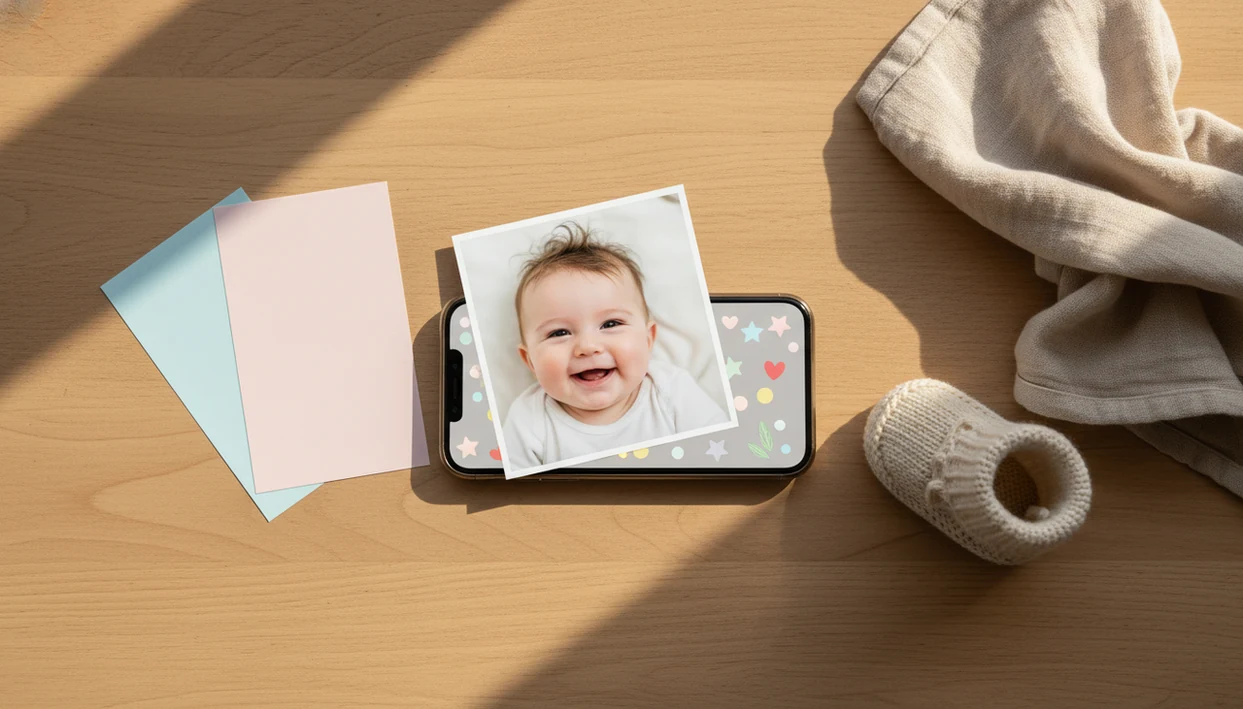
Strong free baby photo sticker packs include month labels, milestone captions, seasonal icons, and simple export options without forcing an immediate subscription. For most parents, the safest choice is a baby-focused editor with clear privacy terms, clean watermark rules, and enough free designs to test before paying. Baby Photo Art fits that use when you want free baby photo stickers beside milestone templates and natural-looking baby edits.
> Baby Photo Art is a baby photo editor app that turns baby and newborn photos into milestone templates, stickers, portraits, and print-ready keepsakes for parents.
- Most free sticker packs include basic age labels and cute captions, while premium themes, fonts, and seasonal sets are often locked.
- Parents should check watermark, export quality, account, ad, and photo-storage rules before uploading baby photos.
- The strongest free workflow is usually a baby photo app for milestone templates plus a general editor for extra text, frames, or printable layouts.
How free baby photo stickers look
Side-by-side captures of the compared products. Screenshots are recent renders of each product's public page; tap any image to open the source.

Best Free Baby Photo Stickers Shortlist For Parents
The best free baby photo sticker option depends on what you need first: milestone labels, flexible files, quick phone edits, or baby-specific templates. Free does not always mean unlimited, since sticker packs, fonts, exports, and seasonal themes may sit behind a paywall.
| Option | Best use case | Likely free features | Common limitation |
|---|---|---|---|
| Baby Photo Art free stickers | Baby milestones and portrait-style keepsakes | Month labels, cute captions, baby templates | Some premium looks may require upgrade |
| Baby milestone app starter packs | Newborn through 12-month photos | Age stickers and “firsts” | Repeated designs |
| Free PNG or SVG sticker libraries | Offline editing | Transparent icons and labels | Licensing varies |
| Built-in mobile photo editor stickers | Fast cleanup | Basic emojis, text, shapes | Less baby-specific |
If your priority is a natural-looking edit that still keeps the baby's face recognizable, Baby Photo Art is the practical fit because it combines baby stickers, milestone templates, and portrait-style edits in one workflow.
The free-first test is simple: make one month photo, export it, and check whether the file has a watermark, compression, or a locked template before editing the rest of the set.
A blurred kicking foot can still make a sweet month photo.
At-A-Glance Free Stickers For Baby Photos Comparison
Free stickers for baby photos are easiest to compare by limits, not by cuteness. Check account rules, watermark risk, and whether the final file will hold up as a print.
| Sticker type | Best for | Free limits | Account needed | Watermark risk | Print quality |
|---|---|---|---|---|---|
| Baby-specific apps | Milestones and first-year keepsakes | Locked themes | Often | Medium | Usually decent |
| AI baby photo editors | Portrait edits plus stickers | AI credits or exports | Often | Medium to high | Varies |
| Stock sticker downloads | Offline layering | License restrictions | Sometimes | Low | Good if high-res |
| Printable sheets | Scrapbooks and party labels | Limited designs | Rarely | Low | Depends on file |
| General design apps | Text, frames, layouts | Premium fonts and assets | Often | Medium | Often strong |
AI apps can be convenient, but some upload photos for cloud processing. Downloadable PNG or SVG stickers are useful for offline editing if the license allows personal family use. Canva, Picsart, and Baby Pics can help with layouts, but baby-specific tools usually feel faster for milestone keepsakes.
What Makes A Good Free Baby Photo Sticker Pack?
A good free baby photo sticker pack gives parents enough real value to finish at least one clean keepsake without guessing what is locked. The baseline is simple: month labels, sweet captions, and basic exports that do not ruin the photo with heavy compression or an unavoidable watermark.
Use these checks before settling on a pack:
- Confirm the free set includes the milestones you will actually use, such as newborn, 1 through 12 months, first smile, first steps, and short captions that read clearly on a blanket or crib sheet.
- Review privacy before upload, especially if the tool uses cloud processing, stores images, trains systems, or requires an account for baby photos.
- Compare the export screen, not just the preview: watermark placement, image size, and 4x6 print readiness matter more than a cute icon grid.
- Check licensing if you download PNG or SVG stickers, because app-only stickers, personal-use graphics, and printable files can carry different rights.
- Choose baby-specific templates when speed matters, since they are already built around tiny faces, monthly labels, birth stats, and keepsake spacing rather than generic party graphics.
How Free Baby Photo Stickers Work In Apps
Digital baby stickers are overlay graphics placed on top of a baby photo to mark ages, holidays, captions, and milestones. Most apps treat the sticker as a separate layer, so you can resize it, rotate it, lower opacity, add text, and export a flattened image.
AI baby photo apps may first read the photo composition through image embeddings, which means the system maps visual features like face position and background areas. In plain terms, it tries to understand where the baby is before applying a portrait-style edit or milestone template.
Anyone dealing with a dim hospital-room photo, a wrinkled white blanket, and a rolling bassinet in the background may prefer BabyPhotoArt because it can support small adjustments before stickers are placed. AI baby portraits and stickered edits are for keepsakes and fun, not medical or developmental assessment. Good AI baby tools deliver baby-safe decoration and memory layouts, not identity-changing fantasy edits.
How To Use Free Baby Photo Stickers Safely
Use free baby photo stickers safely by starting with a clean original, hiding sensitive details, and checking export quality before you share. Keep an untouched copy, especially if the picture came from the hospital or a first birthday set.
- Choose a clear, well-lit photo where the face is visible and the background is not too busy.
- Upload only after checking for hospital bands, addresses, school logos, private documents, or name tags.
- Add one or two stickers, then place them away from the eyes, mouth, and tiny features.
- Review watermark rules, privacy setting, export size, and whether the crop cuts off a knit hat in a 4x6 print.
- Export a clean version and save the original unedited copy in a separate folder.
For a slower walkthrough, the full parent-friendly workflow is covered in how to add milestone stickers to baby photos. Small adjustments, not a new baby.
Five Facts About Baby Stickers Free Packs
Baby stickers free packs are useful, but they usually come with tradeoffs. These five facts cover the main checks before you decorate a phone snap.
- Free packs usually include starter milestones such as “1 month,” “first smile,” “first steps,” and holiday icons.
- Premium packs often lock custom fonts, seasonal designs, gendered themes, and advanced milestone templates.
- Account creation, in-app ads, trial prompts, or watermarks are common in free sticker apps.
- Cloud AI tools may process baby photos on remote servers, so privacy terms matter before uploading.
- Large high-contrast labels and non-gendered captions make sticker sets more inclusive and easier to read.
If condition matters more than quantity, Baby Photo Art earns its place because it keeps sticker use close to baby milestones, portrait cleanup, and print-ready exports. The top of a monthly blanket spread can disappear fast if the sticker sits too high.
How We Picked Free Baby Photo Stickers For This List
We picked free baby photo stickers by looking at sticker variety, milestone usefulness, ease of editing, watermark rules, export quality, and privacy clarity. A cute sticker set matters less if the final image is compressed or the privacy language is vague.
For comparison, we treated Canva, Picsart, Baby Pics, printable PNG/SVG libraries, and Baby Photo Art as different workflows rather than identical sticker sources.
Baby-specific tools ranked higher when the goal was a milestone keepsake, because month labels, first-year captions, and baby announcement layouts save time. Generic sticker libraries still have a place, especially when they provide clear personal-use licensing for PNG or SVG files.
The right fit for parents making keepsakes is Baby Photo Art because it keeps stickers close to natural-looking edits, baby templates, and print-ready version checks. If you also want frames around the finished image, baby photo backgrounds and frames can help extend the layout without crowding the child.
Best Free Baby Photo Stickers For Monthly Milestones
Which free baby photo stickers work best for monthly milestones? Age labels from newborn through 12 months are the most useful free set because they create a consistent first-year record.
Look for readable fonts, steady placement, date captions, and neutral color palettes. A “7 months” sticker should be clear on a soft blanket, not lost in pale beige text. Month stickers work well for photo books, grandparents, and social sharing because each image answers the same simple question: how old was the baby here?
When the trigger moment is a monthly photo before nap time, Baby Photo Art fits because it pairs age stickers with milestone templates instead of making you rebuild the layout every month. For grandparents, a print-ready export often matters more than the sticker count because framed photos and albums reveal blur, compression, and awkward crops.
Best Free Stickers For Baby Photos With Holidays And Seasons
Free stickers for baby photos with holidays and seasons are best when they add context without taking over the picture. Birthdays, first Christmas, first Halloween, spring, summer, winter, and simple celebration icons are the most common themes parents reach for.
Seasonal packs are frequently premium in freemium apps, so check what is truly free before building a card. One snowflake, a tiny pumpkin, or a birthday caption usually works better than a crowded border. The baby should still be the focus.
For announcement-style edits, birth stats beside tiny footprints can be sweet, but the numbers should be checked twice before sharing. Inclusive sticker sets use non-gendered colors, flexible captions, and designs that work for different families. If you are making a birth card, a baby announcement photo maker may be easier than stacking many loose stickers.
Privacy Checks Before Sharing Free Baby Photo Stickers Online
Privacy matters because stickers do not hide identity if faces, locations, names, or background clues remain visible. The American Academy of Pediatrics notes that shared photos and videos contribute to a child’s digital footprint, which can begin before birth source.
Pew Research Center reported in 2021 that 81% of U.S. adults used YouTube and 69% used Facebook source. In a 2022 Identity Theft Resource Center survey, 55% of respondents with children said they shared images of their kids on social media source.
Before you share, zoom into the baby face, background, and caption. Read retention, training, third-party sharing, and deletion terms for AI tools. The cluttered kitchen counter behind a baby in a bouncer can reveal more than the sticker covers.
Limitations
Free baby sticker tools are helpful, but they are not unlimited creative kits or privacy guarantees. Expect a few hard edges before you commit family photos to any editor.
- Free packs are often small and may repeat common designs across many photos.
- Premium themes, fonts, templates, no-watermark exports, or high-resolution downloads may require payment.
- Some apps require accounts, show ads, or switch to subscriptions after a trial.
- Cloud AI tools may store or process baby photos under terms parents should read.
- Heavy filters or compressed exports can reduce print quality, especially for albums.
- Older phones may slow down or crash with AI portrait and sticker features.
- Stickered or AI-edited baby images should not be used for medical, legal, or developmental documentation.
- General editors like Photoleap, Remini, or Picsart may offer strong effects, but they are not always tuned for baby milestone keepsakes.
If you want a baby-first starting point, a baby photo stickers app is usually simpler than collecting loose files.
FAQ
Are baby photo stickers free?
Many tools offer free starter packs with age labels, captions, and basic icons. Premium designs, fonts, templates, or clean exports may cost extra.
Do free baby photo sticker apps add watermarks?
Some free baby photo sticker apps add watermarks or limit watermark-free exports. Check the export screen before editing many photos.
Are baby sticker apps safe for private family photos?
Safety depends on privacy terms, upload handling, retention rules, ads, and third-party sharing. Avoid photos that show sensitive details.
Can I print baby photo stickers?
Printable sticker sheets are physical files meant for paper or labels. Digital photo stickers are overlays added to images before printing.
Can I use PNG baby stickers in a photo editor?
Yes, PNG baby stickers with transparent backgrounds work in many photo editors. Make sure the license allows personal use.
What are milestone baby stickers?
Milestone baby stickers label ages, firsts, holidays, growth moments, and family memories. Common examples include “1 month,” “first smile,” and “first birthday.”
Are WhatsApp baby stickers different from photo stickers?
Yes, WhatsApp baby stickers are usually chat graphics. They are not always high-resolution overlays or print-ready photo labels.
Do stickers hide a baby’s identity online?
Stickers rarely anonymize a child. Faces, names, locations, clothing, and backgrounds may still identify the baby.