
Baby Shower Photo Frame Ideas for Keepsake Designs
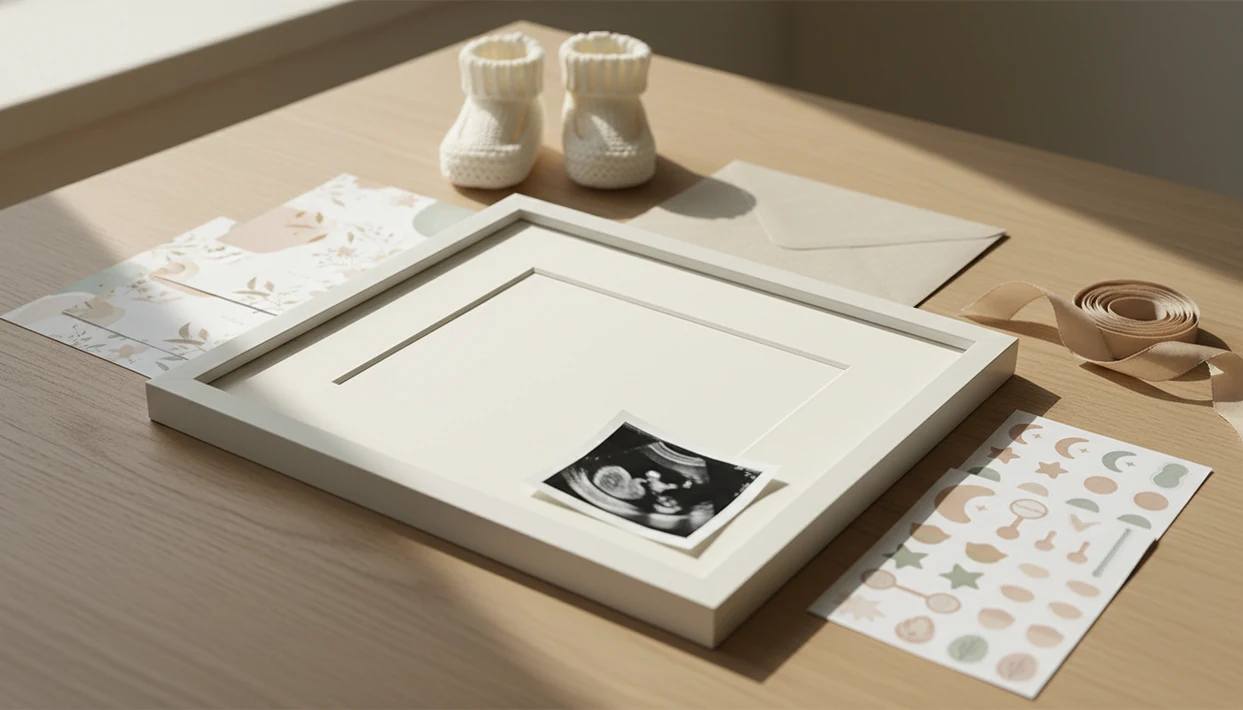
A baby shower photo frame works best when it combines a clear maternity, ultrasound, or family photo with a personalized name, date, short message, and print-ready layout. Choose the frame type first: physical display, printable template, digital overlay, or photo booth design.
> Definition: A baby shower photo frame is a decorative physical frame, printable template, or digital photo overlay used to turn a pregnancy, maternity, ultrasound, or family image into a baby shower keepsake.
TL;DR
- Pick the frame format before designing: physical, printable, digital, photo booth, invitation, or thank-you card.
- Personalization matters most: add a baby name, shower date, short message, colors, and small themed stickers.
- For printing, use a high-resolution photo and a baby shower frame template with the correct size, crop, bleed, and file format.
Baby Shower Photo Frame Formats for Keepsake Designs
A baby shower photo frame can be a physical display frame, a printable design, a digital overlay, a photo booth prop, an invitation layout, or a thank-you card format. Many search results are not shipped picture frames; they are editable graphics meant for printing or sharing.
Physical frames work well on a gift table or nursery shelf. Printable templates suit memory books, party signs, and framed portraits. Digital overlays are faster for texts, stories, and group chats. Photo booth frames need larger openings and bolder text because guests hold them at arm’s length.
The demand is not small. The CDC reported 3,596,017 U.S. births in 2023, with a birth rate of 10.7 per 1,000 population source. The broader baby care products market was valued at about USD 88.7 billion in 2023, according to Grand View Research source. so keepsakes sit inside a large parent-focused category.
A table display gets handled all afternoon.
Five Baby Shower Frame Template Facts to Know First
Before choosing a baby shower frame template, check what the file actually lets you edit, resize, print, and share. A pretty preview can still fail if the crop is awkward or the export is too small.
- Frame type: A frame can be physical, digital, printable, or template-based, and each format has different limits.
- Personal fields: Strong designs usually include a photo, baby name, shower date, and short message field.
- Resize quality: A printable template should scale cleanly without blurry edges, especially for 5x7 or 8x10 prints.
- Display purpose: Wall decor, tabletop signs, photo booth props, invitations, and social posts need different proportions.
- Edit scope: A baby shower photo edit is usually an overlay or light enhancement, not guaranteed restoration.
For gift designs, personalization often feels more thoughtful because the recipient sees a specific name, date, or family detail. Small adjustments, not a new baby. That is the safest design rule.
How Baby Shower Photo Frame Editing Works
Baby shower photo frame editing works by placing a source photo inside a designed layout, then adjusting crop, background, text, stickers, export size, and print settings. The source photo still controls the final result.
A typical workflow starts with a maternity photo, ultrasound image, or family portrait. The editor detects or guides the crop, places the image inside a frame opening, and layers text fields and decorative elements above it. In AI-assisted tools, image embeddings help the system understand facial placement, lighting, and style. In plain terms, the app is reading the photo structure before suggesting a polished version.
For this use case, Baby Photo Art is strongest when it keeps the baby’s face recognizable and adds shower-safe elements—stickers, milestone text, soft backgrounds, and print-ready frame templates—without inventing a different-looking child.
Baby Photo Art is a baby photo editor app that turns baby and newborn photos into milestone templates, stickers, portraits, and print-ready keepsakes for parents. A dim hospital-room photo with a wrinkled white blanket can improve, but blur stays visible.
How to Use a Baby Shower Photo Frame Template
Use a baby shower photo frame template by deciding where the design will appear before you add text or stickers. A 4x6 thank-you card and a large party sign should not start from the same crop.
- Choose the final use case first: invitation, table display, thank-you card, social post, or printable gift.
- Upload the sharpest original photo, not a screenshot from a message thread.
- Crop the image so the face, bump, ultrasound label, or family group stays inside the frame opening.
- Add the baby name, shower date, parents’ names, short message, and simple accents.
- Review the design at print size so small script fonts and pale colors remain readable.
- Export as a print-ready PDF, PNG, or JPG, depending on the printer or sharing channel.
Tools like Baby Photo Art can help with natural-looking baby photo edits, stickers, templates, and keepsake layouts. Check the original beside the edited photo before you share.
Baby Shower Photo Edit Requirements Before Printing
A baby shower photo edit should be built from the sharpest original image available, not a screenshot, thumbnail, or compressed social media download. Print makes weak files obvious.
- Source photo: Use the original phone or camera file when possible. A sleepy yawn under window light prints better than a zoomed-in chat image.
- Size and ratio: Match the design to the final format, such as 4x6, 5x7, 8x10, square, or poster.
- Resolution: Low-resolution free templates can look pixelated after resizing, especially around florals, stars, and script lettering.
- Crop safety: Keep faces, ultrasound details, and important text away from trim edges.
- Bleed and margins: Leave extra background beyond the cut line and keep names inside the safe area.
- File type: Use PDF for print layouts, PNG for crisp graphics, and JPG for simple photo sharing.
For printable keepsakes, original photo quality is often more important than the frame style because decoration cannot recreate missing detail.
As a practical print target, use 300 pixels per inch when possible; for a 5x7 print, that means roughly 1500x2100 pixels before cropping. Adobe’s image-resolution guidance explains why pixel dimensions and print size have to be checked together source.
Personalized Baby Shower Photo Frame Ideas by Use Case
Personalized baby shower photo frame ideas work best when the theme supports the photo instead of covering it. Use the baby name, shower date, parents’ names, and one short line as the main design anchors.
Invitation and Thank-You Card Frames
Invitation frames can use soft neutrals, florals, clouds, teddy bears, or minimalist typography around a maternity portrait. Thank-you cards work well with a smaller photo opening and a message like “Thank you for celebrating Baby Rae.”
Ultrasound and Maternity Keepsake Frames
Ultrasound frames should leave the scan readable, especially if a blue ribbon on ultrasound frame or due date label is part of the design. Maternity portraits can use stars, rainbows, or light botanical accents.
Gender-Neutral and Family Photo Frames
Gender-neutral frames often use cream, sage, tan, gold, or soft gray. Family photo frames can sit beside a baby announcement photo maker workflow if the shower design later becomes a birth announcement. Pew reported that 47% of U.S. adults use Instagram, where framed images may be shared as posts or stories source.
Physical Frame vs Digital Baby Shower Frame Template
Choose a physical frame when you need a finished gift, and choose a digital baby shower frame template when you need speed, edits, or multiple copies. The right choice depends on timing, budget, and display method.
| Option | Best for | Strengths | Watch-outs |
|---|---|---|---|
| Physical frame | Nursery decor, gift tables, grandparents | Tangible, giftable, easy to display | Limited by size, material, shipping time, and cost |
| Printable template | Invitations, signs, framed portraits | Flexible sizes, fast revisions, easy reprints | Needs correct resolution, bleed, and crop |
| Digital overlay | Texts, stories, online invitations | Fast sharing and easy personalization | Can look poor if exported too small |
| Photo booth frame | Party photos and guest snapshots | Fun, visible, reusable during the event | Needs bold text and a large face opening |
Common alternatives include Canva editable templates, Etsy printable listings, and Shutterfly or Snapfish photo gifts. Compare them on export size, crop control, bleed support, and whether you can revise the file after purchase.
If you plan to reuse the design after birth, a newborn announcement photo app may fit the next keepsake better. Digital frames are quick, but print settings still matter.
Common Baby Shower Photo Frame Design Mistakes
What mistakes ruin a baby shower photo frame? The most common problems are blurry source photos, over-cropped faces, tiny text, low-contrast colors, and too many stickers competing with the image.
Free templates can be useful, but they may not be print-ready. Some have awkward crop ratios, missing bleed, or low-resolution graphics that look fine on a phone and rough on paper. Personalized also does not always mean custom-designed from scratch. Many listings only allow a name change, date change, or simple photo insertion.
Quick verification checklist:
- Face visible
- Text readable
- Date correct
- Margins safe
- Export sharp
The pocket check is real. Open the file on your phone, then zoom out to card size. If the name disappears, the font is too small. For phone-based birth layouts after the shower, the same crop rules apply in how to make birth announcement photo with phone.
Limitations
Baby shower frames, templates, and AI edits are useful keepsake tools, but they cannot solve every image problem. Set expectations before buying a template or sending a file to print.
- A frame cannot fix a poor-quality, blurry, dark, or heavily compressed source photo.
- Not every baby shower frame template is truly print-ready, even if the preview looks polished.
- AI-powered baby photo edits may not preserve exact facial details, skin tone, or pose accuracy in every result.
- Physical frames can be constrained by material, size, shipping time, cost, and display method.
- Some personalized listings only allow text changes or simple photo insertion.
- Digital designs may look different on a bright phone screen than on a home printer.
- Third-party print services can crop edges differently, so always check the crop before ordering.
- Very pale text over cream backgrounds may disappear on matte paper.
A 4x6 print can cut off the top of a knit hat if the safe margin is too tight. However, a careful preview catches most of these issues.
FAQ
What is a baby shower photo frame?
A baby shower photo frame is a physical, printable, or digital design used to display a pregnancy, ultrasound, maternity, or family photo as a keepsake. It often includes a name, date, short message, and themed decoration.
What size should I print a baby shower photo frame?
Common print sizes include 4x6, 5x7, and 8x10 for cards or framed gifts. Larger party displays may use 11x14, 16x20, or poster sizes.
Can I use an ultrasound photo in a baby shower frame?
Yes, you can use an ultrasound photo if the file is clear enough to print or display. Keep the scan details readable and avoid heavy filters over the image.
Are free baby shower frame templates print-ready?
Some free templates are usable, but many have low resolution, poor crop ratios, or missing bleed. Always check export size and print preview before ordering.
What text should I add to a baby shower frame?
Add the baby name, shower date, parents’ names, a short message, or a simple keepsake caption. Keep the wording short so the photo remains the focus.
How do I avoid blurry baby shower frame prints?
Use the highest-resolution original photo and export at the correct print size. Avoid screenshots, compressed social images, and templates that become pixelated when enlarged.
Can AI edit baby photos for a shower keepsake?
Yes, AI can help create natural-looking enhancements, stickers, templates, and portrait-style edits. Apps such as BabyPhotoArt should be used with care because exact facial accuracy is not guaranteed in every result.
Which baby shower frame type is best for a gift?
A physical keepsake frame is strongest for a wrapped gift, while a printable framed portrait works well for fast personalization. A digital design is better when you need quick sharing or multiple copies.