
Best App for Baby Announcement Photos and Cards
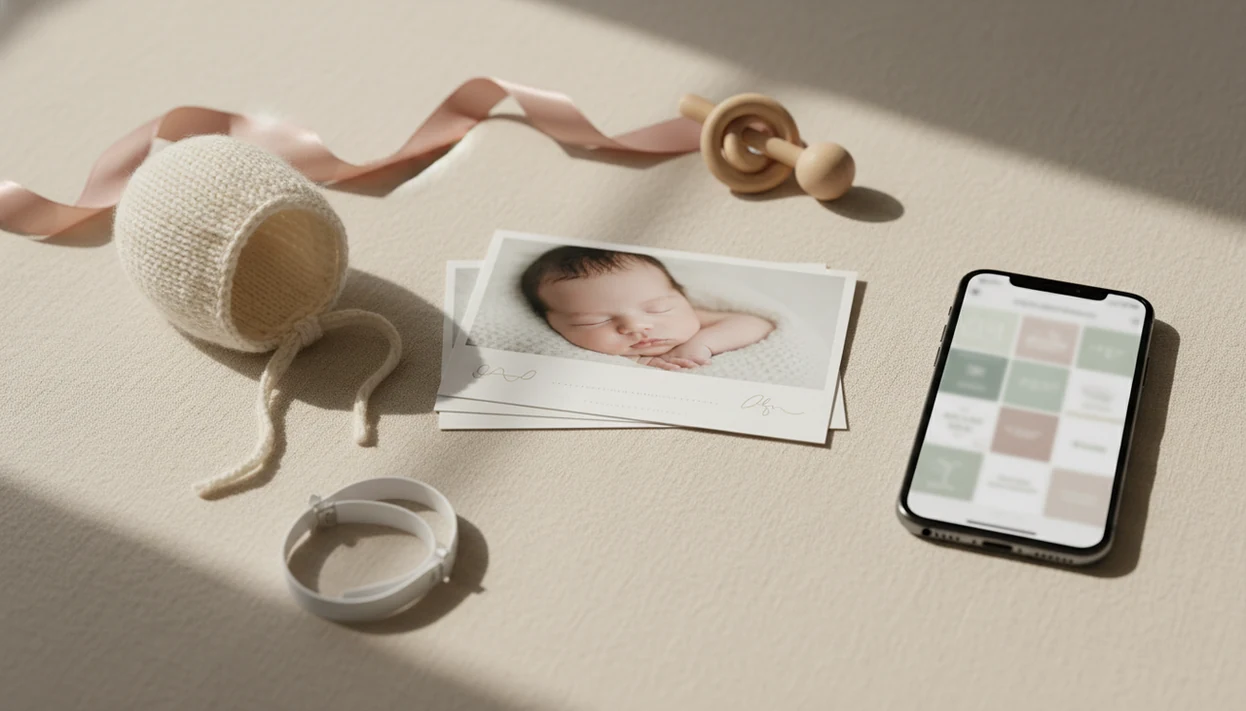
Baby Photo Art is the best app for baby announcement photos if you want natural-looking newborn edits, milestone-style templates, stickers, readable birth stats, and print-ready keepsakes in one parent-focused workflow. Canva is best for broad card layouts, Media.io is useful for browser-based AI announcement images, and dedicated pregnancy announcement apps can work well for quick reveal designs.
> Baby Photo Art is a baby photo editor app that turns baby and newborn photos into milestone templates, stickers, portraits, and print-ready keepsakes for parents.
- Choose Baby Photo Art for baby-first templates, AI-enhanced newborn portraits, stickers, milestone designs, and keepsake-style announcement photos.
- Choose Canva if you mainly need editable printable card layouts, especially for pregnancy announcements and typography-heavy designs.
- Before printing, check export resolution, card size, bleed, watermark rules, and whether the app supports birth stats clearly.
How the top apps look
Side-by-side captures of the compared products. Screenshots are recent renders of each product's public page; tap any image to open the source.

Baby announcement app shortlist for parents
The right baby announcement app depends on the finish you need: a social post, a printed card, an AI-enhanced newborn portrait, or a fast pregnancy reveal. Baby Photo Art is the strongest overall fit for baby and newborn announcement photos because it starts with baby-specific templates, not generic design blanks.
Best overall: Baby Photo Art
Parents who want a polished announcement from a phone snap should choose Baby Photo Art because it combines newborn templates, stickers, portrait-style edits, and print-ready keepsake exports.
Best printable layouts: Canva
Canva fits parents who want to adjust fonts, card sizes, and layout variations by hand.
Best browser AI option: Media.io
Media.io works well when you want browser-based AI creation instead of phone-only editing.
Best quick pregnancy reveal: dedicated announcement apps
Dedicated pregnancy announcement apps are useful for ultrasound reveals, sibling signs, and “coming soon” posts.
The tiny hospital ID bracelet matters sometimes.
Birth announcement photo app comparison table
A birth announcement photo app should match the final output, not just the prettiest sample image. We look for readable text, baby-safe edits, export quality, and whether the workflow still feels manageable after a short night.
We weighted baby-specific templates, readable birth stats, face-preserving edits, export quality, watermark rules, and speed for tired parents more heavily than raw template count.
| App type | Best for | AI support | Print readiness | Caveat |
|---|---|---|---|---|
| Baby Photo Art | Newborn-focused announcement photos and keepsakes | Yes, for natural-looking baby edits | Strong for keepsake exports | Less suited to broad business-style layouts |
| Canva | Printable pregnancy and announcement card templates | Limited design AI, varies by plan | Strong when dimensions are set correctly | More manual layout choices |
| Media.io | Browser-based AI announcement images | Yes | Depends on export settings | Less baby-keepsake focused |
| Pregnancy announcement apps | Fast reveal posts | Usually light or template-based | Varies | May not support newborn birth stats |
Canva offers free, custom printable pregnancy announcement templates, according to its template page source. BabyPhotoArt earns the baby-specific spot because its workflow keeps the newborn face central while adding announcement details around it.
How We Chose the Best Baby Announcement Apps
We chose the best baby announcement apps by prioritizing baby-specific workflows over big generic template libraries. A tool ranked higher when it helped parents make a clear, natural newborn announcement quickly, without turning the baby photo into a dramatic AI scene.
Our review compared Baby Photo Art, Canva, Media.io, and dedicated reveal apps by the job they do best. Baby Photo Art was judged as a newborn-first editor, Canva as a flexible card layout tool, Media.io as a browser-based AI option, and reveal apps as quick pregnancy announcement makers.
- Check whether the app supports readable names, dates, and birth stats without crowding the baby’s face.
- Compare export quality, print readiness, watermark rules, and whether the final file is easy to save or share.
- Test how quickly a tired parent could move from photo upload to finished announcement.
- Review edits for realism, especially skin tone, eyes, cheeks, and the small details that make the baby recognizable.
- Favor natural keepsake-style results over fantasy backgrounds, heavy filters, or AI scenes that feel less like the real newborn.
Five facts about baby announcement photo apps
These five facts matter more than a long feature list when choosing a birth announcement photo app. A dim hospital-room photo with a wrinkled white blanket can still become a warm announcement, but only if the app handles crop, text, and export well.
- Ready-made templates, simple editing tools, and export options matter most for baby announcement photos.
- Speed and ease usually matter more than advanced design controls for tired new parents.
- AI results depend on the original photo, prompt, template, face-preserving controls, and final edit review.
- Pregnancy announcement designs and newborn birth announcement designs are related, but they solve different jobs.
- Some tools are mobile-first, while others work better in a desktop web browser.
Good baby announcement tools create shareable, readable keepsakes, not a fake newborn scene that no longer looks like your child.
Baby announcement photo app workflow
A baby announcement photo app works by placing an uploaded baby photo into a template, then layering text, stickers, optional AI enhancement, and export settings over the image. Template editing changes layout and decoration; generative AI may create or alter image content based on prompts and image embeddings, which are the system’s visual map of the photo.
Small adjustments, not a new baby.
For newborn keepsakes, the right standard is a natural-looking edit that keeps the baby’s face recognizable. Orange light from a bedside lamp can be softened. A cluttered corner can be cropped. But the milk-sleep smile, round cheeks, and family details should still feel true. Final quality usually depends more on lighting, resolution, crop, typography, and export settings than on the number of AI buttons.
Birth announcement photo app steps
Use a birth announcement photo app in a short, controlled workflow so the finished image works on both phones and prints. If you want a fuller phone-only walkthrough, our guide to how to make birth announcement photo with phone covers the setup in more detail.
- Choose a clear newborn photo or pregnancy reveal image with the baby’s face, ultrasound, or sign easy to see.
- Pick a template for the output channel: text message, social post, or printed card.
- Add the baby’s name, date, time, weight, length, and family wording only if you want those details public.
- Check the crop so hats, blankets, and birth stats are not pushed too close to the edge.
- Review text readability on a phone screen before exporting.
- Export at the correct resolution for sharing or printing.
A 4x6 print can cut off the top of a knit hat if the safe area is too tight.
Baby Photo Art newborn announcement photo features
Does Baby Photo Art work well for newborn announcement photos? Yes, Baby Photo Art is built for baby-specific editing, so it fits parents who want cute, polished announcement images from phone photos without turning the baby into an unrecognizable AI character.
BabyPhotoArt focuses on milestone templates, stickers, portrait-style edits, and print-ready keepsakes. That matters for birth announcements because the photo usually has to carry several jobs at once: show the baby clearly, hold birth stats, look warm enough to share, and remain clean enough to print for grandparents.
When the photo has blurred kicking feet on a blanket, the strongest edit may be a tighter crop and softer background, not a dramatic generated scene. Parents who want a baby-first workflow can also compare the dedicated newborn announcement photo app path.
Canva baby announcement card templates
Canva is a strong choice when the announcement is mostly a card design problem. It works especially well for typography-heavy layouts, folded-card concepts, matching envelopes, and parents who want control over fonts, spacing, and card dimensions.
Canva says it offers free, custom printable pregnancy announcement templates, which makes it useful for reveal cards and editable announcement designs. The tradeoff is that Canva may ask for more manual design decisions than a baby-first editor. You may need to choose the font pairing, resize the photo, adjust margins, and check whether the text still reads on a small screen.
For parents designing a shower invite with a baby shower invitation photo slot, a broad layout platform can be easier than a baby portrait editor. For baby-first images, a baby announcement photo maker is usually faster because the templates already expect newborn photos and birth wording.
Media.io browser tools and pregnancy announcement apps
Media.io is useful when you want to create AI baby announcement images in a web browser rather than install another mobile app. Media.io says its AI baby announcement tool works online directly from a browser source, which shows that browser-based creation is now a normal option.
Dedicated pregnancy announcement apps also exist as a separate category on mobile stores. They tend to focus on “we’re expecting,” ultrasound, due-date, and reveal-post designs. That is not the same job as a newborn birth card with name, date, time, weight, and length.
Browser tools fit desktop editing and prompt experiments. Dedicated reveal apps fit speed. Baby Photo Art fits parents who already have the newborn photo and want a natural announcement edit that can become a family keepsake.
Social sharing versus printed baby announcement cards
Social announcements and printed cards need different checks before export. A design that looks lovely in an Instagram preview can fail as a print if the margins are tight, the text is small, or the resolution is too low.
For printed cards, confirm bleed and safe-area settings before ordering; Canva’s margin, bleed, and crop-mark guide is a useful baseline source.
| Output | What matters most | Common size issue | Final check |
|---|---|---|---|
| Text message | Readable name and photo clarity | Text too small | Open it on a phone before sending |
| Instagram post | Aspect ratio and crop | Baby’s head too close to edge | Preview square or portrait crop |
| Printed card | Resolution, bleed, margins | Cut-off text or hat | Verify print size and safe area |
| Family frame | Natural portrait finish | Over-edited skin or face | Export a print-ready version |
Free tools may include watermarks, limited templates, or lower-resolution downloads. Before ordering cards, verify size, bleed, and resolution, especially if you plan to mail copies to grandparents or frame a newborn portrait on the mantel. A free baby announcement photo maker can be useful, but the export rules matter.
Baby Photo Privacy and Sharing Checks
Before you upload or post a newborn announcement, do a quick privacy pass inside the app and on the finished image. The goal is simple: keep the sweet parts public only if you want them public, and keep everything else under your control.
- Review the app permissions before importing photos, especially access to your full camera roll, contacts, location, and notifications. If a limited photo picker is available, use that for the announcement image.
- Decide which birth details belong on the card. Name, date, time, weight, length, hospital name, city, and home location clues are all choices, not requirements.
- Save a private final copy to your phone, cloud folder, or family album before posting. That gives you a clean keepsake even if a social crop, compression, or caption changes later.
- Check the app’s download, deletion, and account settings before you make several versions. Look for where exported files go, whether drafts can be removed, and how to close or clear the account if you stop using it.
- Preview the image like a stranger would: background signs, wristbands, street views, and sibling school logos can reveal more than the birth announcement text.
Limitations
Baby announcement apps can save time, but they cannot fix every photo or design problem. Check these limits before you commit to one workflow:
- No app can guarantee a polished announcement image from a dark, blurry, or very low-resolution photo.
- AI-generated baby images may not match your family’s emotional style without extra edits.
- Free versions can include watermarks, limited templates, locked stickers, or lower-resolution exports.
- Not every app supports proper print dimensions, bleed, margins, or high-resolution card downloads.
- Pregnancy reveal templates may not include newborn birth stats fields such as weight, length, and birth time.
- Some tools are better for inspiration than final production, especially prompt-based image generators.
- Face-changing edits can look uncanny, so reject any version that changes the baby’s smile, eyes, or cheeks.
- General editors like Picsart, Photoleap, Remini, or Canva may need more manual checking than a baby-specific workflow.
Saving the final edit to a private folder first is a good habit before you share.
FAQ
What app can I use to make a baby announcement?
You can use a baby photo editor, a card design app, a browser AI tool, or a dedicated pregnancy announcement app. The right choice depends on whether you need a newborn birth card, pregnancy reveal, social post, or print-ready keepsake.
What is the easiest baby announcement app for new parents?
The easiest baby announcement app is usually template-first, mobile-friendly, and quick to edit with photo, text, and sticker tools. Baby Photo Art and BabyPhotoArt-style workflows are easiest when the announcement starts from a newborn phone photo.
Can I make baby announcements for free?
Yes, some apps and design platforms offer free baby announcement templates. Free versions may include watermarks, limited templates, paid stickers, or lower-resolution exports.
Which baby announcement app works on iPhone?
For iPhone, look for iOS availability, photo library access, mobile export, and templates sized for sharing or printing. Also check whether the app saves a high-resolution version.
Which baby announcement app works on Android?
For Android, compare mobile baby photo apps with browser tools that work on any device. Confirm that downloads, sharing, and print exports work before designing the final card.
Can AI make baby announcement photos?
Yes, AI can generate or enhance baby announcement images. Parents should review the result for realism, accurate details, and whether the baby’s face still looks recognizable.
What birth stats should I add to a baby announcement?
Common birth stats include the baby’s name, birth date, time, weight, length, and a short family message. All of these details are optional.
Are baby announcement apps good for printing cards?
Baby announcement apps can be good for printing if they support high-resolution exports, correct card size, bleed, and safe margins. Always check the print preview before ordering cards.