
Baby Milestone Photo Benefits Timeline For Parents
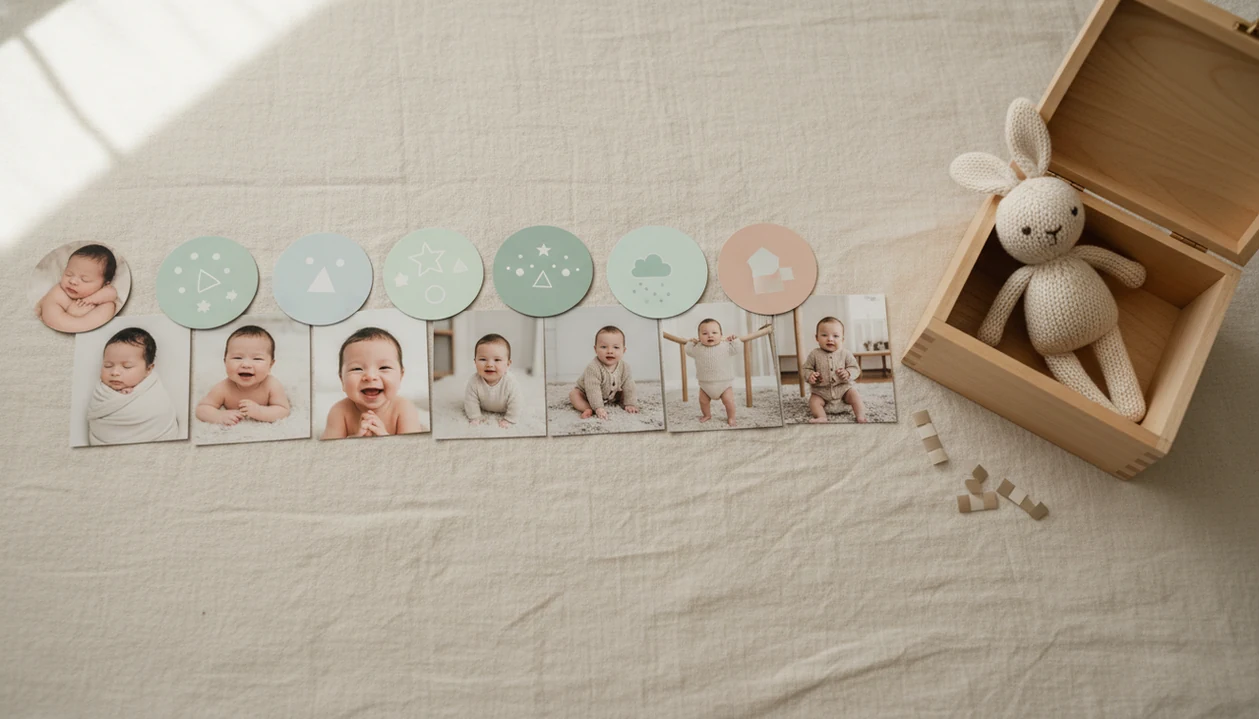
A baby milestone photo benefits timeline helps parents capture a baby’s first-year growth in a simple, flexible sequence of photos that becomes a memory record, collage source, print keepsake, and family story over time.
A baby milestone photo timeline is a month-by-month or stage-by-stage photo plan that documents a baby’s changing size, expressions, abilities, and personality during the first year.
- The biggest benefits of baby milestone photos are memory preservation, visible growth tracking, easy family sharing, and future keepsakes.
- A useful monthly photo timeline can follow both calendar ages and real developmental stages such as tummy time, sitting, crawling, standing, and the first birthday.
- Parents do not need studio sessions every month; smartphone photos, natural AI edits, milestone stickers, and templates can create a consistent first-year series.
Baby milestone photo benefits timeline in five facts
- A baby milestone photo timeline is a flexible first-year visual record, not a strict assignment due every 30 days.
- The benefits are emotional, practical, and archival: parents remember the stage, compare growth later, and build albums or prints.
- Monthly markers such as 1 month, 6 months, and 1 year make the series easy to scan years later.
- Common photo moments often match real changes, including first smiles, stronger tummy time, sitting, crawling, pulling up, and birthday celebration.
- Templates, stickers, and AI baby photo editors can help create consistency when the original is a quick phone snap.
One month may be a sleepy blanket photo. Six months may be a sitting attempt with a toy just out of frame. The point is continuity, not a staged production.
Monthly baby photo timelines for first-year memory preservation
Parents photograph infancy heavily because babies change fast, and the small differences are easy to miss in daily life. A monthly photo timeline slows that change down into visible chapters.
A Pew Research Center survey found that 95% of U.S. parents of children under 18 regularly took photos or videos of their children, and 81% shared them with others by smartphone source. Family albums often show the same pattern: the first year fills quickly because growth is visible month to month.
The emotional value is real, too. Family albums often show the same pattern: the first year fills quickly because growth is visible month to month. That tracks with opening a folder and finding a dim hospital-room photo with a wrinkled white blanket and a rolling bassinet in the background.
Tiny proof. Big feeling.
How baby milestone photo timelines work
A baby milestone photo timeline works by repeating enough visual elements that each photo can be compared with the next. Consistent framing, age labels, lighting, and pose categories create a simple visual system.
Calendar-based milestones use dates: newborn, 1 month, 2 months, 6 months, 12 months. Ability-based milestones follow what the baby is doing: lifting the head, smiling, sitting, crawling, pulling up, or walking with support. Image sequencing is the light technical idea here. In plain terms, the photos become easier to read when they share the same structure.
Natural-looking edits, templates, and stickers are organization layers, not replacements for the original baby photo. A good milestone editor should add labels, stickers, and soft portrait-style cleanup while leaving the baby’s face, skin tone, and expression recognizable.
For most families, a repeatable monthly photo timeline is easier than separate styled shoots because the same setup can show growth, expression, posture, and emerging skills.
Before You Start: Baby Milestone Photo Safety And Setup
Before you start, make the photo setup safe, simple, and ready before the baby is placed in it. A calm setup protects the baby and usually gives you better milestone photos than a rushed pile of props.
- Choose a stable, flat surface first, then add the blanket, age marker, toy, or milestone card. Avoid high surfaces, slippery fabrics, loose strings, and props that can tip or roll.
- Use soft natural light near a window when possible, turning the baby so the face is bright without harsh glare. Skip direct flash into the baby’s eyes and move the setup instead.
- Keep an adult within arm’s reach for tummy-time, sitting, pulling-up, or standing photos. If the baby cannot hold a position safely, photograph a supported version or try another day.
- Prepare clean clothes, labels, wipes, charged batteries, and backup storage before the baby is dressed and ready. The best window may last five minutes.
- Check the background for names, addresses, medical papers, bath items, or location clues before sharing or printing. A quick crop can protect privacy without changing the memory.
How to use a baby milestone photo benefits timeline
Use a baby milestone photo benefits timeline as a loose plan, then adapt it to the baby’s day. The best results usually come from simple repetition and baby comfort.
Treat the timeline as a memory tool, not a developmental test. If the baby is hungry, sick, overtired, or unsafe in a pose, skip the shot and use an everyday photo later.
- Set a flexible schedule around the monthly date, not an exact 30-day rule.
- Choose a repeatable style, such as a blanket, crib, nursery chair, or plain wall.
- Capture age markers and real developmental moments, including smiles, tummy time, sitting, or pulling up.
- Pick the strongest photo before adding milestone stickers, labels, or templates.
- Save both the original and edited files for albums, collages, prints, and backup folders.
A wooden month marker beside the baby can look lovely, but it should not be the only record. Take the messy version too. If you want a phone-first setup, the practical workflow in how to create baby milestone photos with phone fits this kind of timeline well.
Newborn to 12-month baby milestone photo timeline
A first-year milestone photo timeline works best when it blends age windows with developmental moments. CDC and American Academy of Pediatrics guidance can inspire photo ideas, including the CDC developmental milestones overview source, but it should not be used to judge a baby from a picture.
| Photo window | Useful photo focus | Common milestone theme |
|---|---|---|
| Newborn to 1 month | Tiny details, sleep, feeding routines | Arrival and scale |
| 1 to 2 months | Expressions, eye contact, curled hands | Early awareness |
| 3 to 4 months | Tummy time, head control, pushing up | Strength |
| 6 to 8 months | Sitting, smiles, personality | Interaction |
| 9 to 12 months | Crawling, pulling up, standing, birthday | Movement and celebration |
Newborn and 1-month photos
Keep these quiet and close. A hospital bracelet on a newborn wrist may be worth leaving visible.
3-month to 6-month photos
Per the CDC, many babies show stronger head control and supported sitting in this range.
9-month to 12-month photos
The AAP notes that many infants sit without support by about 7 months and pull to stand around 9 to 12 months source.
Baby milestone photo benefits beyond social media sharing
Baby milestone photos are long-term keepsakes first and shareable posts second. Their value grows when the child, grandparents, or siblings can revisit the same sequence years later.
- Baby books: Monthly images give each spread a clear age anchor.
- Wall prints: A 12-photo grid can show first-year growth at a glance.
- Birthday boards: First-birthday displays become easier when photos are already labeled.
- Calendars: A monthly photo series naturally fits family gift calendars.
- Family gifts: Grandparents often prefer a print-ready version over another texted image.
A canvas print above the nursery chair feels different from a disappearing story post. Before you share, check the crop, background, and privacy setting. Private memory value can matter more than public reaction, especially when names, locations, or school badges appear in the frame.
Consistent milestone photos often become more meaningful to the child later because they show change in order, not just isolated cute moments.
Common baby milestone photo timeline mistakes
The most common mistake is turning milestone photos into pressure. A tired, unwell, hungry, or overstimulated baby does not need a photo session to protect the timeline.
Safety checklist:
- Do not force a photo exactly every 30 days if the baby needs rest.
- Do not compare one baby’s monthly photo timeline with another baby’s abilities.
- Avoid unsupported sitting, unstable props, high surfaces, or poses that require strain.
- Avoid over-editing that changes skin tone, eye shape, facial features, or natural texture.
- Use everyday photos to fill missed months, even if the scene is imperfect.
- Check the crop before printing, especially if a 4x6 version may cut off the top of a knit hat.
Missed April? Use the bouncer photo.
Parents can also use monthly baby photo templates to make a scattered set feel more consistent without pretending every month looked staged.
How Baby Photo Art supports natural monthly milestone photos
Baby Photo Art is an AI baby photo editor for creating natural-looking newborn and baby milestone photos from parent-provided images.
Tools like Baby Photo Art can help parents label ages and achievements with milestone templates, stickers, and soft portrait-style edits. The goal is small adjustments, not a new baby. A good edit may brighten an orange bedside-lamp cast on newborn cheeks or clean up a cluttered kitchen counter behind a baby in a bouncer, but it should keep the baby's face recognizable.
Milestone stickers can mark “3 months,” “first smile,” “sitting,” or “one today” after the parent chooses the strongest image. Print-ready keepsakes, collages, and first-birthday recap images are useful when family wants something more durable than a message thread.
BabyPhotoArt fits this parent-friendly workflow when edits preserve identity, skin tone, and natural texture.
Limitations
Milestone photos are meaningful records, but they have limits. They should reduce memory pressure, not become another way for parents to measure themselves or their baby.
- Milestone photos do not prove, predict, or improve child development.
- Developmental timelines vary widely, and a photo series should not create guilt.
- Photos should not replace pediatric evaluation if parents have concerns.
- Over-posed photos can compromise comfort or safety, especially with unsupported sitting or unstable props.
- AI edits and filters can distort memories when they heavily smooth skin, reshape features, or change expression.
- Some months may be missed, and the timeline can still be meaningful.
- A beautiful image may hide context, such as a fussy day, illness, or a parent taking five rushed shots before bedtime.
Use pediatric guidance for health questions and use photos for family memory. Those jobs are different.
FAQ
When should I start taking baby milestone photos?
You can start with newborn photos, the first monthly photo, or the earliest clear baby photo you already have. The timeline does not need to begin on the exact birth date.
Are monthly baby photos necessary for a first-year timeline?
Monthly photos are helpful because they create rhythm, but they are not required. A timeline based on newborn, 3 months, 6 months, 9 months, and 12 months can still be meaningful.
What baby milestones should I photograph in the first year?
Common first-year photo moments include smiling, tummy time, rolling, sitting, crawling, standing, pulling up, and the first birthday. These should be treated as photo ideas, not a medical checklist.
What should I do if I miss a month of baby photos?
Use an everyday photo from that month or continue with the next milestone. A missed month does not ruin the first-year story.
Do baby milestone photos need props?
Props are optional. Simple blankets, age labels, milestone stickers, or templates are enough for a clear monthly series.
Are AI-edited baby milestone photos safe to use?
AI-edited milestone photos are safest when they use parent-provided images and keep the baby’s natural appearance. Avoid edits that change facial features, skin tone, or identity.
Should baby photos follow developmental milestones exactly?
No. Developmental moments can guide photo ideas, but they should not be treated as a medical schedule or diagnosis tool.
How should I store baby milestone photos?
Save original and edited versions in organized monthly folders, cloud backups, albums, and print-ready formats. Tools such as Baby Photo Art can help create edited keepsake versions while preserving the original files separately.