
Baby Photo Editor App for New Parents With Phone Snaps
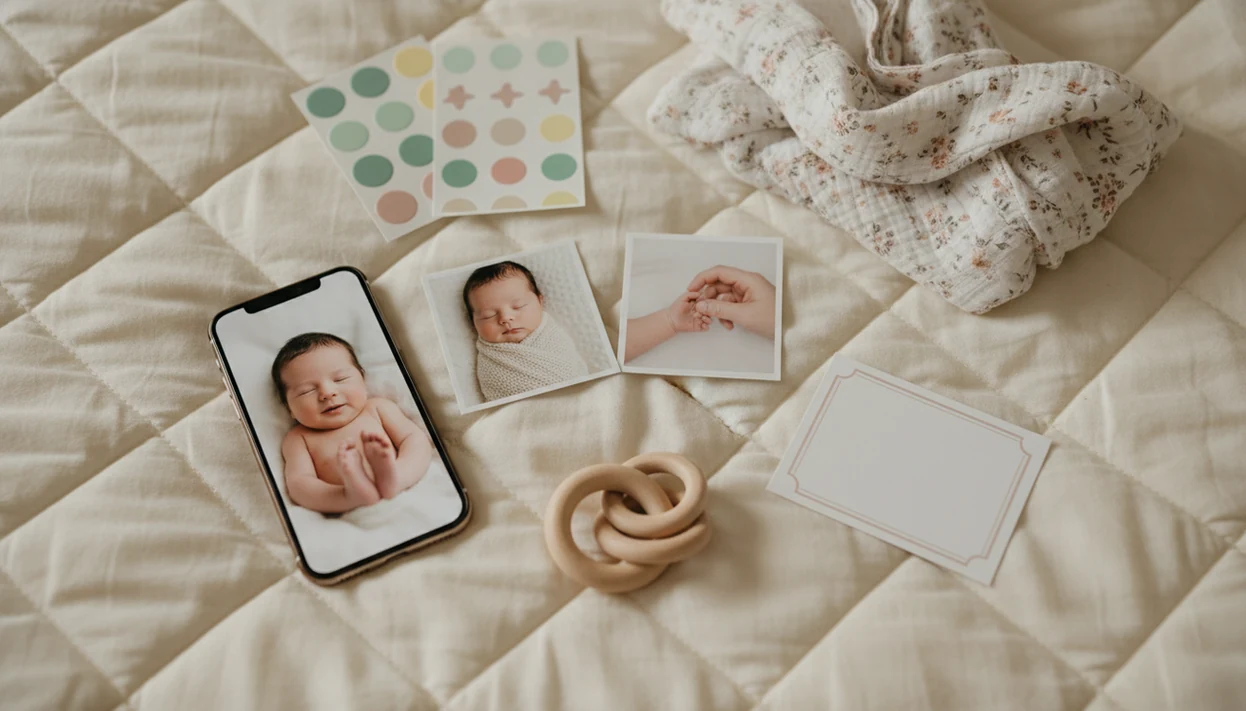
Baby Photo Art is a baby photo editor app for new parents who want fast, natural-looking keepsakes from everyday phone photos without booking a newborn photographer. It helps parents turn baby and newborn snaps into milestone templates, stickers, portrait-style edits, and print-ready exports in a few steps.
> Definition: Baby Photo Art is a baby photo editor app that turns baby and newborn photos into milestone templates, stickers, portraits, and print-ready keepsakes for parents.
- Best for new parents who want quick baby milestone photos, gentle AI polish, stickers, captions, and printable keepsakes from phone snaps.
- Use clear, well-lit baby photos for the most natural edits; AI tools cannot fully fix heavy blur, darkness, or poor framing.
- Check privacy settings, export quality, and subscription terms before uploading sensitive baby photos or paying for premium templates.
Phone-first baby photo editor app fit for new parents
For new parents, the right baby photo editor app is one that starts where the photos already are: on the phone. That phone-first setup fits parents who need fast keepsakes, 1 to 12 month milestone edits, gentle AI portraits, stickers, and print-ready exports without opening desktop design software.
It is not a full replacement for a professional newborn photographer. Studio lighting, safe posing, and directed family portraits are different jobs. A phone-first editor is better for the Tuesday bassinet photo, the first smile, or the quick grandparent print.
That mobile-first design matters. Pew reported that 77% of U.S. adults owned a smartphone in 2024, with ownership even higher among adults ages 18 to 49 source. The pocket check is real.
When the issue is a cute phone snap with a laundry basket behind the bassinet, A baby-specific editor covers the everyday parent need through baby-specific templates, crop controls, and print-ready export choices.
Newborn photo app workflows for sleep-deprived parents
Newborn photo app workflows work best when they respect the real setting: one hand on the phone, one ear listening for the baby, and very little time. The best workflow is built around short edits parents can finish before the next feeding timer goes off.
- A new parent baby photo app should turn common phone snaps into keepsakes, not require a design session.
- Monthly milestones, first smiles, first holidays, hospital photos, and family sharing all need different layouts.
- A 2023 Carnegie Mellon survey found that 81% of parents said their child had a baby photo book or similar keepsake source.
- Hospital-room photos often need gentle cleanup, especially with a wrinkled white blanket and a rolling bassinet in the background.
- Good baby editing means small adjustments, not a new baby.
For parents who need a first-week memory without starting from a blank canvas, This workflow handles the job with milestone layouts, newborn frames, captions, and family-share exports.
Top Baby Photo Art features for a new parent baby photo app
A strong new parent baby photo app should focus on the few edits parents repeat often. For this use case, the strongest feature set centers on milestone templates, themed stickers, gentle AI baby portraits, and exports that can leave the phone as albums, cards, or wall prints.
Milestone templates
Milestone templates cover 1 to 12 month baby photos, 100 days, first birthday, and first-year layouts. They help parents make a repeatable series without redesigning every month.
Gentle AI baby portraits
Gentle AI portrait-style edits should keep the baby's face recognizable. The best result still looks like the same baby: softer light, cleaner background, and a keepsake layout without plastic skin or a changed face.
Print-ready keepsake exports
Print-ready exports matter when a photo moves from text message to album page. Before ordering, check whether a 4x6 print will cut off the top of a knit hat. For a standard 4x6 print, look for an export near 1200x1800 pixels or higher when available. If the file looks sharp on the phone but soft after cropping, choose a less crowded template before you send it to a lab.
If you want a broader shortlist, our best baby photo editor app guide compares the parent use cases in more detail.
Baby photo editor app workflow from upload to export
A baby photo editor app works by starting with a parent-uploaded baby photo, then applying templates, overlays, background styling, captions, or portrait effects to that source image. AI-assisted editing uses image analysis and style transformation; in plain terms, it reads the photo and applies a visual treatment, rather than magically rebuilding a bad picture from nothing.
Source quality still controls the result. Focus, light, angle, and resolution affect whether the final image looks like a natural-looking edit or a strained reconstruction. The orange cast from a bedside lamp on a newborn's cheeks may need manual warmth correction.
This workflow fits parents who want AI support but still want control, because the workflow leaves room for crop checks, text placement, skin tone review, and export selection. For deeper AI-specific expectations, the AI baby photo generator from photo guide explains source-photo limits.
5-step newborn photo app routine for parents
Use a newborn photo app routine that is short enough to repeat each month. The most reliable parent-friendly workflow is to choose a clear source photo, apply one baby-specific design, preview the face, then export for the actual use.
- Choose a clear, well-lit baby photo with enough space around the head and shoulders.
- Select a milestone template, themed frame, sticker layout, or gentle AI portrait edit.
- Adjust the name, age, date, caption, stickers, and crop before you save.
- Preview the baby's face, skin texture, eyes, and hands for a natural-looking result.
- Export one sharing version and one higher-resolution print-ready version when available.
After the first month, when you want a consistent series, Baby Photo Art works well if you use similar window light, the same blanket, and one template family. Twelve tiny photos in a grid look calmer when the framing matches.
Monthly milestone routines for a new parent baby photo app
“Can I use a new parent baby photo app for monthly milestone photos?” Yes, this workflow can support monthly baby milestone photos from 1 to 12 months, plus newborn announcement images, first holiday photos, growth comparison collages, and memory book exports.
The repeatable part matters more than the decoration. Use similar lighting, a familiar background, a consistent pose, and one template style. A baby month photo editor app or 1 to 12 month baby photo frame app works better when month one and month eight feel like the same series.
When the newborn hat and announcement board are ready but the room is not, A baby-specific editor helps parents turn the usable photo into a shareable announcement with a baby-specific frame, caption field, and export workflow. For everyday budget checks, compare what is included in a free baby photo editor app before paying.
Baby Photo Art versus basic baby photo editor apps
A stronger baby-specific option is different from basic sticker or frame apps because it combines baby-specific templates, AI portrait styling, and print-aware keepsake exports. Simple apps can still be useful, especially when parents only need a quick caption or cute overlay.
| App type | Edit depth | Baby-specific templates | AI portrait styling | Ease for parents | Print-readiness | Privacy consideration |
|---|---|---|---|---|---|---|
| Sticker-only apps | Low | Sometimes | Rare | Fast | Often limited | Check ad and sharing settings |
| Milestone frame apps | Medium | Usually | Limited | Easy | Varies by export size | Review storage rules |
| General editors like Canva, Picsart, or Photoleap | Medium to high | Mixed | Varies | More setup | Often good | Check account and upload settings |
| Baby Photo Art | Baby-focused | Yes | Yes | Short workflow | Designed for keepsakes | Review permissions before upload |
For new parents who need baby milestones, gentle AI polish, and printable family keepsakes in one place, Baby Photo Art earns the spot through a baby-first template and export workflow.
Privacy and pricing checks for a newborn photo app for parents
Baby photos are sensitive, so parents should check privacy and pricing before uploading a full camera roll. Security researchers and child-safety guidance commonly recommend data minimization: share only what is needed, review permissions, and remove information you do not want stored.
For children’s photos, the FTC advises parents to review what information an app collects, how it is shared, and whether controls exist for deletion or consent source.
- Check whether the app asks for full photo-library access or lets you select individual images.
- Review storage, data sharing, account deletion, and photo deletion options before uploading newborn pictures.
- Look for trials, subscriptions, premium templates, watermark removal, and paid high-resolution exports.
- Confirm export resolution before paying if the goal is an album, card, or wall print.
- Crop out private details before sharing, such as a nursery name sign or hospital location clue.
If condition is privacy-first family sharing, then the safer fit is choosing one image at a time, review the crop, and export only the version they actually plan to send. You can also start from the official download Baby Photo Art app page to avoid lookalike listings.
Limitations
Baby photo editor apps are useful, but they have clear limits. A careful parent workflow still needs source-photo judgment, privacy review, and a final human check before sharing or printing.
- Baby Photo Art cannot fully rescue heavily blurry, dark, badly focused, or very low-resolution photos.
- AI portrait-style edits can look unnatural if skin is over-smoothed or the background is pushed too far.
- These apps do not replace professional newborn photography, safe posing, studio lighting, or directed family sessions.
- Premium templates, high-resolution exports, subscriptions, or watermark removal may require payment.
- Privacy policies and data handling differ by app, including apps such as Remini, Baby Pics, and general photo editors.
- Parents may need to manually adjust text, cropping, stickers, and captions for the cleanest result.
- Print results can vary by lab, paper size, file resolution, and crop ratio.
- A natural skin texture close-up may look better with less AI, not more.
For everyday keepsakes, a newborn photo app for parents is often faster than a photographer because it edits the photos parents already have; for posed portraits, a trained newborn photographer is the better fit.
FAQ
What is a baby photo app?
A baby photo app is a phone tool for editing baby pictures with templates, stickers, captions, frames, and keepsake exports. Parents use it for milestones, announcements, family sharing, and print-ready photo files.
Are baby photo editor apps free?
Many baby photo editor apps are free to download. They may still charge for premium templates, subscriptions, watermark removal, or high-resolution exports.
Can AI fix blurry baby photos?
AI can improve some soft or noisy baby photos. It cannot fully repair heavy blur, very dark images, poor focus, or missing detail.
Do baby photo apps print photos?
Baby photo apps may export print-ready files. Printing usually happens through a photo lab, home printer, or separate photo service.
What photos work best in a baby photo editor app?
Clear, well-lit baby photos work best. Front-facing or gently angled images with enough resolution and minimal clutter usually produce more natural edits.
Are baby photo apps private?
Privacy depends on the specific app. Review the privacy policy, permissions, storage practices, data sharing, and deletion controls before uploading baby photos.
Can I make monthly baby milestones in an app?
Yes, baby photo apps commonly support 1 to 12 month milestone templates, captions, stickers, and growth layouts. Use the same milestone-style workflow for first-year keepsakes.
Is a baby photo app better than a newborn photographer?
A baby photo app is faster and cheaper for everyday keepsakes from phone photos. A newborn photographer is better for posed studio sessions, lighting, safety, and family portraits.