
Does AI Baby Photo Editing Work for Real Baby Photos?
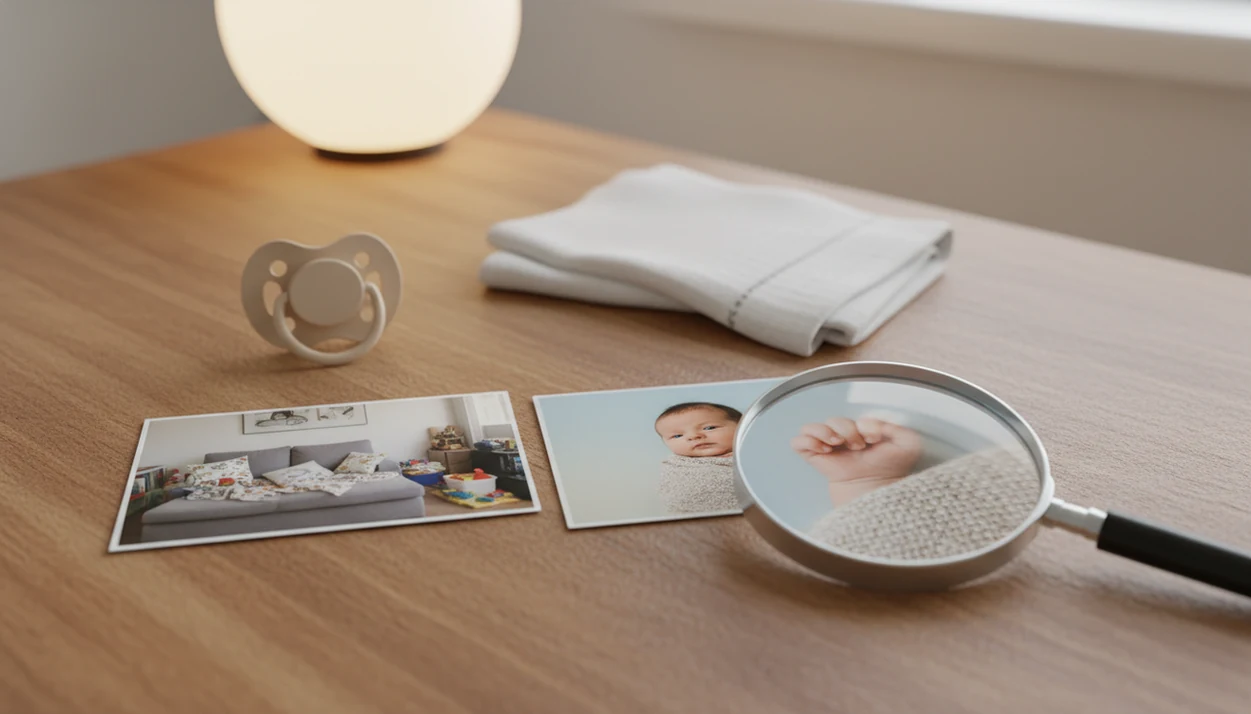
Yes, does AI baby photo editing work is a fair question, and the honest answer is that it works well for clear, well-lit baby photos when the goal is background cleanup, soft enhancement, templates, stickers, or keepsake-style portraits. It is less reliable for blurry, dark, cluttered, or heavily posed images, and parents should always review the face, fingers, skin, and background before sharing or printing.
> Definition: AI baby photo editing is automated photo enhancement that uses face, body, and background detection to improve baby images, place them into templates, or create portrait-style keepsakes while still depending on human review for realism.
- AI baby editors work best on bright, focused phone photos where the baby’s face and body are easy to detect.
- The most reliable AI baby photo results are background removal, milestone templates, stickers, lighting cleanup, and gentle portrait enhancements.
- AI baby editor accuracy drops with blur, shadows, covered faces, tiny fingers, cluttered rooms, multiple people, pets, or large background swaps.
AI Baby Photo Editing Definition for Skeptical Parents
AI baby photo editing means software detects the baby in a photo, separates the subject from the background, and applies pre-trained visual edits. The goal is a better keepsake photo, not medical accuracy, identity verification, or a complete studio replacement.
A typical editor may brighten a dim hospital-room photo, soften harsh shadows, place a baby into a monthly milestone layout, or remove the laundry basket behind the crib. It should still keep the baby’s face recognizable. Small adjustments, not a new baby.
Baby Photo Art is a baby photo editor app that turns baby and newborn photos into milestone templates, stickers, portraits, and print-ready keepsakes for parents. Apps in this category work best when parents treat the output as a draft to inspect, not a final truth.
AI Baby Photo Editing Workflow for Faces and Backgrounds
AI baby photo editors work by combining face detection, body segmentation, background masking, enhancement models, and template placement. In plain terms, the software tries to find the baby, separate that shape from the scene, and apply edits where they probably belong.
The technical idea is close to image segmentation: a model assigns visual labels to parts of an image so the editor can treat the baby, blanket, and background differently; TensorFlow describes image segmentation as labeling each pixel in an image source.
How AI baby photo editing works is probability-based, not parent-based. The model does not know your baby’s sleepy half-smile or the tiny hospital ID bracelet you want left visible. It guesses from training patterns, image embeddings, and visual similarities.
Portrait-style outputs can rebuild parts of the photo. That may include lighting, blanket texture, clothing edges, or the background behind the baby. A wrinkled white blanket may become smoother than real life. The rolling bassinet in the background may disappear, which can be useful, but it also changes the memory.
Five AI Baby Photo Results Parents Can Usually Trust
The most dependable AI baby photo results are simple, visible edits that do not require the software to invent too much. Clear lighting, sharp focus, and an unobstructed baby face make these results much more believable.
- Background removal: AI can usually separate a baby from a plain crib sheet, wall, or rug when the edges are clear.
- Template placement: Monthly milestone layouts work well when the baby fits cleanly inside the frame.
- Lighting balancing: A mild orange cast from a bedside lamp can often be reduced without changing the whole scene.
- Gentle skin smoothing: Cosmetic smoothing can soften temporary redness, but it should stay light.
- Portrait-style scene generation: A clean phone snap can become a soft keepsake portrait when the face remains sharp.
For parents, AI editing usually works best when it improves a usable photo, while manual review matters most when the edit invents new scene details.
AI Baby Editor Accuracy for Faces, Fingers, Skin, and Backgrounds
AI baby editor accuracy is strongest on large, clear features and weaker on tiny overlapping details. Faces and eyes are usually safer than fingers, ears, wispy hair, blanket folds, or clothing edges.
This is why image quality matters: NIST’s face recognition testing program evaluates how algorithm performance changes across image conditions and datasets source.
| Image area | Accuracy level | Parent review check |
|---|---|---|
| Front-facing face and eyes | High | Confirm the baby still looks like the same child. |
| Mouth and cheeks | Medium to high | Check pacifiers, drool, dimples, and milk-sleep smiles. |
| Fingers, ears, eyelashes | Medium to risky | Zoom in for extra fingers, fused tips, or blurred edges. |
| Hairlines, hats, blankets | Medium | Look for smears where soft textures meet the background. |
| Skin color and marks | Risky for judgment | Do not use edited color to assess rashes, marks, or health concerns. |
A cute edit is not a clinical image. Skin smoothing can hide changes a pediatrician would need to see in the original photo.
Real Phone Photo Conditions That Help AI Baby Editing Work
What photos work best for AI baby editing? Bright natural light, a steady phone, a visible face, and a simple background give the software the clearest path.
Take the photo near a window when possible. Hold the phone still, avoid zooming too far, and keep the baby facing the camera. A plain blanket or uncluttered wall helps cutouts and milestone templates look more believable. The same photo with a cluttered kitchen counter behind a baby in a bouncer is harder to separate cleanly.
Avoid motion blur, harsh shadows, heavy filters, and anything covering the mouth or eyes. A pacifier clipped to a wrinkled onesie is fine as a memory, but a pacifier across the mouth can confuse face edits. For more source-photo examples, an AI baby photo generator from photo workflow is usually easiest with simple, well-lit images.
How to Use AI Baby Photo Editing Safely
Use AI baby photo editing safely by treating every result as a draft, not a finished truth. The best workflow protects the original image, checks small details, and reviews privacy before the photo leaves your phone.
- Start with a bright, sharp original photo, then save an untouched copy before you edit. That clean version matters if you later want to compare skin color, marks, expression, or tiny details.
- Choose a light enhancement first, such as gentle lighting cleanup or a simple template, before trying a full background swap or portrait-style generation.
- Zoom in on the areas AI most often distorts: the face, fingers, ears, eyelashes, wispy hair, blanket folds, and clothing edges.
- Compare the edited image with the original, especially around skin tone, birthmarks, temporary redness, sleepy smiles, pacifiers, and any feature that makes the photo feel like your baby.
- Check privacy controls before uploading, including deletion options, sharing settings, cloud processing, and whether images may be used for model training.
- Print or share only after reviewing the final crop, background, and edges so a sweet keepsake does not hide an awkward cutout or invented detail.
AI Baby Photo Editing vs Professional Newborn Photography
AI baby editing is useful for quick keepsakes, social posts, simple portraits, birth announcements, and milestone designs. Professional newborn photography still leads when posing safety, lighting control, expression timing, print consistency, and full-session quality matter.
| Need | AI baby photo editing | Professional newborn photography |
|---|---|---|
| Everyday phone snap cleanup | Strong fit | Usually more than needed |
| Monthly milestone keepsake | Strong fit | Helpful for planned sessions |
| Safe newborn posing | Not appropriate alone | Strong fit |
| Controlled lighting | Limited by source photo | Strong fit |
| Large framed print | Good if reviewed carefully | More consistent |
| Expression timing | Uses what you captured | Photographer can wait and guide |
AI is an assistant for everyday photos, not a complete replacement for a careful newborn session. Before ordering a 4x6, check whether the crop cuts off the top of a knit hat.
Common Myths About AI Baby Photo Results
Common myths about AI baby photo results usually come from expecting the tool to understand the scene like a person. It does not. It predicts a visually likely edit.
- The studio-rescue myth: AI cannot reliably turn every dark, blurry phone snap into a studio portrait. Mild softness may improve, but motion blur often stays visible.
- The medical-accuracy myth: Cute skin is not accurate skin. Edited photos should not guide decisions about rashes, color changes, or marks.
- The privacy-default myth: AI tools do not all store or share baby photos the same way. Parents still need to read retention, deletion, sharing, and training terms before uploading.
- The no-review myth: AI baby editor accuracy is not high enough to skip manual review. Fingers, eyelashes, ears, and clothing seams deserve a zoom check.
Baby Photo Art and similar editors are best treated as faster ways to make stickers, milestone pages, and portrait-style keepsakes—not as proof that every edited detail is real.
Privacy Questions Before Using an AI Baby Photo Editor
Parents should ask privacy questions before uploading baby photos, because edited images often move through apps, cloud processing, family chats, and social platforms. In a Pew Research Center survey, 42% of parents of children under 12 reported that their child uses social media or messaging apps source.
- Retention: Check how long uploaded baby images stay on company servers.
- Deletion: Look for a clear way to remove images and account data.
- Training use: Confirm whether photos may train future AI models.
- Cloud processing: See whether edits happen on-device or on remote servers.
- Sharing and exports: Review watermark, download, public gallery, and link-sharing controls.
Privacy concern is not unusual. Pew also found that many Americans feel limited control over how companies use their personal information source.
Limitations
AI baby editing can be helpful, but it has clear failure points. Parents should keep the original photo and treat the edit as a reviewed keepsake version.
- AI baby editors are input-dependent and can fail on dark, blurry, low-resolution, or cluttered images.
- Tiny fingers, ears, hairlines, eyelashes, blankets, and clothing edges can distort or smear.
- Skin smoothing may hide rashes, marks, bruising, or color changes, so edited images are not suitable for medical judgment.
- Background swaps can create lighting, scale, or perspective mismatches that look fake in prints.
- Multiple babies, siblings, pets, toys, adult hands, and busy nursery scenes increase error risk.
- AI cannot understand personality, posing comfort, safety, or emotional timing like a parent or photographer.
- Heavy portrait generation may change clothing texture, blanket folds, or the feel of the original memory.
Tools like Baby Photo Art, Canva, Remini, and Picsart can support a parent-friendly workflow, but the last check belongs to the parent.
FAQ
Does AI baby editing look real?
AI baby editing can look real when the original photo is sharp, bright, and front-facing. It looks artificial when the tool over-smooths skin, changes facial structure, or mismatches the background lighting.
Can AI fix blurry baby photos?
AI can sometimes sharpen mild softness in a baby photo. It cannot reliably rescue heavy motion blur, missed focus, or a face hidden by movement.
Is AI baby skin smoothing safe?
Cosmetic skin smoothing is fine for keepsake edits when parents keep the original image. It should not be used to judge rashes, marks, skin tone changes, or health concerns.
Can AI change baby photo backgrounds?
AI can change baby photo backgrounds when the baby’s outline is clear and the lighting is simple. The result is less believable with shadows, fuzzy blankets, pets, siblings, or covered body edges.
Why do AI fingers look wrong?
AI fingers often look wrong because small overlapping details are hard for image models to interpret. Parents should zoom in on hands, toes, ears, eyelashes, and clothing edges before sharing or printing.
Can AI replace newborn photographers?
AI can help create quick keepsakes from everyday phone photos. It does not replace professional newborn photographers for safe posing, lighting control, expression timing, and consistent print-quality sessions.
Are AI baby photos private?
AI baby photo privacy depends on the app’s retention, cloud processing, deletion, sharing, and training policies. Parents should review those settings before uploading identifiable baby images.
What photos work best for AI baby editing?
The best source photos have bright light, sharp focus, a visible face, and an uncluttered background. For app-specific setup, compare options in a best baby photo editor app guide or a free baby photo editor app list.