
First-Year Baby Photo Collage for 1 to 12 Months
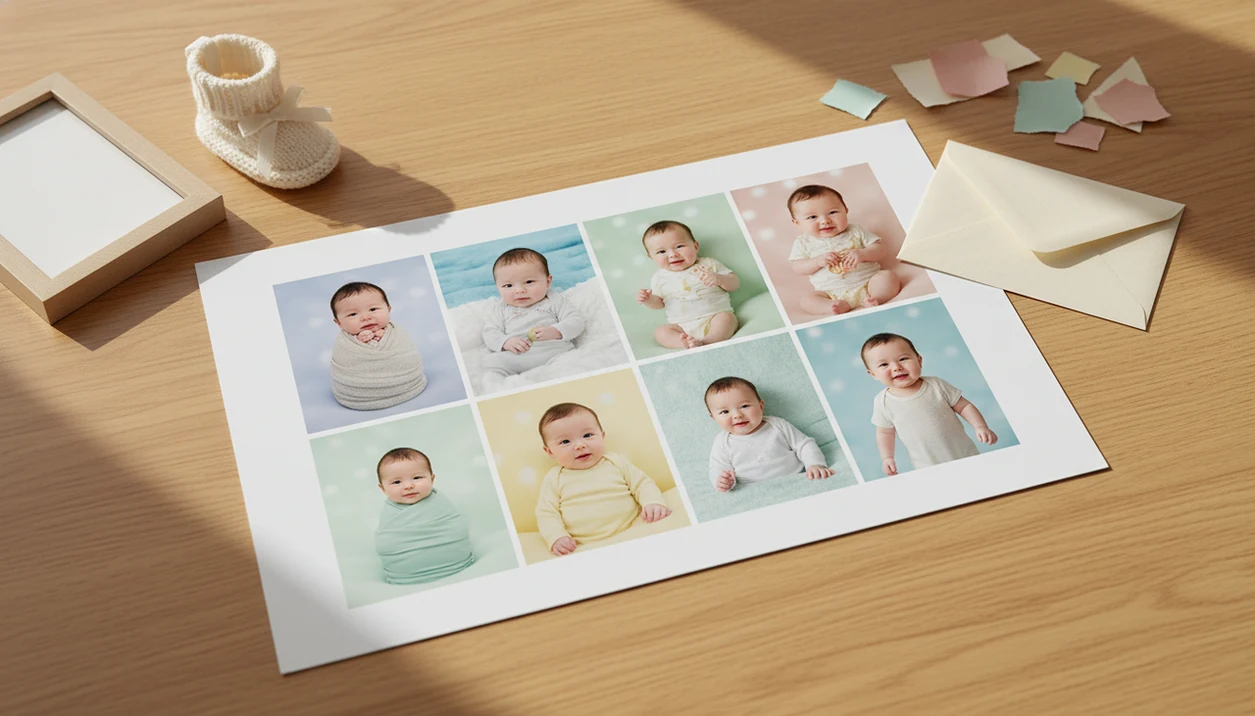
A first-year baby photo collage combines one baby photo from each month, usually newborn through 12 months, into a single printable or shareable keepsake. The easiest version uses consistent monthly photos, short milestone labels, a clean 12-photo layout, and a high-resolution export for printing.
> Definition: A first-year baby photo collage is a single poster, frame-ready print, or digital image that shows a baby’s growth across the first year using monthly milestone photos.
TL;DR
- Use one clear photo per month, plus an optional newborn or birthday photo if the layout has 13 spaces.
- Choose a simple grid, timeline, or number-1 layout before editing so every image fits cleanly.
- Export the final baby first year collage at print quality and save both the finished file and original monthly photos in two places.
First-Year Baby Photo Collage Definition and Layout Choices
A first-year baby photo collage is a single poster, frame-ready print, or digital image that shows a baby’s growth across the first year using monthly milestone photos. Most versions use 12 photos, one for each month, though a 13-photo layout can include a newborn photo and a first birthday picture.
Common layouts include a 3x4 grid, a left-to-right timeline, a large number “1” filled with photos, a party poster, or a frame-ready print. A simple grid is usually easiest to read. A number-1 shape feels more playful for birthday decor, but it can crop tiny faces if the openings are narrow.
Parents often make one for first birthday party tables, nursery art, grandparents’ gifts, or a private family share. Baby Photo Art is a baby photo editor app that turns baby and newborn photos into milestone templates, stickers, portraits, and print-ready keepsakes for parents.
At-a-Glance 12 Month Baby Collage Checklist
Before you build a 12 month baby collage, gather the core pieces first. A short checklist prevents missing months, crowded captions, and last-minute export problems.
- 12 monthly photos: Choose one clear image for each month, or 13 images if the template includes newborn and birthday slots.
- Month labels: Use “1 month,” “2 months,” through “12 months” so the growth story reads quickly.
- Birth stats: Add name, birth date, time, weight, and length only if the layout has breathing room.
- Optional captions: Keep them short, such as “first smile” or “crawling everywhere.”
- Print size: Pick square, portrait poster, landscape print, or social format before editing.
Most parents will likely start with phone photos: Pew Research Center’s mobile fact sheet reports that 97% of U.S. adults ages 18 to 29 owned a smartphone in 2021 (https://www.pewresearch.org/internet/fact-sheet/mobile/). Use the original camera file when possible, not a screenshot or compressed message attachment.
Start tidy. It helps later.
How a First-Year Baby Photo Collage Works
A first-year baby photo collage works by turning separate monthly images into one visually consistent keepsake. The basic workflow is select the photos, crop them to matching ratios, normalize lighting and color, place them into a template, add labels, then export.
Consistent framing matters because the viewer’s eye compares each month in sequence. If one photo shows a full crib and the next is a tight cheek close-up, the baby’s growth becomes harder to read. Matching image ratios also keep the grid from feeling jumpy.
AI-assisted tools can help with image embeddings and background segmentation. In plain terms, they can recognize photo content, resize the baby cleanly, balance orange bedside-lamp color, add milestone stickers, and soften a busy background without advanced design software.
A good AI-powered baby and newborn photo generator with stickers, milestone templates, and portrait-style edits for parents should deliver small adjustments, not a new baby.
How to Use a First-Year Baby Photo Collage Template
Use a first-year baby photo collage template by choosing the final format first, then preparing each monthly photo to fit that format. The template should guide the design, not fight the photos.
- Choose a print or digital layout before editing photos, such as an 11x14 poster, square social post, or frame-ready 8x10.
- Gather one photo for every month from newborn to 12 months, using the clearest original files you have.
- Crop each image to the same ratio and keep the baby’s face similar in size across all months.
- Add month labels, birth stats, name, date, and optional short captions without covering hands, feet, or tiny expressions.
- Export a high-resolution file and save a backup copy in a separate folder or drive.
Tools like Baby Photo Art can be one option for milestone templates, stickers, portrait-style edits, and print-ready keepsakes. If you prefer general design tools, compare Baby Photo Art with Canva, Adobe Express, Shutterfly, and Google Photos on template fit, export size, privacy controls, and how easily you can keep all 12 months visually consistent.
Monthly Baby Photo Requirements for a Baby First Year Collage
A baby first year collage looks strongest when the source photos are bright, clear, and organized before design begins. Use natural window light when possible, an uncluttered background, a similar camera distance, and the highest-resolution originals.
Exact monthly dates are helpful, but they are not mandatory. A photo taken a few days before or after the milestone still tells the story. We have seen a dim hospital-room photo with a wrinkled white blanket work beautifully beside later, brighter images because the moment mattered.
Avoid compressed files from messaging apps or social platforms for printing. They may look fine on a phone, then fall apart in an 11x14 print. Create a “First-Year Collage” folder with subfolders for 0 months, 1 month, 2 months, through 12 months.
Back up the originals and final collage in cloud storage and one second location.
Best 12 Month Baby Collage Layouts for Print and Sharing
The best 12 month baby collage layout depends on where the finished file will live. Square and vertical formats usually work well for digital sharing, while poster ratios fit wall prints and birthday party displays better.
| Layout type | Best use | Number of photos | Caution |
|---|---|---|---|
| 3x4 grid | Portrait poster or nursery print | 12 | Needs even cropping |
| 4x3 grid | Landscape frame or table display | 12 | Small faces can feel wide apart |
| Timeline strip | Digital story or banner | 12 | Harder to print small |
| Number-1 photo shape | First birthday decor | 10 to 13 | Can crop faces tightly |
| Square social layout | Instagram-style sharing | 9 to 13 | Captions need to stay short |
| 13-photo newborn-to-birthday layout | Full first-year keepsake | 13 | More crowded than 12-photo designs |
Among U.S. parents with children under 18 who use social media, Pew Research Center reported that 75% had shared photos, videos, or status updates about their children online (https://www.pewresearch.org/internet/2015/07/16/parents-and-social-media/). Before public posting, check the crop, the privacy setting, and whether the tiny hospital ID bracelet or birth stats should stay visible.
Common First-Year Baby Photo Collage Mistakes
The most common first-year baby photo collage mistakes are visual clutter, uneven crops, and low-resolution printing. Too many fonts, stickers, busy backgrounds, heavy filters, and oversized captions pull attention away from the baby’s face.
Mixing portrait and landscape photos can work, but only if you crop them carefully into the same template spaces. Otherwise, one month may show rosy knees on a cream backdrop while another shows mostly sofa, wall, and ceiling. The rhythm breaks.
Do not print very large from heavily cropped or low-resolution photos. A screenshot from a shared album may look crisp on a phone, then blur on paper. Parents also do not need professional monthly photography or advanced design software.
Candid counts. A wobbly sitter on a play mat can be more meaningful than a posed smile.
Print-Ready Baby First Year Collage Export Settings
How do you export a baby first year collage for printing? Confirm the final print size first, then export a high-resolution file that matches your printer’s requirements instead of relying on screenshots.
Common sizes include 8x10, 11x14, 12x18, and larger poster formats. As a practical target, build the collage at about 300 pixels per inch at the final print size; Adobe’s print-resolution guidance explains why low pixel dimensions become more visible in print (https://www.adobe.com/creativecloud/photography/discover/photo-resolution.html). Check whether the printer trims edges, especially if the design has month labels near the border. We always zoom in before ordering, because a 4x6 test print can reveal whether the top of a knit hat is getting clipped.
Proofread every label before export. Check month numbers, birth stats, name spelling, dates, and any captions. Save multiple versions if you need them: a print poster, a square social post, and a phone-friendly copy.
For deeper file setup, the print-ready baby photo exports guide covers formats and practical checks. Save the editable file separately from the final export.
Limitations
First-year collages are forgiving, but they cannot fix every source-photo problem. Plan for these limits before you print or share.
- Very inconsistent lighting, orientation, or resolution can still make the collage look uneven.
- AI tools may improve color and framing, but they cannot fully recover missing detail from blurry or compressed photos.
- Large prints can look pixelated if the source images are low resolution or heavily cropped.
- Too many stickers, fonts, and decorative elements can distract from the baby’s face.
- Stylized AI portrait effects can slightly change natural features, so realistic edits are better for documentary keepsakes.
- Relying on one app, account, or device for storage risks losing original first-year photos.
- Public social sharing may not match every family’s privacy preferences, especially when birth stats or locations are visible.
If privacy is a concern, a safe AI baby photo app approach should keep the baby’s face recognizable and give parents control before sharing.
FAQ
How many photos do I need for a first-year baby photo collage?
Most first-year baby photo collages use 12 photos, one for each month. Some templates use 13 photos to include both a newborn image and a first birthday photo.
What size should I print a baby first year collage?
Common print sizes include 8x10, 11x14, 12x18, and poster sizes. Check the printer’s resolution, bleed, and crop requirements before ordering.
Can I use phone photos for a first-year baby collage?
Yes, phone photos can work well if you use high-resolution originals. Avoid compressed images from text messages, social apps, or screenshots.
Do monthly baby photos need matching outfits?
No, matching outfits are optional. Consistency can come from similar lighting, backgrounds, crop size, or the collage layout itself.
Should I include birth stats on the collage?
Include birth stats if the design has enough space for them. Name, date, time, weight, and length should not crowd the monthly photos.
What should I do if I missed one monthly baby photo?
Use a photo from a nearby date, a candid image, or a layout that does not emphasize exact monthly spacing. The keepsake can still feel complete.
Which baby collage layout looks best for 12 months?
A grid is usually clearest for 12 months, while a timeline works well for storytelling. A number-1 layout is popular for first birthday decor.
Can AI improve blurry or older baby photos?
AI can help with lighting, cropping, color balance, and style matching. It cannot fully restore detail that was never captured in the original photo.
How should I save and back up the finished collage?
Save the editable file, final print export, digital sharing version, and original monthly photos. Keep copies in at least two locations, such as cloud storage and an external drive.