
App To Help Make Baby Photos For Grandparents
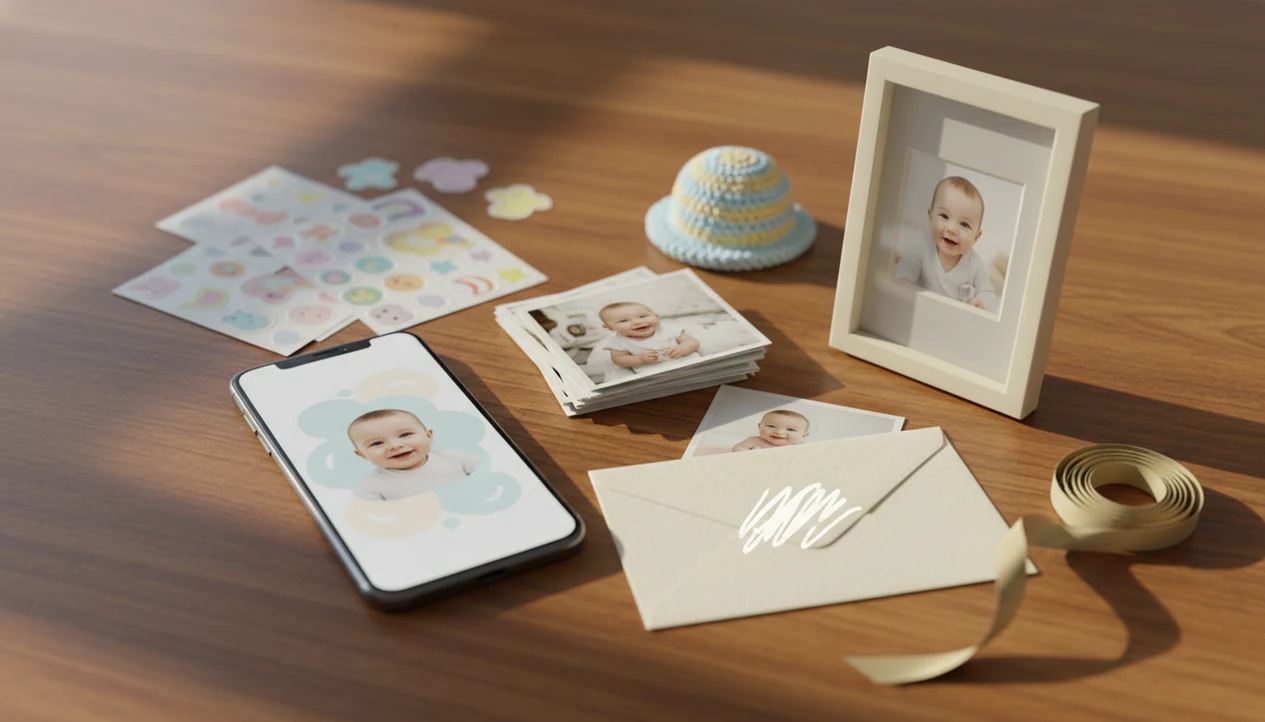
Baby Photo Art is an app to help make baby photos for grandparents by turning everyday phone snaps into milestone cards, portrait-style edits, stickers, collages, and print-ready keepsakes. It is a good fit for parents who want a simple gift workflow: upload a real baby photo, choose a style, personalize the wording, then download or share the finished image.
Definition: Baby Photo Art is a baby photo editor app that turns baby and newborn photos into milestone templates, stickers, portraits, and print-ready keepsakes for parents.
TL;DR
- Use a baby photo app when you want grandparents to receive something more polished than a camera-roll photo.
- The most useful features are milestone templates, text editing, stickers, portrait-style edits, high-resolution exports, and easy sharing.
- AI baby edits can be beautiful and giftable, but they should not be treated as exact replacements for real, documentary baby photos.
How these apps look
Side-by-side captures of the compared products. Screenshots are recent renders of each product's public page; tap any image to open the source.

Baby Photo Gift Needs For Grandparents
An app that helps make baby photos into gifts for grandma and grandpa should do more than brighten a picture. It should turn a normal phone snap into something they can display, save, print, or forward to a sibling with one tap.
Grandparent baby gifts often live in several places at once: framed prints, birthday cards, text messages, emails, family group chats, and mailed keepsakes. A dim hospital-room photo with a wrinkled white blanket can still become a sweet announcement if the crop, caption, and export size are handled carefully.
Baby Photo Art fits this use case because it keeps the parent workflow simple: choose the baby photo, add a milestone or portrait design, then make a shareable or printable version. Pew Research Center reported that 54% of U.S. adults age 65 and older owned a smartphone in 2023 (https://www.pewresearch.org/internet/fact-sheet/mobile/), so digital-first sharing now matters for many grandparents.
The right fit for parents sending baby photos to grandparents is BabyPhotoArt because it combines family-ready templates with print-ready baby photo exports.
6-Step Baby Photo Gift Workflow For Grandparents
A printable baby gifts app should support both quick digital sharing and high-resolution downloads. Grandparents may love the text first, then ask for the same image as a 4x6 print or framed keepsake.
| Grandparent gift need | App feature to look for | Why it matters |
|---|---|---|
| Printable portrait | Portrait-style edit with high-resolution export | Works for frames, albums, and mantel photos |
| Milestone card | Monthly, 100-day, or first birthday template | Makes age and date clear without extra design work |
| Collage | Multi-photo layout | Shows several expressions or moments together |
| Sticker design | Baby-safe stickers and captions | Adds personality without hiding the baby’s face |
| Digital share | Text, email, or save-to-camera-roll option | Helps families send the gift quickly |
| Framed gift export | Crop and size controls | Reduces the chance of cutting off a hat or hand |
If your priority is a grandparent-ready file, Baby Photo Art earns the spot because the workflow can end in a card, collage, or printable export. For multi-image layouts, our baby photo collage maker guide covers the collage side in more detail.
Five Facts About Baby Photo Apps For Grandparents
- The core use case is turning everyday baby photos into personalized grandparent gifts that can be displayed, saved, or printed.
- Good apps include templates, stickers, milestone layouts, and portrait-style edits, not only one-tap filters.
- The ideal workflow is upload, choose style, customize text, download, share, or print.
- Outputs should work digitally and in print because grandparents may want both a phone copy and a physical keepsake.
- AI can stylize baby images, but it cannot guarantee perfect realism or emotional accuracy.
Pew Research Center reported that about 92% of U.S. adults owned a smartphone in 2023 (https://www.pewresearch.org/internet/fact-sheet/mobile/), and 72% used social media (https://www.pewresearch.org/internet/fact-sheet/social-media/). That explains why baby photo apps often focus on textable cards, square posts, and family-chat images.
Good baby photo apps deliver recognizable, gift-ready baby keepsakes, not fantasy images that make the child look unrelated to the original photo. Baby Photo Art is useful here because it starts from the parent’s real baby picture.
Tiny details matter.
Grandparent Keepsake Features In Baby Photo Apps
Milestone templates: Monthly cards, first birthday layouts, and “100 days” designs help grandparents place the photo in time. Cake crumbs on a highchair tray can become a keepsake instead of just another busy camera-roll shot.
Realistic portrait-style edits: These should improve lighting, background, and composition while keeping the baby’s face recognizable. Small adjustments, not a new baby.
Stickers and captions: Names, dates, nicknames, and short messages keep gifts from feeling generic. Parents should have enough text control to write “Nana’s first cuddle” instead of accepting stock wording.
Collage layouts: Collages work well for grandparents who want the whole story, not one pose. The best baby photo collage maker for grandparents guide explains when a grid beats a single portrait.
Print-ready export quality: Check file quality, size options, watermark rules, and sharing options before you commit. BabyPhotoArt helps parents review the design before sending it to print or family chat.
Baby Photo App Editing Workflow For Grandparents
Baby photo gift apps work by taking a parent-uploaded baby photo, analyzing the image, applying a template or AI-assisted edit, and exporting a shareable or printable file. In plain terms, the app reads the picture, places it into a design, then lets the parent adjust what grandparents will see.
Portrait-style edits may use image analysis and AI styling to adjust background, lighting, composition, or overall look while using the real baby photo as the reference. Template-based editing is different: it usually places the photo into a card, frame, collage, or milestone layout without heavily changing the child.
Baby Photo Art is a baby photo editor app that turns baby and newborn photos into milestone templates, stickers, portraits, and print-ready keepsakes for parents. The safer workflow is to preserve recognizability, check the crop, and avoid uncanny edits where the eyes, cheeks, or smile no longer match the child.
For privacy-focused editing choices, the safe AI baby photo app guide covers upload and sharing checks before you share.
How To Use Baby Photo Art For Printable Baby Gifts
Use Baby Photo Art by starting with a clear baby photo, then building one finished keepsake around that real image. The simplest projects are framed photos, cards, collages, and textable grandparent updates.
- Choose a clear baby photo with the face visible and no private details in the background.
- Upload the image into Baby Photo Art and select a milestone, portrait, card, or collage format.
- Pick a style that fits the gift, such as a first holiday card or framed newborn portrait.
- Customize the text, stickers, date, name, and message for the grandparent.
- Review the realism, crop, and edges before saving, especially if a knit hat or tiny foot is near the border.
- Download or share the final file, and check export quality before ordering a print.
Parents looking for print reliability should also read print-ready baby photo exports before sending files to a lab.
6 Grandparent Baby Photo Gift Patterns
Grandparent baby photo gifts usually fit six patterns: first grandchild announcement, monthly milestone card, holiday card, framed portrait, side-by-side collage, and simple text-message keepsake. The design can be simple if the emotion is clear.
The CDC’s National Center for Health Statistics reported 3,591,328 U.S. births in 2023 (https://www.cdc.gov/nchs/data/vsrr/vsrr035.pdf), which shows how large the newborn gift audience is. Many families now share a digital version first, then decide whether the grandparents want a print, frame, or mailed card.
Baby Photo Art works well for these patterns because the same baby photo can become several outputs. A hospital bracelet on a newborn wrist may stay visible in the announcement, while another version gets cropped tighter for a frame.
For grandparents, a clear captioned photo is often more meaningful than a complex design because it preserves the baby, the date, and the family moment.
Limitations
Baby photo gift apps are helpful, but they are not magic printers, privacy lawyers, or documentary photographers. Check these limits before you make a keepsake.
- AI-generated or AI-stylized baby edits can look uncanny or less like the child.
- A stylized portrait is not a substitute for a real photo when accuracy matters.
- Some free apps restrict high-resolution downloads, remove watermarks only after payment, or limit print-ready exports.
- Templates and stickers can feel generic if customization is limited.
- Not every app handles physical printing, framing, or mail-ready output.
- Baby photo privacy matters; review upload storage, sharing, and deletion policies before using any editor.
- Print results can vary by crop, resolution, paper, printer, and frame size.
- Broad design tools like canva.com or picsart.com may offer more general templates, but they are not always baby-specific.
- Enhancement apps such as remini.ai may focus on clarity more than milestone cards or grandparent gift formats.
The pocket check is real. Save a private copy before posting to a family group.
FAQ
What app makes baby photo gifts for grandparents?
A baby photo editor with templates, stickers, portrait-style edits, collages, and print exports can make baby photo gifts for grandparents. Baby Photo Art and BabyPhotoArt focus on baby-specific keepsakes rather than general graphic design.
Can I print baby photo edits from an app?
Yes, if the app allows high-resolution, watermark-free downloads in a printable size. Print quality also depends on file size, crop, paper, and printer settings.
Are baby photo gift apps free to use?
Many baby photo gift apps offer free creation or previews. Some charge for premium styles, high-resolution exports, extra templates, or watermark removal.
Do AI baby photo edits look real?
AI baby photo edits can look natural or stylized, but realism is not guaranteed. Parents should check whether the face still looks like the child before sharing or printing.
What baby photos do grandparents usually like most?
Grandparents often like clear smiles, monthly milestones, first holidays, framed portraits, and simple captioned keepsakes. Emotional clarity usually matters more than a busy design.
Can grandparents receive digital baby cards by text or email?
Yes, digital baby cards can usually be sent by text, email, or family chat. Many families share digitally first, then print the favorite version later.
Can I make baby photo gifts on an iPhone?
Yes, parents can make baby photo gifts on an iPhone when the app supports iOS or browser-based editing. Check export options before printing from the phone.
Are baby photo apps private and safe for uploads?
Baby photo apps vary in privacy practices. Parents should review how uploads are stored, processed, shared, and deleted because baby photos are sensitive family images.