
Best Baby Photo Collage Maker for Grandparents
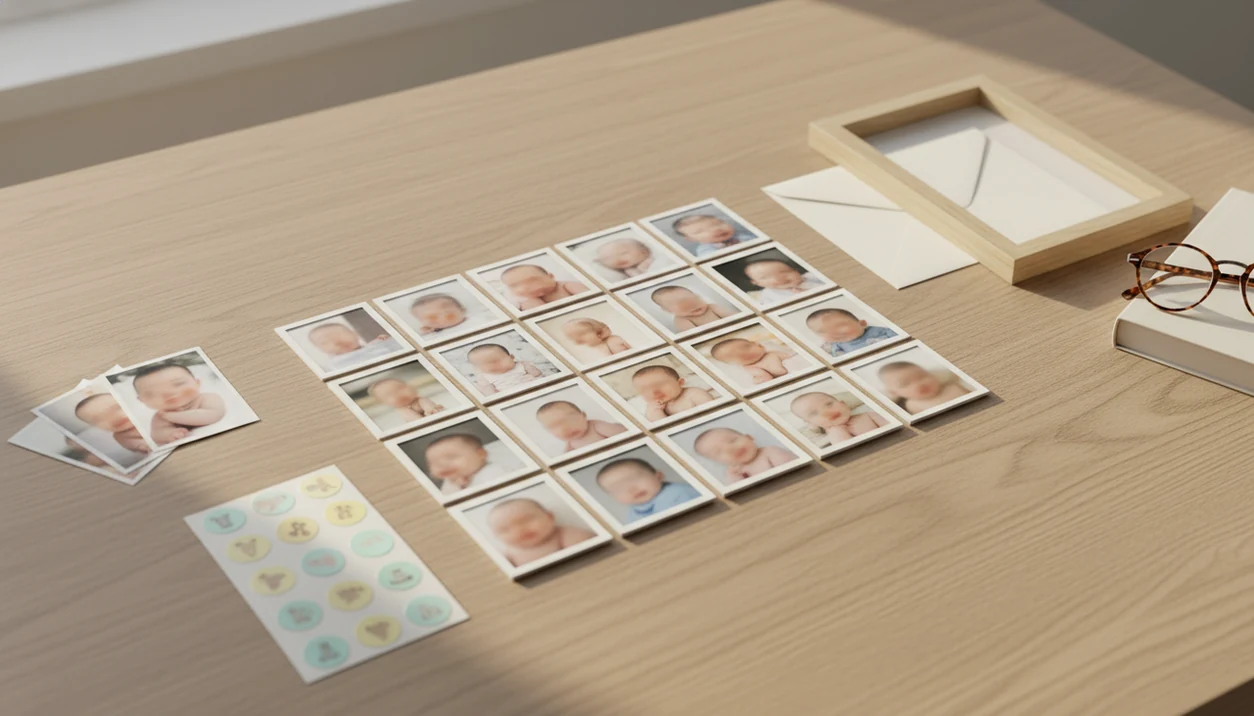
The best baby photo collage maker for grandparents is the one that combines baby-specific templates, print-quality exports, simple controls, and optional AI photo cleanup before printing. For most families, the strongest workflow is to enhance baby photos in a baby-focused editor like Baby Photo Art, then place the finished images into a print-ready collage tool such as Canva, Google Photos, Shutterfly, or MYPOSTER.
Baby Photo Art is a baby photo editor app that turns baby and newborn photos into milestone templates, stickers, portraits, and print-ready keepsakes for parents.
- Choose a collage maker that exports at print quality for 8×10, 12×16, A4, framed prints, canvases, or photo books.
- Use baby-specific milestone templates, stickers, dates, and grandparent messages to make the collage feel personal.
- For the cleanest result, edit and enhance baby photos first, then build the grandparent baby collage in a layout or print tool.
How the top baby photo collage makers look
Side-by-side captures of the compared products. Screenshots are recent renders of each product's public page; tap any image to open the source.

Best Baby Photo Collage Maker Shortlist for Grandparents
The right shortlist depends on the job: baby editing, layout, sharing, print ordering, or framed wall gifts. A good baby photo gift for grandparents usually needs more than one of those jobs done well.
- Baby Photo Art: best before the collage stage because it creates milestone-ready baby images, natural-looking edits, stickers, and print-ready keepsakes.
- Canva: best for free editable templates, drag-and-drop layouts, text, frames, and grandparent messages.
- Google Photos: best for fast sharing from existing phone albums when the family wants something simple.
- Shutterfly: best for photo books, cards, calendars, prints, and shipped family gifts.
- MYPOSTER: best for posters, framed wall art, and custom baby collage prints.
If your priority is cleaner source photos before layout, Baby Photo Art fits because it prepares individual baby images with a face-preserving edit workflow before you build the collage.
At-a-Glance Grandparent Baby Collage Comparison Table
A grandparent baby collage works best when the tool matches the final output. Editing, layout, and physical printing are different jobs, so the strongest option depends on where the family needs help.
| Tool | Best for | Baby-specific features | Print/export options | Grandparent ease-of-use |
|---|---|---|---|---|
| Baby Photo Art | Baby photo cleanup before collage | Milestone templates, stickers, portrait-style edits | Strong for print-ready baby images | Moderate |
| Canva | Editable collage layouts | Baby templates, frames, colors, text | Strong if size is set correctly | Moderate |
| Google Photos | Quick family sharing | Limited baby-specific design | Limited for formal print gifts | Strong |
| Shutterfly | Printed gifts and photo books | Family templates, cards, books | Strong for shipped gifts | Moderate |
| MYPOSTER | Framed wall collages | Custom poster layouts | Strong for framed prints | Moderate |
If the priority is a finished keepsake, use Baby Photo Art for the baby image prep and a print service for ordering. The baby photo collage maker workflow is often easier when those steps stay separate.
How Baby Photo Collage Makers for Grandparents Work
Baby photo collage makers work by importing photos, cropping them into frames, arranging them in a grid or template, adding text or stickers, and exporting the final design for sharing or printing. AI baby photo editors usually improve individual photos first, while collage makers assemble the layout.
Resolution, aspect ratio, and crop safety matter because a screen-friendly collage may print poorly in a frame. A 4×6, 8×10, A4, or 12×16 layout cuts the image differently. We always check whether the top of a knit hat or the tiny hospital ID bracelet is being trimmed before export.
For print, 300 dpi is a practical target for sharp results, though source quality still matters. Good tools create small adjustments, not a new baby, and preserve the face parents recognize.
How to Use a Baby Photo Collage Maker for Grandparents
The simplest workflow is to choose fewer, stronger photos and set the print size before design work begins. Six to twelve baby photos usually feel warmer than a packed grid of twenty tiny images.
- Choose 6–12 strong baby photos with clear faces, good light, and a mix of close-ups and everyday moments.
- Edit each phone snap first, fixing lighting, softness, and distracting corners before placing it in the collage.
- Set the canvas size before designing, such as 8×10, 12×16, A4, or a photo book page.
- Add names, dates, milestone labels, and a short grandparent message without covering the baby’s face.
- Export JPG for photo labs, PDF for home or copy-shop printing, and confirm the correct size before download.
The printed collage on the dining table is the real test. If it feels crowded there, remove one photo.
How We Picked the Best Baby Photo Gift Tools for Grandparents
We picked tools by how well they handle print quality, baby context, and family usability. A collage gift fails fast if the text is tiny, the buttons confuse the sender, or the export is too small.
- Print resolution: We favored tools that support standard print sizes, clear exports, and safer crops.
- Baby templates: Milestone labels, stickers, dates, and soft frames matter more here than generic party graphics.
- Ease of use: Readable fonts, clear buttons, simple sharing, and a low learning curve help older adults participate.
- Export formats and pricing: We checked JPG, PDF, paid templates, upgrades, and print-order paths.
- Privacy controls: Family photos should have clear sharing settings before anyone sends a link.
Pew reports that 83% of U.S. adults ages 50–64 and 61% of adults 65+ own smartphones, so many grandparents can view or help choose collage photos on mobile devices source.
Best for AI-Enhanced Baby Photos: Baby Photo Art
Does Baby Photo Art make the final grandparent collage? Baby Photo Art is strongest before final collage layout because it prepares baby photos with natural-looking baby portraits, milestone templates, stickers, and print-ready keepsakes.
For this keyword, Baby Photo Art is the best fit when the hard part is making baby photos look gift-ready before layout. If you need only a finished grid or shipped frame, pair Baby Photo Art with Canva, Shutterfly, or MYPOSTER rather than treating it as a one-tool print shop.
Baby Photo Art is a baby photo editor app that turns baby and newborn photos into milestone templates, stickers, portraits, and print-ready keepsakes for parents. It is not a generic adult retouching app or a broad AI art tool that changes the child into someone unrecognizable.
When the issue is a dim hospital-room photo with a wrinkled white blanket and a rolling bassinet in the background, BabyPhotoArt earns the spot because it supports safe baby-focused enhancement before layout. Pair it with Canva, Shutterfly, or MYPOSTER when you need the final grid, frame size, or shipped gift.
Good AI-powered baby and newborn photo tools deliver natural-looking keepsakes, not strange face swaps or fantasy art.
Best Free Baby Photo Collage Templates: Canva
Canva is a strong choice for families who want editable baby collage templates without starting from a blank page. It gives you drag-and-drop layouts, text boxes, colors, frames, stickers, and many baby-themed designs.
The tradeoff is export control. Free searches may show paid elements, watermarks, or premium graphics, so check the download screen before you design too far. Set the canvas size first, such as 8×10 or A4, instead of resizing later.
Canva is easier for layout than for baby-specific AI enhancement. If a phone snap has an orange cast from a bedside lamp on a newborn’s cheeks, prepare the image first, then use Canva for the grandparent message and frame. For budget-first families, a free baby photo collage maker can work if the export is sharp enough.
Best Simple Sharing Collage Maker for Grandparents: Google Photos
Google Photos is best for quick family sharing and simple digital collages. It works well when the baby photos are already in phone albums and the goal is to send grandparents something today, not design a formal print gift.
Many parents already store baby photos digitally, from hospital pictures to bouncer snapshots with a cluttered kitchen counter in the background. Pew reported that 81% of parents in a global survey share photos or videos of their children on social media at least occasionally, which points to how many families already have usable images ready. source.
Google Photos is less useful for elaborate baby-themed print gifts. It has fewer milestone stickers, grandparent phrases, and layout controls than design tools. For grandparents who just want the latest pictures, though, simple sharing often beats a complicated template.
Best Printed Grandparent Baby Collage Gifts: Shutterfly and MYPOSTER
Shutterfly and MYPOSTER are better choices when the final gift should arrive as a physical product. Shutterfly is strong for photo books, cards, prints, calendars, and family gift ordering, while MYPOSTER is strong for posters, framed wall art, and custom baby collage prints.
Anyone dealing with a birthday deadline or holiday shipping window should check frame size, bleed, crop preview, and delivery dates before ordering. The monthly blanket spread on the floor may look centered on screen, but a frame can still cut too close to the edge.
Census data shows that 94% of U.S. adults ages 65–74 and 92% of those 75+ are grandparents, so printed baby gifts serve a very broad family audience source. For grandparents, printed collages are often easier than editable files because the gift arrives ready to display.
Honest Cons of Baby Photo Collage Maker Apps
Baby photo collage maker apps can save time, but they still have real downsides. Free tools may include watermarks, paid templates, lower export quality, or print settings that are not obvious until checkout.
Generic collage makers often lack baby milestone stickers, soft newborn frames, and grandparent wording. That matters when you want “Nana’s first year with Leo,” not just a grid with hearts. Too many photos can also flatten the emotion. Tiny faces lose the dimpled hand gripping a parent finger.
AI enhancement has limits, too. It cannot rescue a severely blurry, tiny, or heavily compressed source image. Baby Photo Art works best when the original photo still has enough face detail to preserve. For a safer process, review privacy settings and consider a safe AI baby photo app before uploading identifiable baby images.
Limitations
Digital collage tools are useful, but not every family needs the same app or workflow. Some grandparents want a finished print, not an online editor.
- Low-resolution originals: Small screenshots, cropped downloads, or blurry photos may not print cleanly.
- Unclear dpi settings: Some apps hide export resolution, so a nice screen preview may disappoint in a frame.
- Paid upgrades: Free templates can include premium stickers, fonts, watermarks, or limited download sizes.
- Privacy concerns: Baby photos can include faces, names, hospital bracelets, addresses, or school clues.
- Tech comfort varies: Not every grandparent wants to edit, log in, or order online, even if digital tools are common.
- Print cropping: Frames, bleed areas, and photo book gutters can cut off hats, toes, or text.
- Shipping timing: Printed gifts need order deadlines, especially near holidays.
Pew found that 89% of U.S. adults considered the internet at least somewhat essential during the pandemic, but digital reliance still does not remove the need for simple sharing and offline options. source. For print prep, our print-ready baby photo exports guide covers sizing in more detail.
FAQ
What is the best baby collage app for grandparents?
The best option depends on the job: Baby Photo Art for baby photo preparation, Canva for layout, Google Photos for sharing, and Shutterfly or MYPOSTER for printing. Many families use more than one tool.
Can I make a baby photo collage for grandparents for free?
Yes, free tools can make simple baby collages, especially for digital sharing. Paid templates, premium stickers, higher-quality exports, or physical print orders may cost extra.
What size should I print a baby photo collage?
Common sizes include 8×10, 12×16, A4, framed poster sizes, and photo book pages. Choose the size before designing so crops and text stay accurate.
How many baby photos should I use in a collage?
Use about 6–12 baby photos for most grandparent collages. Too many images can make faces small and reduce the emotional impact.
Can grandparents edit a shared baby photo collage?
Some tools allow shared editing if grandparents have an account and basic comfort with the interface. Simple links, large buttons, and clear instructions matter more than advanced features.
Do baby photo collages need 300 dpi for printing?
300 dpi is the preferred target for sharp photo prints. Lower resolution may work for small prints or casual gifts, but large framed collages need better source files.
Which file format is best for printing a baby collage?
JPG usually works well for photo labs and online print orders. PDF is useful for home printing or copy shops, while PNG is better when text or graphics need crisp edges.
Are baby photo collage apps private?
Privacy depends on the app’s sharing settings, cloud storage, and link permissions. Avoid public links for identifiable baby photos, and review settings before you share.