
Baby Photo Privacy Benefits for Families Sharing Online
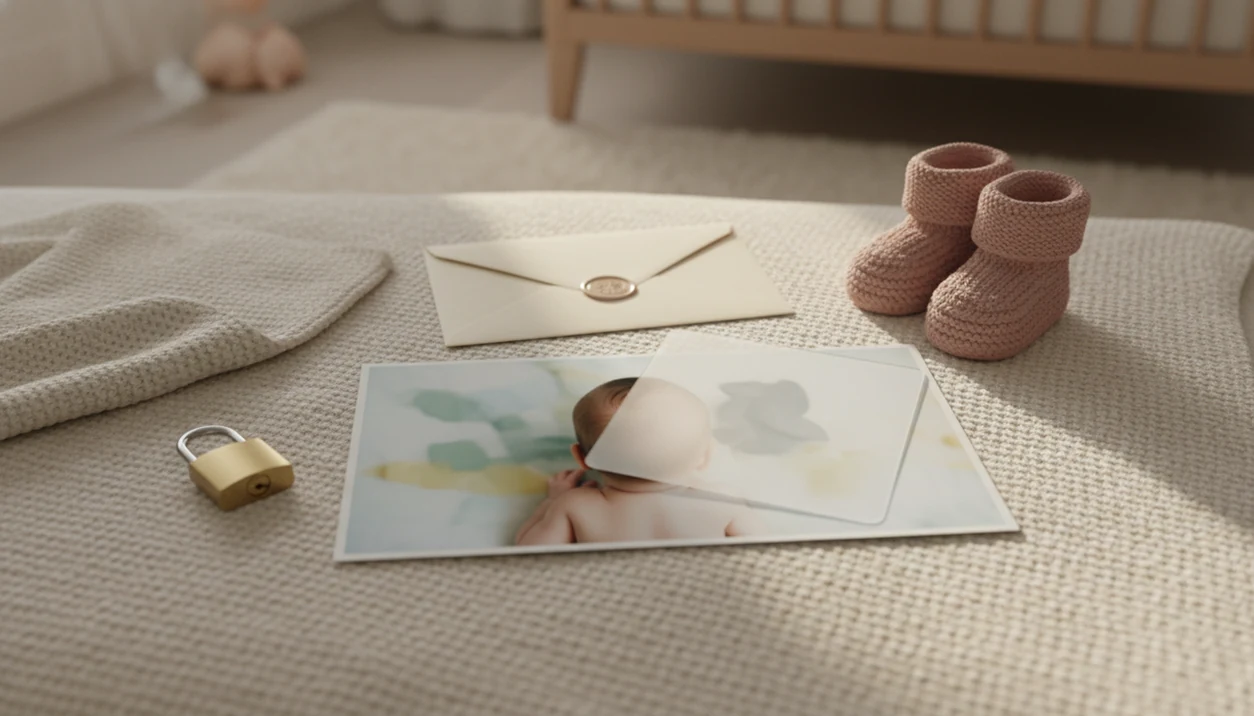
Baby photo privacy benefits for families include safer sharing, less exposure of names and locations, cleaner milestone keepsakes, and better habits around a child’s future consent. Privacy-aware editing helps parents share baby photos without attaching unnecessary personal details to every image.
> Baby photo privacy means editing, storing, and sharing baby or newborn images in ways that reduce identifying details, metadata exposure, uncontrolled reposting, and long-term digital footprint risks.
TL;DR
- Baby photos can reveal more than a face, including locations, routines, names, uniforms, and home details.
- Invite-only sharing, direct albums, cropped backgrounds, and clear family rules reduce exposure better than public social feeds.
- Privacy-aware baby photo editing supports safer milestone keepsakes, but it cannot stop screenshots, downloads, or trusted recipients from forwarding images.
This guide is general privacy and online-safety information for parents and caregivers. It is not legal advice, and families facing harassment, doxxing, image misuse, or custody-related disputes should contact the relevant platform, a qualified professional, or local authorities.
Baby Photo Privacy Benefits for Families at a Glance
Baby photo privacy benefits for families come down to control: who sees the baby image, what details travel with it, and how long it may stay visible. The practical gains are safer sharing, fewer location clues, cleaner backgrounds, better consent habits, and keepsakes that focus on the baby instead of the room.
A dim hospital-room photo may feel harmless, but the rolling bassinet label, visitor badge, or door sign can say more than parents intend. Cropping, blurring, private albums, and shorter captions all help.
Still, privacy settings are not a lockbox. They can reduce exposure, but they cannot prevent screenshots, downloads, reposting, or a relative forwarding a favorite newborn picture into another group chat.
Small choices add up.
Five Baby Photo Privacy Facts Parents Should Know
- Baby photos can reveal context, not just faces. A phone snap may show home layouts, street signs, school clues, routines, sibling names, or a mail stack in the background.
- Invite-only sharing usually gives parents more control than public feeds. Direct albums, shared folders, or private family groups make the audience easier to name and update.
- Parents should avoid full identifiers. Skip full names, exact birthdays, geotags, uniforms, street signs, and visible documents before posting or printing a shareable version.
- Early posts become part of a child’s digital footprint. Around 1,000 photos of a child can be online by age 5, according to eSafety Commissioner guidance source.
- Family boundaries matter as much as app settings. Grandparents, cousins, and friends can repost, tag, save, or forward images beyond the first audience.
The teddy bear size comparison is sweet. The nursery name sign behind it may not need to be online.
How Baby Photo Privacy Works in Editing and Sharing
Baby photo privacy works across three layers: visible image content, hidden or attached data, and distribution control. In plain terms, parents manage what the picture shows, what the file or platform adds, and who can pass it along.
Visible clues include street signs, hospital bracelets, home layouts, uniforms, sibling names, and birthday props. Metadata can include geotags or device details, depending on camera and sharing settings. Platform context adds more: captions, tags, account visibility, comments, and who can reshare.
For a government-level privacy baseline, the FTC advises parents to review what personal information apps and sites collect from children, how it is used, and whether it is shared source.
Tools like Baby Photo Art can help parents turn baby and newborn photos into milestone templates, stickers, portraits, and print-ready keepsakes. An AI-powered baby and newborn photo generator with stickers, milestone templates, and portrait-style edits should deliver small adjustments and safer presentation, not a new baby or a public identity trail.
Editing can reduce clutter and identifying context, but judgment still comes first before you share.
Family Photo Privacy Benefits Compared With Public Social Posting
Private workflows give families more practical control than public or friends-only social posting, especially when baby photos include names, locations, or milestone details. Friends-only posts are still shareable by screenshot, download, or forwarding.
In practice, that means treating Instagram, Facebook, TikTok, and public birth-announcement posts differently from iCloud Shared Albums, Google Photos shared albums, Tinybeans, or invite-only family group chats.
| Privacy factor | Public feeds | Friends-only social posts | Invite-only albums | Edited keepsake images |
|---|---|---|---|---|
| Audience control | Lowest control | Limited, changes over time | Stronger, named access | Depends where shared |
| Resharing risk | High | Still present | Lower, not zero | Lower if shared privately |
| Metadata and context exposure | Captions and tags add clues | Account context adds clues | Fewer public signals | Background clues can be reduced |
| Future digital footprint | Easier to search or copy | Less public, still persistent | More contained | Cleaner record if identifiers are removed |
| Keepsake quality | Often casual | Often casual | Good for family archives | Better for prints and albums |
Pew found that 62% of U.S. adults were not confident social media sites would regulate harmful content well, and 70% think social media companies have a lot of control over what people see source. For family photo privacy benefits, invite-only sharing is often easier to manage than public posting because parents can name the audience and revise access later.
Baby Photo Privacy Habits That Protect a Child’s Digital Footprint
How does baby photo privacy protect a child later? It reduces the number of identifying images, captions, and copies attached to a child before that child can form preferences about being seen online.
Baby photos can persist through downloads, screenshots, cloud backups, archives, reposts, and saved chats. Removing a post helps, but it may not remove every copy. That matters when a newborn bath photo, medical moment, or tantrum picture feels funny now but embarrassing later.
Parents decide today, but the child may feel differently at 10, 15, or 25. Simple rules work better than constant debate: share fewer images, avoid private moments, remove names and locations, and choose keepsake-style edits. Pew reported that 41% of parents said they often or sometimes feel overwhelmed by online parenting information, which is a good reason to keep privacy rules repeatable source.
The cleaner habit is simple: preserve the memory, reduce the identifiers.
Baby Photo Privacy Rules for Relatives and Group Chats
Baby photo privacy depends on recipients, not only on the app, album, or platform. A private group chat can still become public if one person reposts a picture with the baby’s full name and birth date.
Use a short family rule set:
- No reposting. Do not put baby photos on social media without asking first.
- No tagging. Avoid tagging parents, siblings, daycare names, or locations.
- No forwarding. Keep group chat photos inside the original chat.
- No full-name captions. Use initials, nicknames, or no name at all.
- Ask before printing. Check before making cards, calendars, or public gifts.
A polite script can be enough: “We’re keeping pictures of the baby more private, so please don’t post or forward this. We’re happy to send a print for your frame.”
Grandparents often mean well. Clear boundaries protect the baby and prevent awkward cleanup later.
Baby Photo Privacy Editing Checklist for Safer Keepsakes
Use a pre-share checklist before saving a milestone image, newborn portrait, or family announcement. Privacy-aware editing is not about hiding joy; it is about sharing the moment without exposing unnecessary details.
- Check the crop. Remove street signs, mail, name labels, medical forms, and room details.
- Cover names. Hide nursery signs, bracelets, school logos, and personalized blankets when needed.
- Avoid exact dates. Use “one month old” instead of a full birth date in public posts.
- Review location settings. Learn how to remove location data from baby photos before uploading.
- Read the caption. Remove full names, routines, addresses, and travel timing.
- Choose the audience. Use invite-only sharing when the photo includes family details.
Milestone templates, stickers, and portrait-style edits can make a cluttered phone snap feel finished while reducing background context. The parent thumb over the camera edge can go. The baby’s round cheeks can stay.
When to Get Help With Baby Photo Misuse or Safety Concerns
Get help when a baby photo is reposted without permission, used to harass or impersonate your family, tied to exposed personal details, or connected to threats. Move quickly, but collect evidence before asking for removal so you do not lose the record.
- Save the proof. Take screenshots that show the image, caption, account name, URL, date, comments, and any places the photo was reposted.
- Report the content. Use the platform’s reporting tools for unauthorized sharing, harassment, impersonation, exposed identifiers, or accounts pretending to be a parent or relative.
- Ask recipients to delete copies. Message trusted family members or friends and ask them to remove forwarded images from chats, albums, shared folders, and cloud backups.
- Escalate serious risks. Contact legal counsel or local authorities if the misuse involves threats, doxxing, stalking, custody conflict, or repeated unwanted contact.
- Use child-safety channels. If an image is sexualized, exploitative, coercive, or used to pressure a child or family, report it through the relevant child-safety reporting process immediately.
A calm paper trail helps. It gives platforms, professionals, and authorities something specific to review.
Limitations
Privacy-aware editing reduces exposure, but it cannot guarantee full control once a baby photo leaves your device. Families should treat every shared image as something that may be saved.
- No privacy setting can fully prevent screenshots, downloads, copying, or forwarding by people with access.
- Private sharing still depends on the trustworthiness and habits of relatives, friends, and group chat members.
- Removing a post later does not guarantee that copies, caches, backups, or reposts disappear.
- AI-powered baby photo edits can reduce identifying context, but they cannot replace parental judgment.
- Names, school clues, home details, location hints, and exact dates can create risk even in a beautiful edited photo.
- Platforms may have data retention, visibility, or algorithmic practices families cannot fully control.
- This article is practical privacy guidance, not legal advice.
If you are comparing tools, a baby photo app privacy policy checklist can help you review storage, deletion, sharing, and training language before uploading. Parents using BabyPhotoArt or any other editor should still check the crop, caption, and audience before sending a print-ready version.
FAQ
Is sharing baby photos safe?
Sharing baby photos can be safer with limited audiences, fewer identifiers, and clear family rules. It is never risk-free because images can be screenshotted, downloaded, reposted, or forwarded.
What is baby photo privacy?
Baby photo privacy means reducing exposure of identifying details, metadata, audience reach, and long-term digital footprint. It includes editing the image, checking the caption, and choosing where it is shared.
Should I post baby photos online?
Post baby photos only if you are comfortable with the audience, content, identifiers, and possible resharing. Avoid private moments, full names, exact birthdays, location clues, and school or home identifiers.
Do privacy settings protect baby photos?
Privacy settings help control visibility, but they cannot stop screenshots, downloads, or forwarding. Parents should combine settings with careful editing and family rules.
Can relatives repost baby photos?
Relatives can repost baby photos unless parents set clear permission rules and the platform restricts sharing. Ask relatives not to repost, tag, or forward baby images without approval.
What details should parents hide?
Parents should hide full names, geotags, exact birthdays, school clues, street signs, home identifiers, visible documents, and personalized signs. Check backgrounds before sharing milestone keepsakes.
Do baby photos have metadata?
Some baby photos may carry attached data or platform context, including location settings, captions, tags, and account visibility. Parents should review location and sharing settings before uploading.
How many baby photos are online?
According to eSafety Commissioner guidance, around 1,000 photos of a child can be online by age 5. That volume makes selective sharing useful because every image may add context to a child’s digital footprint.