
Benefits Of Print-Ready Baby Photos For Keepsakes
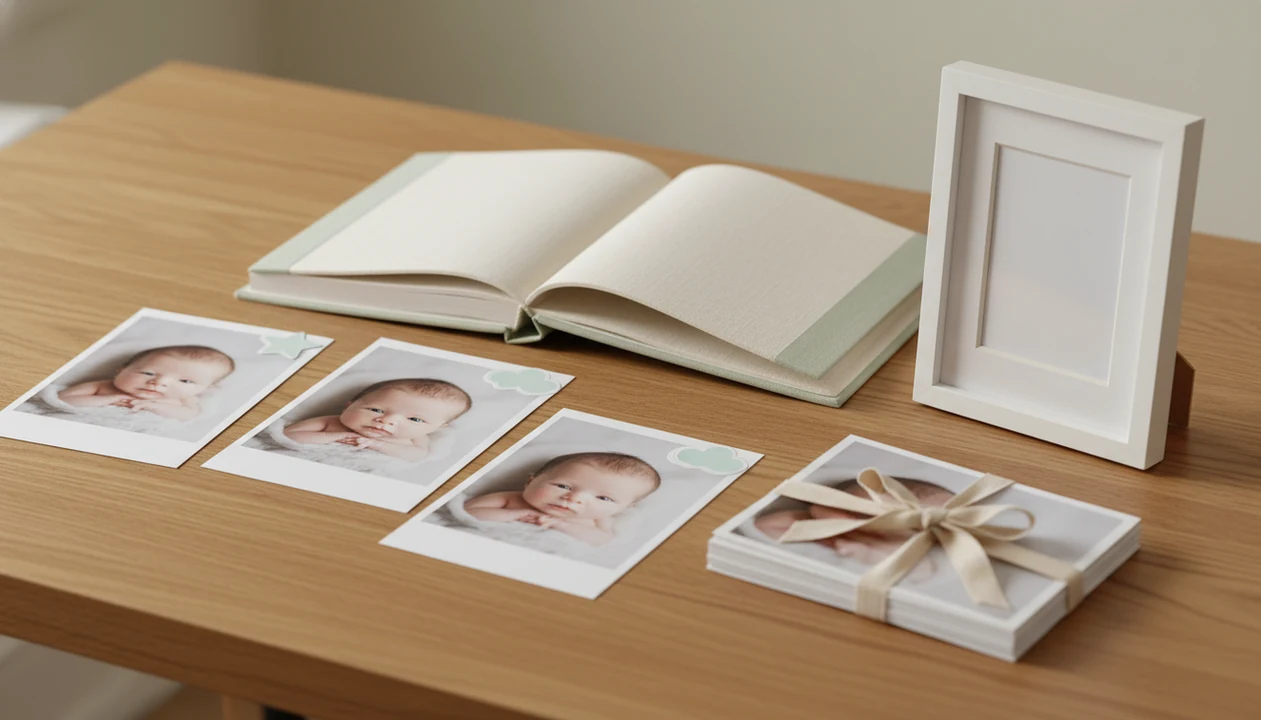
The benefits of print-ready baby photos include sharper keepsakes, cleaner frames, easier photo books, better family gifts, and fewer costly reprints from low-quality files. Print-ready exports matter because baby photos often become albums, nursery art, grandparent gifts, and long-term family heirlooms.
Print-ready baby photos are high-resolution baby image files exported at the right size, aspect ratio, and color settings for physical prints, albums, frames, cards, and gifts.
TL;DR
- Print-ready baby photos should match the final print size, such as 4x6, 5x7, or 8x10, with enough resolution to stay crisp.
- Standard print ratios help protect baby faces, milestone text, stickers, and portrait backgrounds from awkward cropping.
- Printed baby photos add emotional value, physical backup, and gift-ready convenience that digital-only files often lack.
Print-Ready Baby Photos Definition For Keepsakes
Print-ready baby photos are files prepared for a photo lab, home printer, album service, or gift site without extra resizing, cropping repair, or quality rescue. The file should already match the intended size, resolution, aspect ratio, color handling, and export quality.
That matters more with baby keepsakes than with casual sharing. A dim hospital-room photo with a wrinkled white blanket may look fine on a phone, but a 5x7 print can expose blur, compression, or a cut-off bassinet wheel in the background.
For baby albums, framed prints, calendars, milestone art, and grandparent gifts, print-ready means the photo has been shaped for paper before ordering. Tools like Baby Photo Art fit this workflow by helping parents create milestone templates, stickers, portraits, and print-ready keepsakes from baby photos.
A good print-ready file protects the memory before the printer touches it.
Five Baby Photo Print Benefits Parents Notice First
The main baby photo print benefits show up when the order arrives: faces look cleaner, crops make sense, and the design feels intentional. Parents usually notice these five differences first.
- Crisper prints: Print-ready baby photos have enough resolution for the final size, so eyelashes, soft hair, and blanket texture do not turn blocky.
- Better framing: Standard ratios reduce surprise cropping around baby faces, tiny feet, milestone stickers, and portrait backgrounds.
- Easier albums: Files sized for common photo book layouts drop into pages faster, with fewer warning icons from the print service.
- More polished gifts: Color, contrast, stickers, and milestone text are adjusted for paper, not just backlit phone screens.
- Fewer reprints: Parents avoid blurry screenshots, compressed social downloads, and mismatched sizes that often lead to disappointing orders.
For grandparents, a clean 4x6 can be more useful than a folder of 200 almost-identical phone snaps.
How Print-Ready Baby Photos Work
Print-ready baby photos work by matching the image file to the exact thing you plan to order. Before editing, choose the final format first, such as a 4x6 album print, 5x7 gift, 8x10 frame, card, calendar, or photo book page.
Pixels are the tiny building blocks of the image, while dpi describes how densely those pixels can be placed on paper. Print size is the physical result, and aspect ratio is the shape of the frame, which is why a square image, a 4x6, and an 8x10 crop differently. Screenshots and social media downloads often fail because they are smaller, compressed, or stripped of detail; they may look fine on a glowing phone but soft or blocky in a nursery frame. A crop-safe area keeps important details away from the edge, protecting cheeks, hats, tiny hands, milestone numbers, and birth-stat text from being trimmed. Even with a strong file, the final print can shift with paper type, ink, printer settings, color, and contrast.
Print-Ready Baby Photo Resolution Before Printing
Print-ready baby photo resolution works by matching pixel dimensions to the final print size. A file that looks sharp on a phone may not have enough pixels for an 8x10 print, especially after cropping or adding a template.
How print-ready baby photos work: printers translate digital pixels into dots or ink on paper. A common target is 300 dpi at the final print size, which means a 4x6 print usually needs about 1200 by 1800 pixels for crisp output. Aspect ratios also matter. A 4x6, 5x7, and 8x10 are not the same shape, so one file cannot always fit every frame without cropping.
How to use print-ready baby photo exports:
- Choose the final size before editing, such as 4x6, 5x7, or 8x10.
- Check the crop so the baby’s face, knit hat, and milestone text stay inside the safe area.
- Export at high quality instead of saving a screenshot or social media download.
- Preview paper details like contrast, sharpening, skin tone, and sticker edges.
- Order one test print before making a large batch of gifts.
AI-edited baby portraits and stickered milestone designs need clean exports because tiny artifacts can become obvious on paper.
Print-Ready Baby Photos For Albums, Frames, And Gifts
Print-ready baby photos save time when one strong image needs to become an album page, a frame, and a family gift. Correct sizing and resolution let the same memory travel across formats without looking improvised.
First-Year Baby Albums
A first-year baby album benefits from consistent exports for newborn, monthly, 100-day, and first birthday pages. If every milestone portrait uses a planned ratio, the book looks calmer and the number sticker on a white onesie does not drift too close to the trim line.
Grandparent Frames
Grandparent framed photos need simple sizing, usually 4x6, 5x7, or 8x10. A planned export helps avoid the classic problem where the top of a knit hat disappears behind the mat.
Milestone Calendars
Milestone calendars work better when portrait-style edits, stickers, and month labels are made for print from the start. Families making several gifts can also use an app to help make baby photos for grandparents without rebuilding each design.
Print-Ready Baby Photos Versus Digital-Only Baby Files
Print-ready files are not a replacement for cloud backups, but they solve a different problem: they turn selected baby memories into physical objects that can be seen, gifted, and stored offline. Digital storage is useful; it is not the same as a framed print or album.
| File type | Main use | Print risk | Keepsake value |
|---|---|---|---|
| Print-ready export | Albums, frames, cards, gifts | Low when sized correctly | High |
| Cloud backup | Storage and recovery | Depends on original file | Medium |
| Phone screenshot | Quick sharing | High | Low |
| Social media download | Reposting or texting | High due to compression | Low |
A 2017 APPO survey reported that 43% of respondents had lost digital photos through phone loss, hard-drive failure, or accidental deletion; cite the original APPO/The Photo Managers source inline here before publication. The Library of Congress notes that properly stored photographic prints on quality paper can last for generations, especially when kept away from light, heat, and humidity: https://www.loc.gov/preservation/care/photolea.html.
Use both. Keep backups, then print the few images that matter most.
Baby Photo Print Benefits For Family Identity
Printed baby photos can become daily reminders of love, belonging, and family story. They are not magic, and they do not cause healthy identity by themselves, but visible family images can support the feeling that a child has a place.
Some research has suggested that family portrait displays in the home may be associated with higher child self-esteem and stronger belonging. That is suggestive evidence, not proof that hanging prints alone changes a child’s development.
The lifecycle is still easy to recognize. A nursery wall print becomes a toddler’s “that’s me” moment, then a childhood memory cue, then an heirloom a relative keeps on a shelf. Tiny hospital ID bracelets, first smiles, and birth stats beside tiny footprints become part of the family record.
For family identity, selective printing is often more meaningful than saving everything because the chosen photos stay visible.
Print-Ready Baby Photo Moments That Matter Most
When do print-ready baby photos matter most? They matter when the photo will become a large frame, photo book, holiday card, birth announcement, milestone portrait, calendar, or grandparent gift.
A simple digital file is usually fine for quick texts, private phone sharing, temporary social posts, and contact-sheet previews. Not every phone snap needs the full print workflow. The crooked swaddle after feeding may be precious in the family chat, but not every version belongs in an album.
Photo overload is real. Pew Research Center reported that 85% of U.S. adults owned a smartphone in 2021: https://www.pewresearch.org/internet/fact-sheet/mobile/. The practical answer is curation: pick the first bath, first birthday, monthly portraits, sibling moments, and a few ordinary days.
Good AI-powered baby and newborn photo generators with stickers, milestone templates, and portrait-style edits for parents deliver small adjustments, not a new baby.
Limitations
Print-ready baby photos improve the odds of a good print, but they cannot guarantee one. The printer, paper, lab, lighting, and original image still matter.
- A print-ready file still needs a good photo lab, printer, paper choice, and dry, stable storage.
- Poor original photos may remain soft if the source lacks detail or has motion blur.
- AI edits can show artifacts, odd skin tones, or unnatural backgrounds more clearly in large prints.
- Color can vary between phone screens, home printers, and professional labs.
- Printing every baby photo can get expensive, cluttered, or unnecessary for small homes.
- Older files may need re-exporting when families switch from albums to calendars, frames, or gifts.
- Emotional research around visible family photos is suggestive, not a promise of developmental benefit.
Before you share or print an AI-edited portrait, compare the original beside the edited photo. If the smile looks uncanny, reject the edit.
FAQ
What is a print-ready baby photo?
A print-ready baby photo is a high-quality image file sized and exported for a specific print product. It should have enough resolution, the right aspect ratio, and printer-friendly quality settings.
What resolution do baby photos need for printing?
A common target is 300 dpi at the final print size. Pixel dimensions matter because a small file stretched into a large frame can look soft or blocky.
Are phone photos good enough to print as baby keepsakes?
Original phone photos can print well when they are sharp, full-size, and not heavily cropped. Screenshots, compressed downloads, and social media saves often print poorly.
Why do baby prints look blurry after ordering them?
Baby prints often look blurry because of low resolution, compression, motion blur, enlargement, or the wrong print size. A soft source photo cannot always be repaired later.
Do AI-edited baby photos print well?
AI-edited baby photos can print well when the baby’s face stays recognizable and the export is high quality. Check skin tone, eyes, fingers, background edges, and sticker text before ordering.
Which baby photo size is best for albums, frames, and gifts?
4x6 is useful for albums and small frames, 5x7 works well for gifts, and 8x10 suits nursery wall prints. Choose the size before editing so the crop protects the baby’s face.
Are printed baby photos worth it if I already have cloud backups?
Printed baby photos are worth it for selected milestones because they add a physical backup, a visible family memory, and an easy gift format. Cloud backups are still important for storing the full photo library.