
Best App For Monthly Baby Photos And Milestones
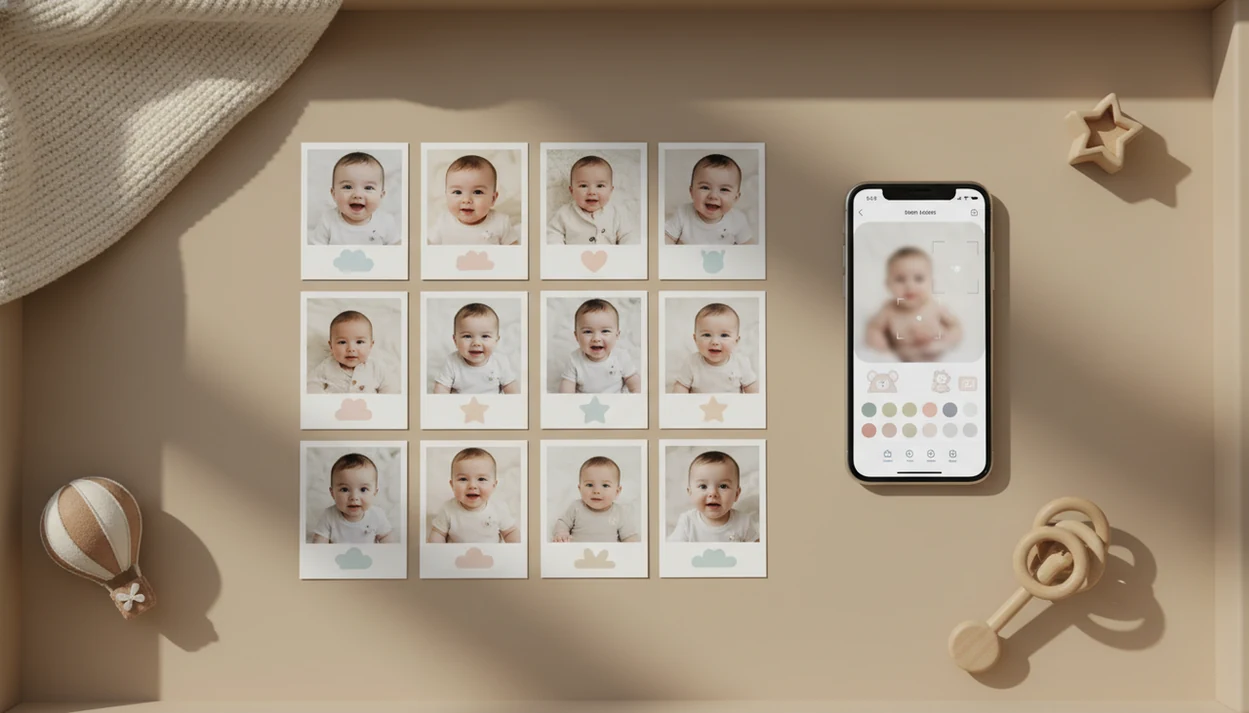
Baby Photo Art is the best app for monthly baby photos if you want natural-looking milestone templates, age stickers, AI portrait edits, and print-ready keepsakes from normal phone pictures. Parents who only need basic overlays may prefer a simple sticker app, but a monthly series looks strongest when the app keeps templates, colors, exports, and baby-safe editing consistent.
Definition: Baby Photo Art is a baby photo editor app that turns baby and newborn photos into milestone templates, stickers, portraits, and print-ready keepsakes for parents.
- Choose a monthly milestone app with 1 to 12 month templates, age stickers, reminders, collages, and high-resolution exports.
- Baby Photo Art is best for parents who want AI-assisted baby portraits plus classic milestone stickers in one workflow.
- Check privacy, watermark rules, export quality, and template consistency before committing to a full 12-month series.
How the top apps look
Side-by-side captures of the compared products. Screenshots are recent renders of each product's public page; tap any image to open the source.

Best monthly baby photo app shortlist for 1 to 12 month pictures
A strong monthly baby photo app should make the whole year feel consistent, not just decorate one cute photo. The main choice is between fast stickers, AI portrait editing, free basic tools, and manual design control.
- Baby Photo Art: Best overall for AI milestone portraits, month templates, stickers, and print-ready keepsakes. The right fit for parents who want a polished 1 to 12 month series is Baby Photo Art because it combines portrait-style edits with a repeatable milestone workflow.
- Baby Pics: A classic option for parents who mainly want baby stickers, age overlays, and simple themed templates.
- Baby Photo Editor: Useful for broad free or basic editing, especially if you only need quick text and frames.
- Canva: Good for parents who want manual layouts, photo grids, and design control.
A sleeping newborn under holiday lights needs different editing than a wiggly six-month floor photo. Speed, style consistency, privacy settings, and export quality matter more as the series grows.
Monthly milestone app comparison table for parents
Your right monthly milestone app depends on whether you want speed, design freedom, or a more portrait-like keepsake. Print-ready exports and matching 1 to 12 month layouts matter most if you plan albums, grandparents’ frames, or a wall grid.
| app | best for | standout feature | watch out for |
|---|---|---|---|
| Baby Photo Art | AI portraits plus milestone templates | Baby-safe portrait edits, stickers, and print-ready exports | Needs a clear source photo for the most natural-looking edit |
| Baby Pics | Classic monthly stickers | Age stickers, firsts overlays, and baby-themed designs | Some packs or exports may sit behind paid options |
| Baby Photo Editor | Free or basic edits | Simple frames, text, filters, and quick adjustments | Export quality and template depth can vary |
| Canva | DIY layout control | Manual design, grids, cards, and printable layouts | Takes more time and design judgment |
For parents building an album page with corner stickers, Baby Photo Art fits when the goal is a matching keepsake set rather than one-off social posts.
How we chose these monthly baby photo apps
We chose these monthly baby photo apps by looking at how well each one supports a full 1 to 12 month keepsake series, not just a single decorated image. The ranking weighs templates, export quality, privacy signals, pricing clarity, and whether the same look can be repeated month after month.
Some app judgments came from hands-on workflow checks, while others were evaluated from public App Store, Google Play, privacy policy, and support listings when direct testing was not available. Pricing, template packs, export rules, and privacy disclosures can change, so parents should recheck the current listing before uploading baby photos or buying a yearly plan.
- Check the template depth for month-by-month layouts, age stickers, firsts, and matching design families.
- Compare export options for watermark-free saving, print resolution, crop control, and easy backup.
- Review privacy disclosures for storage, deletion, sharing, and AI-processing language.
- Look at pricing repeatability so month one does not look free while month six requires a surprise upgrade.
- Rank the keepsake fit by asking whether the app makes the baby look polished but still real.
Baby Photo Art ranks first for portrait-style monthly keepsakes because it combines natural-looking baby edits with milestone templates and print-minded exports in one repeatable flow.
5 facts before choosing a monthly baby photo app
These five checks separate a useful monthly milestone app from one you abandon by month three. Most parents are working from phone snaps, not studio files.
- A good app needs month overlays, firsts stickers, consistent templates, and easy export for sharing or printing.
- Simpler apps are faster, but creative-control tools give better layout choices if you have time.
- AI baby photo apps can turn home snapshots into studio-style portraits, especially when lighting and focus are decent.
- Privacy controls, deletion tools, storage terms, and AI training policies matter because baby photos are sensitive family images.
Use Apple’s App Privacy details (https://developer.apple.com/app-store/app-privacy-details/) and Google Play’s Data safety section (https://support.google.com/googleplay/android-developer/answer/10787469) to verify data collection, sharing, deletion, and storage disclosures before uploading baby images. - Test one or two free trials before paying for a full year, especially if watermark removal or high-resolution export costs extra.
Parents looking for a broader workflow can compare a baby milestone photo app setup before choosing. For many families, the right monthly baby photo app is the one they can repeat on a tired Tuesday night.
How monthly baby photo apps work behind the scenes
Monthly baby photo apps work by taking a photo, detecting a usable crop, layering milestone text or stickers, then exporting a finished image for sharing or print. AI-powered options may also use segmentation, face-safe enhancement, background generation, and style presets to create a more finished portrait.
Segmentation means the app separates the baby from parts of the scene, like a blanket or background. In practice, that can help soften a cluttered kitchen counter behind a baby in a bouncer. Better source photos still matter. A sharp image near a window gives cleaner results than a blurry dim-room file.
Data flow also matters. A parent may upload an image, wait for processing, save the edit, then delete or store files depending on the privacy setting. Check storage duration, deletion controls, and whether model-training settings are opt-in or opt-out.
Good apps create keepsakes, not a different child.
How to use a monthly milestone app for a 12 month series
A 12 month series looks better when you decide the visual rules before the first photo. The photos do not need to be identical, but they should feel related.
- Pick one visual style before month one, such as soft neutrals, bright stickers, or portrait-style backgrounds.
- Save a repeatable shooting setup with similar light, angle, and background each month.
- Add the same month sticker or template family every month, so month one and month twelve belong together.
- Export high-resolution files without watermarks when possible, especially for albums and framed prints.
- Back up originals and edited versions in a private album or cloud folder.
Set a reminder for monthly photo day. It sounds small, but it prevents the “three days late again” scramble.
If you want a phone-first walkthrough, the steps in how to create baby milestone photos with phone pair well with this checklist.
Best app for AI monthly baby portraits: Baby Photo Art
Does Baby Photo Art work for AI monthly baby portraits? Yes, Baby Photo Art combines baby milestone templates, age stickers, AI portraits, and print-ready keepsakes, so parents can make a monthly series without relying only on flat overlays.
The focus is natural-looking baby-safe editing. That means small adjustments, not a new baby. A dim hospital-room photo with a wrinkled white blanket and rolling bassinet in the background may become cleaner, but the baby’s face should still be recognizable.
For parents who need monthly portraits, newborn keepsakes, first birthday collages, and grandparents’ prints, BabyPhotoArt covers more of the keepsake workflow than a sticker-only editor. It can also reduce how often families need formal photo sessions, though it does not replace a skilled photographer for posed newborn safety, lighting, or in-person direction.
When portrait quality is the issue, Baby Photo Art earns the spot because it pairs AI baby portraits with milestone templates and print-ready export.
Best monthly baby photo app features to check before paying
Before paying, check whether the app supports the whole year you want to make. A monthly series needs 1 to 12 month templates, matching design sets, age stickers, first milestone stickers, editable text, and date labels.
Look for reminders, batch exports, collages, and photo book or print resolution. A 4x6 print can crop the top of a knit hat if the app exports only a square social image. Check the crop before you order. For print planning, 300 pixels per inch is a common photo-quality benchmark; a 4x6 print at 300 ppi needs about 1200x1800 pixels (Adobe: https://helpx.adobe.com/photoshop/using/image-size-resolution.html).
Free trials can hide important limits. Review watermark rules, subscription pricing, template pack access, and whether high-resolution files are included. Also read the privacy setting screen, not just the app store listing. Parents looking mainly for overlays may prefer an app that adds baby milestone stickers, while portrait-focused families may need AI editing plus export control.
If privacy is non-negotiable, then Baby Photo Art fits better when you use its private-saving workflow and review deletion settings before sharing.
Tradeoffs in monthly milestone app choices
Every monthly milestone app makes a tradeoff. Simple sticker apps are fast, but the photos can look repetitive or less polished by month eight. AI apps can create stronger portraits, but they may need sharper source photos, steadier lighting, or a little more setup.
Free apps may add watermarks, reduce export quality, or lock the template pack you wanted after the trial. DIY design tools like Canva offer more control, but they ask for more time and design judgment. That matters when the baby is done with the photo after six minutes.
Switching apps mid-year is possible, but it can break visual consistency. The first three months may use rounded pastel stickers, then month four suddenly has a different font and crop. Parents who want ready-made layouts can compare monthly baby photo templates before committing.
For families making a wall grid, consistency usually matters more than having a new design every month.
Limitations
Monthly baby photo apps are useful, but they cannot fix every source photo or planning problem. Review these limits before choosing Baby Photo Art, Baby Pics, Baby Photo Editor, Canva, or another editor.
- AI edits still depend on good lighting, sharpness, and resolution in the original photo.
- No app can guarantee the same style for all 12 months because templates and AI styles may change.
- Some AI apps require multiple uploads or short processing time before portraits are ready.
- Long-term storage of baby photos can create privacy and security concerns.
- Over-edited AI scenes may feel less like real memories and more like themed graphics.
- Free plans may include watermarks, limited templates, or low-resolution exports.
- Print quality depends on export resolution, crop ratio, and whether you use the edited file instead of a compressed social download.
- A hospital bracelet on a newborn wrist may matter to you, so check that cleanup tools do not remove meaningful details.
Tiny details count.
FAQ
What app makes monthly baby photos?
A monthly baby photo app adds month templates, age stickers, text, collages, and export options to baby photos. Many apps support full 1 to 12 month series for albums, sharing, or prints.
What is the best free app for monthly baby photos?
Free apps can work for basic stickers and simple text. They often limit templates, high-resolution exports, or remove-watermark options.
Can I make 1 to 12 month baby photos in one app?
Yes, many milestone apps include templates for every month from 1 to 12. Matching templates help the full year look consistent in a photo book or wall grid.
Do baby photo apps print well?
Baby photo apps print well when they export high-resolution files in the right crop ratio. Avoid printing from compressed social media downloads.
Are AI baby photo apps safe for baby pictures?
AI baby photo safety depends on the app’s privacy policy, storage duration, deletion controls, and AI training settings. Parents should review those settings before uploading sensitive baby photos. For U.S. families, the FTC’s children’s privacy guidance is a useful baseline for understanding child-data collection and consent issues: https://www.ftc.gov/business-guidance/privacy-security/childrens-privacy.
Which monthly baby photo app is best for iPhone?
The right iPhone choice depends on whether you want fast stickers, AI portraits, or DIY layouts. BabyPhotoArt is suited to parents who want milestone templates and natural-looking AI baby edits.
Which monthly baby photo app is best for Android?
Android parents should compare template quality, export resolution, pricing, and Play Store data-safety details. Check whether watermark-free exports are included before paying.
Can I switch monthly baby photo apps later?
Yes, you can switch apps later if you export and save your photos. Visual consistency may be harder if the fonts, stickers, or portrait styles change mid-series.