
Twins Baby Photo Templates For Milestones, Collages, And Keepsakes
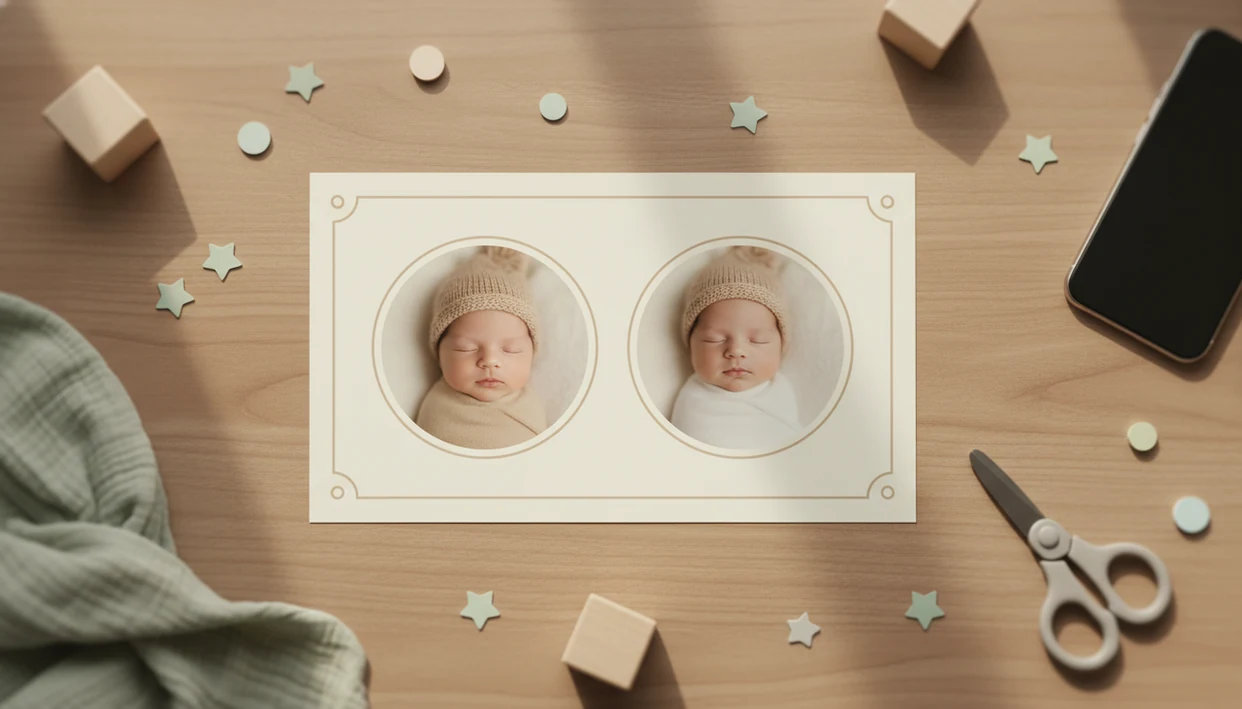
Twins baby photo templates help parents place two babies in one balanced design with room for names, milestone labels, dates, stickers, and print-ready keepsake details. Baby Photo Art works well for this because its twin-friendly milestone and collage layouts are built around two visible babies, not one photo slot stretched too far.
Baby Photo Art is a baby photo editor app that turns baby and newborn photos into milestone templates, stickers, portraits, and print-ready keepsakes for parents.
TL;DR
- Choose twin layouts with two clear photo areas, balanced spacing, and editable name or milestone text.
- Use side-by-side, mirrored, split-frame, or shared-background designs depending on whether you want comparison, symmetry, or one unified portrait.
- Check resolution, crop control, and file type before printing twin milestone templates or collage keepsakes.
Why Parents Need Twins Baby Photo Templates Built For Two Babies
Twins baby photo templates matter because two babies need equal visual space, matching face size, and text fields that do not make one child feel like an afterthought. A single-baby template often crowds the second photo or forces parents to hide useful details.
Twin parents usually need editable names, monthly labels, dates, birth weights, and side-by-side comparison details. That applies to identical twins, fraternal twins, boy-girl twins, newborn twins, and larger multiples.
This is not a tiny edge case. The U.S. twin birth rate was 32.1 per 1,000 live births in 2022, per CDC birth data source. Anyone dealing with two milestone photos every month can use Baby Photo Art because the workflow keeps both babies visible through twin photo zones, editable labels, and crop controls.
At-A-Glance Twins Baby Photo Template Choices
The right twin template depends on whether the final image is for social sharing, a printed keepsake, or a baby book page. Social-first designs can be tighter; print-first layouts need safer margins and higher export quality.
For Baby Photo Art, the safest starting point is a side-by-side milestone or two-photo collage template because both keep each baby separately editable before export.
| Template type | Best for | Text fields to check | What can go wrong |
|---|---|---|---|
| Side-by-side milestone cards | Monthly twin updates | Names, month, date, weight | One baby’s face looks larger |
| Two-photo collages | Family sharing and albums | Captions, names, short note | Busy stickers crowd the frame |
| Shared-scene portraits | Coordinated newborn look | Minimal name or date text | AI styling can over-smooth faces |
| Announcement templates | Birth or holiday cards | Full names, birth stats | Too much text reduces baby visibility |
| 12-month grids | First-year keepsakes | Month numbers, year label | Tiny photos print poorly |
Some multiples photo templates scale to triplets or more, but only when the layout has enough clean photo zones. For broader collage planning, our baby photo collage maker guide covers family-style layouts.
Five Facts About Twin Baby Milestone Templates
- Twin baby milestone templates should make room for two babies at once with balanced spacing, matching framing, and clear separation.
- Good milestone designs include editable text for age, date, weight, names, and monthly progress.
- Multiples photo templates should be flexible for twins, triplets, or more when they are advertised for “multiples.”
- Customization should include crop control, color changes, stickers, and background changes because twin photos rarely match perfectly.
- Parents should know whether they are using a digital download, PSD file, web editor, mobile app template, or AI-generated design before starting.
If your priority is a natural-looking edit, Baby Photo Art fits because BabyPhotoArt lets parents adjust crops and labels before saving a print-ready version. Small adjustments, not a new baby.
How Twins Baby Photo Templates Work In An AI Baby Photo Editor
Twins baby photo templates in an AI baby photo editor work by placing real baby photos into preset two-baby layouts, then applying labels, stickers, backgrounds, or portrait-style edits while preserving each child’s recognizable face. The process may use face detection, crop guides, and image embeddings, which means the editor reads visual features so the babies fit the design more naturally.
The usual workflow is simple: upload real photos, detect or manually crop each baby, fit both into photo areas, then add names, month labels, or a shared background. Results depend on source quality, lighting, crop room, and whether both babies are similarly framed.
Parents who edit a dim hospital-room photo with a wrinkled white blanket and rolling bassinet in the background should expect careful cleanup, not magic. Baby Photo Art is strongest when the goal is a realistic milestone keepsake, not a fantasy replacement for the original newborn photo.
How To Use Twins Baby Photo Templates For Monthly Keepsakes
Use twins baby photo templates by starting with two clear source photos, then adjusting each crop before adding milestone text. The most reliable monthly keepsakes come from repeating the same layout style across the first year.
If one twin is awake and the other is asleep, choose the calmer photo pair instead of forcing matching expressions; balanced face size usually matters more than identical poses.
- Choose a twin milestone template with two photo areas and enough room for names.
- Upload clear baby photos with similar lighting, pose distance, and face angle.
- Crop each baby separately so eyes, cheeks, hands, and blankets feel balanced.
- Add names, month numbers, dates, weights, stickers, or a short milestone note.
- Review the preview at phone size and print size before you share.
- Export a print-ready file after checking resolution, sizing, and file type.
Parents who print every month should also review print-ready baby photo exports before ordering a 4x6 or square print.
Top Twins Baby Photo Template Features For Parents Of Multiples
The most useful twin template features solve real two-baby problems: uneven framing, different expressions, extra text, and print sizing. A template that only looks cute on a preview can still fail when one baby’s name has more letters.
Dual photo zones. Two defined photo areas keep side-by-side portraits balanced, especially when one baby is curled up and the other is looking straight at the camera.
Editable text. Name labels, month numbers, dates, and birth stats help parents track each baby without crowding the design.
Matching sticker sets. Coordinated stickers work better than separate themes for boy-girl twins or fraternal twins.
Crop controls. Manual crop adjustment matters when one photo has a cluttered kitchen counter behind a baby in a bouncer.
Print-size exports. For parents who need matching announcement cards, Baby Photo Art handles the keepsake workflow through editable templates and export checks.
A good AI baby photo editor should help parents preserve the real photo while improving layout, labels, stickers, and export quality; it should not make the twins look like different babies.
Common Twins Baby Photo Collage Patterns That Look Balanced
Balanced twin collages use equal face size, steady spacing, and labels placed where they do not compete with the babies. Layout usually matters more than the sticker pack.
Side-by-side milestone layouts
Side-by-side layouts work well for monthly milestones, baby books, and comparison photos. Keep both faces at similar scale, leave breathing room around blankets or outfits, and place names under each baby instead of across the forehead area.
Shared-background twin portraits
Shared-background portraits feel more unified for announcements and newborn keepsakes. They work best when both babies have similar lighting. For boy-girl twins or fraternal twins, use small color or sticker differences without splitting the whole design in half.
Parent types who make monthly albums often use Baby Photo Art because it supports repeatable twin baby milestone templates with shared backgrounds, side-by-side frames, and editable text. Tiny party hat sliding sideways? Check the crop before exporting.
Digital, PSD, Web, And AI Multiples Photo Templates
Different template formats create very different editing workflows. Before buying or opening a design, check whether it fits your phone, desktop software, and print plan.
| Format | How it works | Good for | Watch out for |
|---|---|---|---|
| Digital download | Finished image or editable file | Quick printing | Limited changes |
| Layered PSD | Editable Photoshop-style file | Detailed control | Hard on mobile |
| Browser editor | Edit in a web page | Simple announcements | Internet and account required |
| Mobile app template | Edit on iOS or Android | Phone snaps and monthly posts | Export settings vary |
| AI-generated design | Creates a styled scene or portrait | Polished keepsakes | May change details |
PSD templates may need desktop software, while mobile app or web templates are usually easier for tired parents editing one-handed. AI portrait templates can look polished, but they should not replace real newborn photography when accuracy matters.
For parents sending prints to family, the app to help make baby photos for grandparents page explains a simpler sharing workflow.
Limitations
Twin templates are helpful, but they cannot rescue every photo or guarantee a studio-style result. Review the image closely before saving or printing.
- Templates cannot fix blurry, dark, or heavily cropped source photos.
- AI-generated baby portraits may look stylized or imperfect, especially around fingers, blankets, and hairlines.
- Print quality depends on resolution, final size, file type, and source photo sharpness.
- Some twin templates do not scale cleanly to triplets or larger multiples.
- Layered PSD templates can be difficult to edit on mobile devices.
- Low-light NICU or early newborn photos may have medical equipment, different angles, or inconsistent framing.
- In 2022, 20.0% of U.S. twin births were preterm, according to CDC birth data source, so many families may be working with real hospital photos rather than staged portraits.
- Apps like Canva, Remini, Baby Pics, Photoleap, and Picsart may offer useful editing options, but not every layout is built specifically for two babies.
If the priority is privacy-aware baby editing, BabyPhotoArt should still be used with a parent review step and a careful privacy setting before you share.
FAQ
What are twin baby photo templates?
Twin baby photo templates are pre-made layouts designed to place two babies in one coordinated photo design. They are commonly used for milestones, announcements, collages, and keepsakes.
Do twin photo templates work for boy-girl or fraternal twins?
Yes, twin templates can work for identical twins, fraternal twins, boy-girl twins, newborn twins, and some multiples. Choose editable colors, stickers, and name fields for personalization.
Can I make monthly milestone photos for twins?
Yes, twin baby milestone templates can include monthly age labels, names, dates, weights, and side-by-side photos. A consistent layout helps show both babies’ progress across the year.
Will twin baby photo templates print well?
Twin templates print well when the export has enough resolution, the correct size, and a suitable file type. Source photo quality also affects the final print.
Can I use twin templates for triplets?
Only use a twin template for triplets if it has three clear photo areas or flexible collage spacing. Otherwise, choose a multiples photo template built for three babies.
Which baby photos work best in twin templates?
Clear, well-lit photos with similar framing work best. Leave enough space around each baby’s face and body so the crop does not feel tight.
Are AI twin baby portraits realistic?
AI twin baby portraits can look polished, but they may need review for face accuracy and small details. They should not replace accuracy-focused newborn photography.
What file type should I choose for twin baby photo templates?
PNG or JPG works for most app exports and sharing, while print-ready PDFs are useful for cards or keepsakes. PSD files offer more editing control but usually require desktop software.