
What App Identifies Faces To Blur In Family Photos?
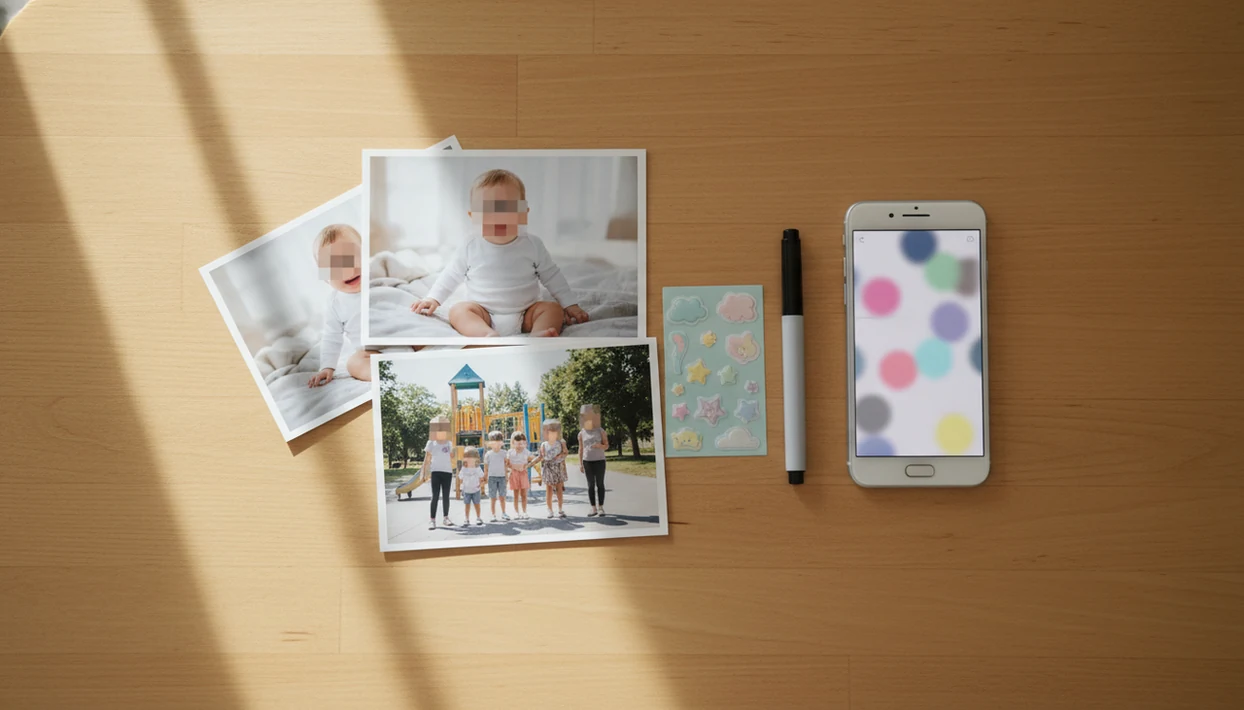
The best answer to what app identifies faces to blur in family photos is a face-blur editor with automatic face detection, manual touch-up controls, and a clear privacy policy. For family baby photos, use true blur or pixelation for other children first, then apply milestone templates, stickers, or portrait edits only to the privacy-safe copy.
A face-blur app uses face-detection AI to locate human faces in a photo or video and lets a parent blur, pixelate, crop, or cover selected faces before sharing.
- Pick an app that detects all faces automatically but still lets you manually add blur to missed side profiles, babies, and background faces.
- Use blur or pixelation instead of removable-looking emoji stickers when the goal is child privacy, especially for daycare, school, or playdate photos.
- Check whether the app processes photos on-device, stores uploads, logs metadata, or uses images to train AI before editing baby or family pictures.
How what app identifies faces to blurs look
Side-by-side captures of the compared products. Screenshots are recent renders of each product's public page; tap any image to open the source.

Best apps that identify faces to blur in family photos
Good face-blur choices for parents combine automatic detection with a manual brush, because family photos often include tiny faces in the background. Before uploading children’s photos, verify current platform availability, pricing, and data practices.
- Blur Face: A practical pick for fast phone blurring when you need to cover a cousin before posting a birthday snapshot.
- Auto Blur Faces: Useful when the main job is video blur or batch-style face hiding.
- Facepixelizer: A browser-based option for quick pixelation, especially when you want a simple export without creative edits.
- Built-in iPhone or Android tools: A manual fallback for cropping, markup, or object blur where available.
- Creative keepsake editor: Blur first in a privacy tool, then create the keepsake with milestone templates, stickers, portraits, or print-ready exports.
The tiny face behind the stroller counts too.
At-a-glance comparison for a baby photo face blur app
A baby photo face blur app should be judged by protection level, correction controls, and data handling, not only by app store stars. App store listings are a starting point; parents still need privacy labels and policies.
| option | best for | automatic face detection | manual correction | privacy note |
|---|---|---|---|---|
| True blur app | Everyday family sharing | Usually | Should have it | Reduces quick recognition |
| Pixelation tool | Stronger child privacy edits | Often | Should have it | Harder to “read” than soft blur |
| Stickers or emojis | Casual decoration | Sometimes | Yes | Weaker for privacy-sensitive photos |
| Cropping | Removing other children fully | No | Yes | Often cleaner than covering faces |
| Private sharing | Grandparents or small groups | Not needed | Not needed | Limits audience rather than editing |
| Creative milestone editor | Milestones after privacy edits | Not the privacy guarantee | Creative review still needed | Use after blurring in a dedicated workflow |
A baby photo app privacy policy checklist helps compare storage, metadata, and AI-training language before you upload a newborn photo.
How face-blur apps identify faces in family photos
Face detection finds face-like regions in an image; face recognition tries to identify who the person is. For family privacy, parents usually need detection and selective masking, not identity matching.
Most tools follow the same flow: import the image, scan for face boxes, let you select faces, apply blur or pixelation, then export a new copy. The technical layer often uses image embeddings or detection models, which means the app converts visual patterns into signals it can locate. On-device processing keeps more data on your phone. Cloud processing may upload the photo for analysis.
That difference matters with baby photos. A dim hospital-room photo with a wrinkled white blanket and a rolling bassinet may include a nurse’s face in the corner. Detection can miss infants, side profiles, hats, masks, low light, motion blur, and small background faces.
How to use a face blur app for family baby photos
Use a face-blur app by protecting the original first, then exporting a separate sharing copy. The safest parent-friendly workflow is blur first, decorate second.
- Save the original photo in a private folder or secure family archive.
- Open a duplicate in a face-blur or pixelation app.
- Select every child, relative, or background person who should not be identifiable.
- Review the image zoomed in, including mirrors, windows, and tiny faces near the edge.
- Export a new blurred copy, not an overwrite of the original.
- Share only the edited version, then add milestone templates, stickers, or portrait-style edits in a creative editor if you want a keepsake copy.
For broader posting habits, our guide on how to share baby photos online safely covers captions, audiences, and private albums.
How we picked face-blur apps for parents
We picked parent-friendly options by looking for privacy controls that survive real family-photo messiness. A pacifier clipped to a wrinkled onesie should not distract you from the unblurred toddler behind the couch.
- Automatic face detection plus manual controls matters more than a one-tap-only blur button.
- True blur or pixelation is preferable to decorative stickers for privacy-sensitive child photos.
- Privacy review should include policy clarity, on-device claims, storage duration, metadata logs, AI training use, and export quality.
- Parent workflows should cover group photos, daycare events, relatives, baby milestones, holiday cards, and social sharing.
- The U.S. Federal Trade Commission treats a child’s photo, video, or audio file as personal information under COPPA when it contains the child’s image or voice: https://www.ftc.gov/business-guidance/resources/complying-coppa-frequently-asked-questions.
For parents comparing AI tools more broadly, is it safe to upload baby photos to AI apps is the bigger question behind any blur workflow.
Best face-blur choice for baby milestones and keepsakes
For baby milestones, the practical choice is a two-step workflow: anonymize other children first, then make the keepsake. Parents usually want a natural-looking edit, not a photo that looks like a police evidence board.
Baby Photo Art is a baby photo editor app that turns baby and newborn photos into milestone templates, stickers, portraits, and print-ready keepsakes for parents. It fits after the privacy step, when the sharing copy is already safe enough for your family’s rules.
A good AI-powered baby and newborn photo generator with stickers, milestone templates, and portrait-style edits for parents delivers small adjustments, not a new baby. It should help preserve wispy hair against a blanket, a one-month card near curled toes, and a print-ready version for grandparents. It does not guarantee anonymity or replace a dedicated privacy review.
Best face-blur choice for playdates, daycare, and school photos
Should parents blur other children in playdate, daycare, or school photos? Yes, unless you have clear permission, or you can crop them out cleanly.
Use stronger pixelation or cropping when another child’s parent has not agreed to sharing. Face blur is not the only issue. Captions, school logos, uniforms, location tags, event names, and classroom displays can re-identify a child even after the face is hidden.
UNICEF warns that posting children’s photos can expose names, locations, routines, and other personal details if parents do not limit the audience: https://www.unicef.org/parenting/child-care/parents-photos-social-media. The UK Children’s Commissioner’s ‘Who Knows What About Me?’ report estimated that parents have posted about 1,300 photos and videos of a child by age 13: https://www.childrenscommissioner.gov.uk/resource/who-knows-what-about-me/. For daycare and school events, private albums or direct messages are often safer than public posts because the audience is smaller and easier to control.
Ask first. It avoids awkward texts later.
When face blur is not enough: consent, schools, and legal risk
Sometimes the safest edit is no post at all. If a photo involves a child in foster care, a custody dispute, a safety concern, a medical setting, a protected address, or a school rule you do not fully understand, blurring or cropping may not lower the risk enough.
Face blur is practical privacy advice, not legal advice. Parents still need to follow daycare, school, camp, sports-league, and custody rules, even when a child’s face is hidden. A blurred classroom photo can still show a name tag, jersey number, school crest, or pickup routine.
For higher-stakes group photos, use a simple consent workflow:
- Check the event rules before you take or share photos.
- Ask other parents or guardians whether sharing is okay, especially outside a private album.
- Get written consent when the photo may be public, promotional, printed, or widely forwarded.
- Avoid posting if anyone says no, does not respond, or seems unsure.
- Seek school, program, or legal guidance when there is a dispute, protective order, safety concern, or unclear custody arrangement.
When in doubt, keep the picture for your private archive.
Common myths about apps that blur faces in family photos
Face-blur apps reduce risk, but they do not erase every privacy problem. The kitchen counter, team shirt, and birthday banner can still say more than parents intended.
- Myth: An emoji sticker always protects a child’s identity. Stickers can be weak if they are removable-looking, poorly placed, or paired with identifying context.
- Myth: Only influencers need to blur kids’ faces. Ordinary family posts can still be copied, scraped, reshared, or saved.
- Myth: Every face-blur app keeps photos private. Some tools upload images, log metadata, or use content to improve AI systems.
- Myth: Automatic AI catches every face. Side profiles, babies, hats, and background faces are common misses.
- Myth: Blurring faces removes all privacy risk. Pew found that 81% of U.S. adults feel they have little or no control over company data collection online.
Honest drawbacks of automatic face blur for baby photos
Automatic detection saves time, but it should not replace human review. We still zoom in before sharing, especially on group shots where a child’s face appears between shoulders.
Strong blur can make a photo less printable and less useful for private family archives. A heavy block over half a birthday table may protect privacy, but it can also make the image feel awkward in an album. Keep the unedited original in a secure private archive, then share only the blurred copy.
Cloud-based tools may create extra exposure compared with on-device tools because the image leaves your phone. If you are unsure about a tool’s storage or AI-training language, read can AI apps use baby photos for training before uploading. In some cases, a private album or direct share is better than a public post.
Limitations
Automatic face blur is useful, but it has real limits parents should plan around.
- Automatic face detection can miss infants, side profiles, small background faces, low-light faces, and partially covered faces.
- Blur and pixelation reduce easy recognition, but they do not guarantee anonymity against sophisticated tools or contextual clues.
- Unique clothing, backgrounds, school names, house numbers, GPS metadata, and captions can still identify a child.
- Some apps upload photos to the cloud, store files temporarily, log metadata, or use content to improve AI systems.
- Emoji stickers and decorative overlays may be weaker than destructive blur or pixelation.
- Heavy blur can reduce the value of a photo for later printing, albums, or private family memories.
- Parents should still ask permission before posting identifiable photos of other children.
If location data is part of your concern, remove it before posting. The steps are covered in how to remove location data from baby photos.
FAQ
What app blurs faces automatically?
A dedicated face-blur app with automatic face detection and manual correction is the right type of tool. Parents should still zoom in and check missed faces before sharing.
Can iPhone blur faces in photos?
iPhone users can use markup-style workarounds, cropping, or third-party face-blur apps. A dedicated app is usually easier when there are several children in one photo.
Can Android blur faces in photos?
Android editing options vary by device and gallery app, and some include blur or object tools. A dedicated face-blur app is easier when you need automatic detection plus manual cleanup.
Is pixelation better than blur?
Pixelation is often stronger than soft blur for child privacy because it breaks facial detail more visibly. Neither method removes all risk from captions, locations, or uniforms.
Are face blur apps private?
Some are more private than others. Check on-device processing, upload storage, metadata logging, and whether photos can be used for AI training.
Should I blur other children in family photos?
Yes, blur, crop, or avoid posting other children when you do not have permission. This is especially important for playdates, daycare, school events, and sports photos.
Can stickers hide a baby face safely?
Stickers may help visually, but they can be less reliable than true blur, pixelation, or cropping. Use stickers for decoration, not as the main privacy protection.
Should I crop instead of blur?
Crop when you can remove another child, school sign, or house number cleanly. Cropping is often stronger and neater than leaving identifying context under a blurred face.