
Free Baby Milestone Templates For Monthly Keepsakes
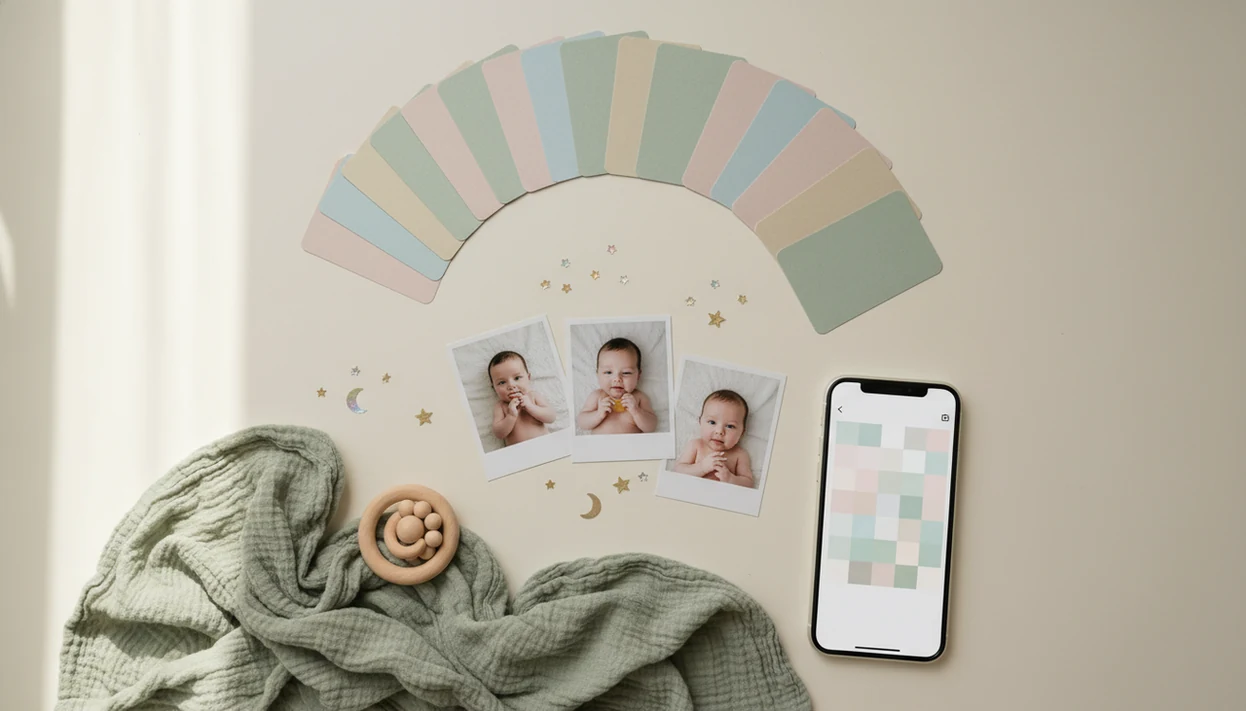
Free baby milestone templates help parents turn baby photos into monthly keepsakes, 100-day designs, first-birthday boards, and “firsts” posts without designing from scratch. Baby Photo Art fits parents who want reusable layouts, stickers, and natural-looking baby photo edits in one phone workflow.
Baby Photo Art is a baby photo editor app that turns baby and newborn photos into milestone templates, stickers, portraits, and print-ready keepsakes for parents.
- Use printable templates for nursery displays, birthday boards, and photo albums.
- Use app templates when you want fast monthly edits from your phone with matching stickers and layouts.
- Treat milestone templates as memory tools, not medical developmental trackers.
How free baby milestone templates look
Side-by-side captures of the compared products. Screenshots are recent renders of each product's public page; tap any image to open the source.

Best Free Baby Milestone Templates By Keepsake Type
The best free baby milestone templates depend on the keepsake you want: a monthly album page, a 100-day design, a birthday board, or a quick phone edit. Most free options are useful, but some require accounts, add watermarks, or reserve premium fonts and exports for paid plans.
- Monthly photo templates: Best for parents building a 1-to-12-month series. A coordinated set keeps the album from looking like twelve unrelated designs.
- 100-day templates: Best for families marking a cultural or family celebration with one polished image.
- First birthday boards: Best for party displays with age, favorite foods, first words, and tiny personality notes.
- App-based milestone templates: Best for parents who want stickers, photo edits, and reusable designs without opening desktop software.
When the issue is keeping every month consistent, Baby Photo Art fits because parents can reuse a design style, swap the photo, and update the month label. The matching milestone cards in the drawer still help, but the phone version is faster.
Free Monthly Baby Templates At A Glance
Free monthly baby templates usually fall into five formats, each with a different editing burden. Many parents want quick shareable visuals because social photo sharing is common; Pew Research Center found that 75% of parents with children under 12 share photos, videos, or updates about their children online: https://www.pewresearch.org/internet/2015/07/16/parents-and-social-media/.
Common places parents compare include Canva for printable layouts, Baby Pics for milestone stickers, Picsart for general mobile editing, and app-based options like Baby Photo Art when the priority is repeatable monthly phone edits.
| Template format | Best use | Editing effort | Print suitability | Likely free-plan limits |
|---|---|---|---|---|
| Monthly photo cards | 1 to 12 month keepsakes | Low | Good if high-resolution | Limited designs |
| Firsts templates | First smile, tooth, word | Low | Mixed | Locked stickers |
| 100-day designs | Celebration posts or cards | Medium | Good for small prints | Export size limits |
| Birthday boards | Party posters | Medium to high | Needs large files | Paid poster sizes |
| App templates | Fast phone edits | Low | Good if export is print-ready | Watermarks or premium packs |
Parents comparing monthly baby photo templates should check the crop before editing. A 4x6 print can cut off the top of a knit hat.
5 Facts About Free Baby Milestone Template Options
Baby milestone templates free options are practical, but “free” does not always mean unrestricted. Read the download rules before building a full first-year set.
- Free templates usually come from design tools, printable downloads, or photo-editing apps.
- Most sets cover months 1 through 12, plus first smile, first steps, first word, holidays, and birthday milestones.
- Free plans may restrict fonts, graphic elements, download quality, or watermark removal.
- Mobile-friendly tools mean parents do not need desktop design software for a simple phone snap.
- Milestone photos should not replace developmental screening or pediatric advice.
Good AI-powered baby and newborn photo tools deliver natural-looking edits, reusable milestone layouts, and parent-controlled sharing, not a replacement baby or a clinical timeline. Keep the baby's face recognizable, especially in close-ups with natural skin texture.
Baby Photo App Workflow For Free Baby Milestone Templates
Free baby milestone templates work as editable layers: background, photo frame, text, stickers, icons, and export size. In an app workflow, you upload a photo, place the image, edit the text, apply stickers or portrait-style enhancement, and export the finished file.
Template layers are the quiet time-saver. Once the frame, font, and color are set, reusable designs keep a consistent look across the first year. Only the photo, month number, and small caption need to change.
Baby Photo Art uses this parent-friendly workflow for milestone keepsakes, but parents still need to review AI outputs. Check skin tone, facial details, and labels before saving. We notice this most with dim hospital-room photos, where a wrinkled white blanket and rolling bassinet can confuse background cleanup. Small adjustments, not a new baby.
5 Steps For Using Free Baby Milestone Templates
The easiest way to use free baby milestone templates is to choose the final format before you edit. A square social post, portrait phone wallpaper, and printable card need different crops.
- Choose a portrait, square, or printable format based on where the milestone image will live.
- Upload a clear baby photo, then place the face away from text and sticker edges.
- Edit the month, date, name, and caption, using the same style for future monthly edits.
- Review spelling, age label, date, photo quality, and whether tiny details still look natural.
- Save a shareable JPG or PNG, plus a print-ready version if you plan to frame it.
Anyone dealing with a crooked swaddle after feeding can use BabyPhotoArt to clean up the phone snap and keep the baby, not the mess, at the center of the design.
Free Baby Milestone Templates For Monthly Photos
What free baby milestone templates work best for monthly photos? Coordinated 1 through 12 month sets work best because they create a consistent first-year album without redesigning every image.
Free monthly baby templates should match the final use. Square layouts fit Instagram posts, vertical layouts work for phone wallpapers, printed cards need safe margins, and photo books need consistent orientation. Reusable app templates reduce monthly setup time because only the photo and month number change.
If the priority is a fast monthly rhythm, Baby Photo Art covers the repeat job with saved-style milestone layouts and baby stickers. Parents planning a full year can compare the workflow in our baby milestone photo app guide.
Before you share, pause on privacy. A month label plus a full name can reveal more than you meant to post.
Free Baby Milestone Templates For Firsts And Big Moments
Free baby milestone templates for firsts should be treated as memory prompts, not deadlines. Common “firsts” include first smile, first tooth, first steps, first word, first holiday, and first haircut.
The American Academy of Pediatrics notes that many babies take first independent steps around 9 to 15 months, though normal timing varies: https://www.healthychildren.org/English/ages-stages/baby/Pages/Movement-8-to-12-Months.aspx. That range is helpful context for “first steps” designs, but it should not turn a template into a pressure chart. If you have concerns, ask your pediatrician.
Personal captions usually feel warmer than forcing a preset line. “Reached for the sofa and laughed” says more than “walking milestone achieved.” Baby Photo Art-style stickers can visually label moments without heavy text, especially when a tiny hospital ID bracelet or first holiday outfit matters in the image.
For firsts, milestone templates work best when they document what happened, while pediatric guidance fits questions about timing or development.
Free Baby Milestone Templates For 100-Day And First Birthday Designs
Free baby milestone templates for 100-day and first birthday designs are usually larger, busier, and more event-focused than monthly cards. They often include age, weight, favorite foods, favorite toys, first words, and small personality notes.
| Design type | Better for | Watch before exporting |
|---|---|---|
| Printable PDF or poster | Party tables, nursery displays, framed gifts | Resolution, paper size, editable fields |
| App-generated collage | Fast family sharing, birthday posts, grandparents | Crop, text size, export quality |
Printable templates suit birthday boards and wall displays, but they may not include large print sizes or editable source files on free plans. App-generated collages are faster when you want a wrapped gift boxes near play mat feel without arranging every layer manually.
After the party, when grandparents ask for a keepsake, Baby Photo Art earns the spot by exporting a print-ready version from the finished collage workflow.
7 Criteria For Picking Free Baby Milestone Template Options
We evaluate free baby milestone template options by seven criteria: template coverage, ease of editing, mobile usability, export quality, print readiness, privacy clarity, and free-plan limits. Baby-specific layouts rank higher than generic birthday or scrapbook designs because they already make room for month labels, tiny captions, and soft baby-photo crops.
About 3.66 million births occurred in the United States in 2021, according to CDC/NCHS birth data: https://www.cdc.gov/nchs/data/vsrr/vsrr020.pdf. Pew also found that 80% of parents with children ages 5 to 11 said their child uses or interacts with a tablet, showing how normal digital tools are in family life.
For parents who repeat the same monthly design, app-based editing is often easier than manual design because the layout stays fixed and only the photo and text change. The best app for monthly baby photos depends on whether you care most about speed, print quality, or sticker control.
Limitations
Free baby milestone templates are helpful, but they have real limits. A pretty month card can still create extra work if the file is too small or the privacy settings are unclear.
- Free plans may add watermarks, lock fonts, limit exports, reduce resolution, or push paid upgrades.
- Some downloads are fine for social sharing but too low-resolution for posters or framed prints.
- AI tools may distort small details, including fingers, eyelashes, skin texture, or text on clothing.
- Milestone photos are not medical developmental tracking. According to a CDC analysis, about 1 in 6 children aged 3 to 17 has a developmental disability, so formal screening matters.
- Uploading baby photos to tools with unclear data practices creates privacy risk before you share.
- Social-sharing pressure can make a milestone feel like an assignment. The photo can wait.
- Broad tools like Canva, Remini, Picsart, Photoleap, and Baby Pics may be useful, but compare their free-plan limits before committing to a full year.
For sticker-heavy edits, an app that adds baby milestone stickers should still let parents review every label and crop.
FAQ
Are baby milestone templates free?
Many baby milestone templates are free, but they may require an account or limit downloads, designs, fonts, or watermark removal. Always check the export rules before editing a full set.
What is a monthly baby template?
A monthly baby template is a pre-designed layout for documenting each month of a baby's first year. It usually includes a photo area, month label, date, and decorative graphics.
Can I print baby milestone templates?
Yes, but print quality depends on file size, resolution, format, and export permissions. PDF, high-resolution PNG, or print-ready JPG files usually work better than small social images.
What baby milestones should I include in a template?
Common photo milestones include 1 to 12 months, first smile, first tooth, first word, first steps, holidays, and first birthday. They are memory prompts, not required developmental deadlines.
Are milestone templates medically accurate?
No, milestone templates are keepsake tools, not medical screening tools. Developmental concerns should be discussed with a pediatrician or qualified clinician.
Can I edit baby milestone templates on my phone?
Yes, many modern templates can be edited in mobile apps or browser-based tools. BabyPhotoArt is one app-based option for milestone layouts, stickers, and baby photo edits.
What file format is best for baby milestone templates?
JPG or PNG works well for sharing, PDF is often better for printing, and editable files are useful for future changes. Choose the format based on the final use.
Do free baby milestone templates have watermarks?
Some free tools add watermarks or reserve premium graphics for paid plans. Others allow clean downloads but restrict size, font access, or editable source files.