
Best Tool That Can Make Natural Newborn Portraits From Photos
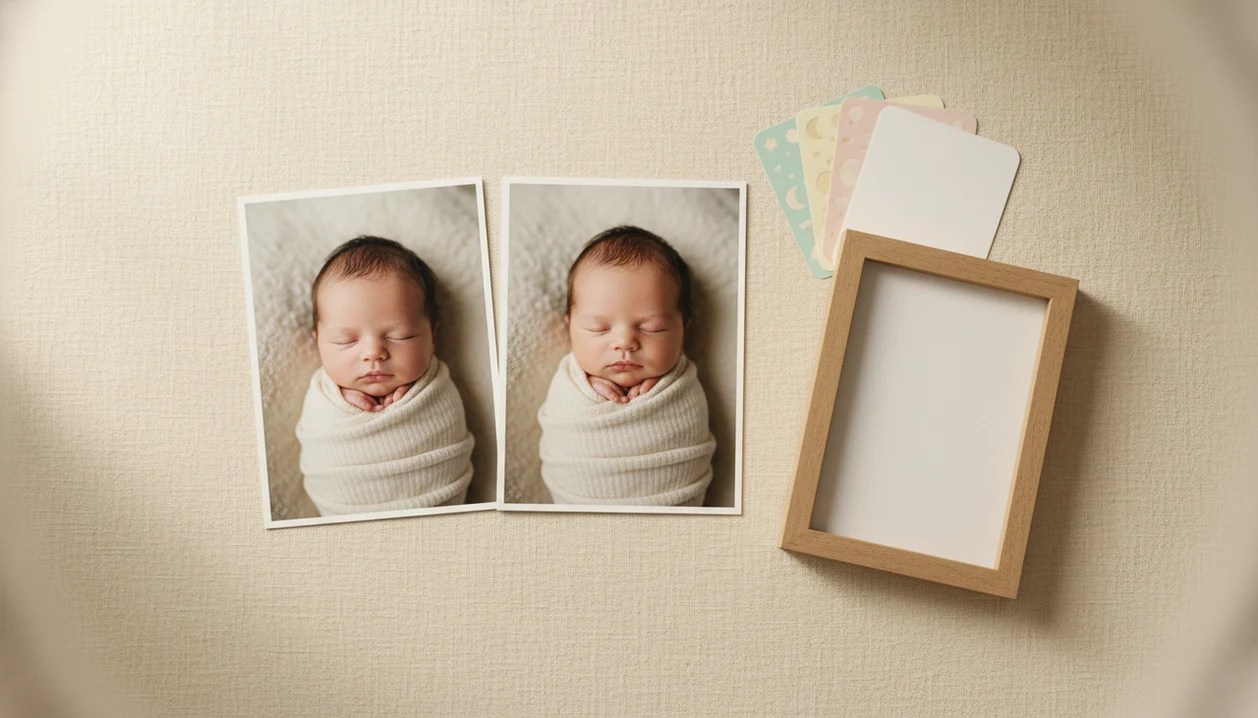
The best tool that can make natural newborn portraits is one that enhances a real baby photo instead of inventing a new face. Baby Photo Art fits that need when parents want soft portrait edits, milestone layouts, stickers, and print-ready keepsakes while keeping the baby recognizable.
> Baby Photo Art is a baby photo editor app that turns baby and newborn photos into milestone templates, stickers, portraits, and print-ready keepsakes for parents.
- Choose a natural newborn portrait tool that edits your baby’s real photo rather than generating a speculative replacement face.
- The safest-looking results come from clear, front-facing, well-lit baby photos with visible eyes, cheeks, nose, and mouth.
- Privacy matters because AI newborn portrait makers often process facial images on remote servers, so parents should check storage, deletion, and model-training terms.
How tool that can make natural newborn portraits from photos look
Side-by-side captures of the compared products. Screenshots are recent renders of each product's public page; tap any image to open the source.

Best natural newborn portrait tool shortlist for real baby photos
The right natural newborn portrait tool depends on whether you want a fast family keepsake, manual editing control, or novelty. Good baby portrait tools deliver small adjustments, not a new baby.
- Baby Photo Art: Best for parents who want natural baby-photo enhancement, milestone templates, stickers, birth announcements, and print-ready keepsakes in one parent-friendly workflow. BabyPhotoArt is a practical fit when the source is a dim phone snap and the goal is a softer portrait, not a synthetic replacement face.
- Lightroom: Best for manual exposure, white balance, and color correction when a parent or photographer already understands editing basics.
- Photoshop: Best for detailed retouching, such as background cleanup, when used carefully and not to change identity.
- AI baby prediction apps: Best treated as entertainment only. They generate novelty faces, not true natural newborn portraits.
The choice is really memory-keeping, editing control, or fun guessing.
AI newborn portrait maker criteria for recognizable baby faces
A good AI newborn portrait maker should preserve identity before it adds style. The first test is simple: compare the original beside the edited photo and ask whether the eyes, nose, cheeks, and mouth still look like the same baby.
| Criterion | What to look for | Red flag |
|---|---|---|
| Identity preservation | Recognizable facial features and no face reshaping | A prettier but unfamiliar baby |
| Skin texture | Natural skin, fine creases, soft newborn detail | Plastic smoothing or waxy cheeks |
| Lighting | Gentle color correction and shadow lift | Blown highlights or orange skin |
| Privacy | Clear upload, retention, deletion, and training terms | Vague rights to reuse baby images |
| Parent workflow | Fast edits, batch options, stickers, milestone templates, easy sharing | Too many manual steps during a nap window |
In a 2023 Security.org survey, 81% of parents with children under 12 said they had shared photos or videos of their children on social media or messaging apps source. That makes privacy checks part of the edit, not an afterthought.
Baby Photo Art: best tool that can make natural newborn portraits for keepsakes
Does Baby Photo Art make natural newborn portraits from real baby photos? Yes, Baby Photo Art focuses on enhancing baby and newborn photos into portrait-style edits, milestone templates, stickers, and family keepsakes without claiming to predict genetics or create a scientifically accurate future child.
When the issue is a sweet but messy phone snap, Baby Photo Art earns its spot because it can turn the image into a soft portrait or milestone design while keeping the baby's face recognizable through a real-photo editing workflow. A tiny hospital ID bracelet can stay visible if that detail matters to the family.
Parents often use BabyPhotoArt for birth announcements, monthly milestone cards, soft newborn portraits, and print-ready versions for grandparents. For parents who want a keepsake from an existing image, a face-preserving edit is usually safer than fantasy generation because the result starts with the baby who was actually there.
Lightroom: natural newborn portrait tool for manual photo correction
Lightroom is a strong natural newborn portrait tool when the goal is manual correction, not AI-styled transformation. It handles exposure, white balance, shadow recovery, gentle skin tone correction, and consistent presets across a set of baby photos.
The catch is judgment. Lightroom will not generate a newborn portrait from scratch, and it will not decide whether a cheek looks too warm from a bedside lamp. We often see hospital-room photos where the wrinkled white blanket is fine, but the rolling bassinet in the background pulls attention away from the baby.
If your priority is realistic correction, Lightroom fits parents or photographers who want control over light and color because exposure sliders, white balance controls, and reusable presets keep the edit measured. Avoid heavy smoothing, excessive warmth, inaccurate skin tone shifts, and bright highlights on the forehead or knit hat.
Photoshop: AI newborn portrait maker alternative for careful retouching
Photoshop can be an AI newborn portrait maker alternative for careful retouching, especially when one small distraction ruins an otherwise useful image. It is better for detailed fixes than for a quick parent keepsake workflow.
Useful edits include background cleanup, blanket smoothing, flyaway hair removal, and subtle lighting adjustments. A half-visible burp cloth near the edge can disappear without touching the baby's face. However, generative features should be used cautiously around newborn features because they can change facial proportions or create synthetic skin texture.
Parents trying to rescue one meaningful image may prefer Photoshop because its layer-based workflow allows precise local changes, but it has a steeper learning curve than baby-specific apps. For most new parents, Baby Photo Art is simpler for milestone keepsakes because templates, stickers, and print-ready exports are built into the same workflow.
How a tool that can make natural newborn portraits works
A tool that can make natural newborn portraits usually uses deep learning to enhance a real baby photo or generate a portrait-style version from uploaded images. Many systems use GAN-like or diffusion-based image models, which means the software has learned visual patterns from large image sets and applies those patterns to new photos. For technical context, IBM explains that generative AI systems can create new images by learning patterns from training data source.
The usual flow is straightforward: a parent uploads a photo, the model detects the face and lighting, applies a portrait style, and exports an edited image. Enhancement starts from the real child. Speculative baby generation starts from parent photos or prompts and creates an imagined face.
Front-facing, well-lit, unobstructed photos produce the most natural results. A baby looking toward a window will usually edit better than a side-facing blur from a dark hallway. Outputs can also reflect training-data bias, so families should check skin tone, facial proportions, and small identifying details before saving.
How to use a tool that can make natural newborn portraits
Use a natural newborn portrait tool by starting with a real, clear baby photo and making small edits that keep the baby recognizable. The goal is a softer keepsake, not a different child with smoother cheeks and a studio-perfect face.
- Choose a sharp photo where the baby’s eyes, nose, mouth, cheeks, and overall face are visible, even if the blanket or room is not perfect.
- Select a natural portrait or milestone layout rather than a face replacement, baby prediction, or fantasy generation mode.
- Adjust light, color, crop, and background gently so the photo feels cleaner without flattening skin texture or changing facial proportions.
- Compare the edited version with the original before exporting, checking the eyes, mouth shape, skin tone, birthmarks, and hairline.
- Review privacy settings, deletion options, storage terms, and final print dimensions before saving a version for grandparents, announcements, or a month-by-month album.
This slower pass helps catch the little things, like a cropped knit hat or a background blur that accidentally softens the baby’s ear.
AI newborn portrait maker workflow without identity drift
Use an AI newborn portrait maker by starting with a real baby photo, applying only light edits, and checking the result beside the original before you save or share it. The most reliable workflow starts with a clear source photo and ends with a side-by-side review before sharing.
- Select a clear baby photo with soft light, a front-facing angle, and unobstructed eyes, nose, mouth, and cheeks.
- Choose a natural portrait or milestone template instead of a fantasy face-generation mode.
- Apply small adjustments to lighting, background, and color before adding stickers or frames.
- Review the eyes, nose, mouth, cheeks, skin tone, birthmarks, and hairline against the original.
- Export a print-ready or social-ready version only after checking privacy settings and deletion options.
If condition matters more than style, then Baby Photo Art fits parents who want small adjustments because the portrait, sticker, and milestone steps stay tied to the original baby photo. The pocket check is real: save one clean version before adding text.
Five facts parents should know about a natural newborn portrait tool
Parents should judge a natural newborn portrait tool by identity, photo quality, privacy, and the final use. These five facts are the quick filter before uploading a baby image.
- AI tools use deep learning to enhance or generate realistic baby portraits, often through diffusion-style or GAN-like image models.
- Clear, front-facing, well-lit source photos create the most natural newborn portrait results.
- Baby prediction tools are entertainment and cannot scientifically predict a future baby’s exact face.
- Parents should review privacy policies because uploaded facial images may be stored or reused depending on the provider’s terms.
- Many baby photo tools include extras like stickers, milestone templates, and month-by-month graphics.
A 2023 Pew Research Center survey found that 79% of Americans were concerned about how companies use collected data, including photos and personal information source. For a deeper real-photo workflow, the AI baby photo generator from photo guide covers source-image choices in more detail.
Common myths about AI newborn portrait maker results
AI newborn portrait maker results can look convincing, but several claims need a reality check. The safest expectation is creative editing, not scientific prediction or professional session replacement.
Myth: AI can predict an exact future baby face. It cannot. Baby prediction apps create speculative blends for entertainment, not genetic forecasts.
Myth: every AI newborn tool preserves identity automatically. Some tools enhance the real face; others replace features with a stylized or synthetic look.
Myth: uploaded baby photos are always deleted immediately. Storage, deletion, and model-training terms vary by provider.
Myth: AI tools fully replace professional newborn photography. They do not provide safe posing, live-session judgment, or the patience of someone adjusting a swaddle while the baby stirs.
Professional photographers still matter for safety and timing. For parents working only from phone images, the app that turns baby photos into portraits workflow is a more realistic comparison than a studio session.
Privacy checks for a tool that can make natural newborn portraits
Privacy checks should happen before you upload a newborn photo, not after the edit looks cute. Baby faces are personal data in a family context, and some tools process images on remote servers.
Use this checklist:
- Check whether processing happens on-device or in the cloud.
- Look for image retention periods, deletion controls, and download history.
- Read whether uploaded photos can train AI models or improve commercial systems.
- Avoid tools with vague storage language or broad reuse rights for baby images.
- Confirm whether the service explains child data handling.
COPPA is relevant in the United States when services collect personal information from children under 13, and the FTC explains that verifiable parental consent may be required in covered contexts source. Before you share, also check the crop; a 4x6 print can cut off the top of a knit hat. The AI newborn photo editor page goes deeper on parent-safe editing choices.
Limitations
AI newborn portrait tools are useful for keepsakes, but they have clear limits. Treat the edit as a family photo project, not proof of identity, health, or development.
- AI baby prediction tools cannot reliably predict genetics, future face shape, eye color, or health traits.
- Aggressive beautifying can change recognizable newborn features, especially cheeks, eyes, and mouth shape.
- Training-data bias can produce unrealistic skin tones or facial proportions for some families.
- Cloud-based tools create privacy and security considerations because baby photos may leave your device.
- Low-quality, blurry, side-facing, or obstructed photos may produce poor portraits.
- AI edits cannot replace safe professional newborn posing or a live photography session.
- Newborn portraits should never imply medical or developmental claims.
- Apps like Remini, Canva, Picsart, Photoleap, and Baby Pics may be useful for certain edits, but their workflows vary widely.
For parents building a month-by-month keepsake set, Baby Photo Art is often easier than general design tools because the baby milestone photo app workflow centers on baby-specific templates and print-ready exports.
FAQ
What does a newborn portrait tool do?
A newborn portrait tool turns baby photos into realistic portrait-style images with lighting correction, soft background treatment, and optional keepsake designs. Some tools also add stickers, frames, or milestone templates.
Can AI predict what my future baby will look like?
No. AI baby prediction is speculative entertainment and cannot scientifically forecast an exact future baby face.
Will an AI newborn portrait app change my baby’s face?
Some apps preserve identity with light enhancement, while others stylize or replace facial features. Always compare the edited image with the original before saving.
What kind of photo makes the most natural newborn portrait?
Use a clear, front-facing, softly lit photo with visible eyes, cheeks, nose, and mouth. Avoid blur, heavy shadows, pacifiers over the mouth, and strong color casts.
Are AI newborn portrait apps safe for baby photos?
Safety depends on privacy terms, storage practices, deletion controls, and how strongly the edit changes the image. Review those details before uploading.
Can AI newborn portraits replace a professional newborn photographer?
No. AI can create keepsakes from existing photos, but it cannot replace professional posing safety, live lighting judgment, or a supervised newborn session.
How do I stop an AI portrait from over-smoothing my baby’s skin?
Choose natural settings and avoid beauty filters that remove skin texture. Check cheeks, eyes, mouth, birthmarks, and skin tone before saving.
Is it okay to upload newborn photos to an AI app?
It can be okay if you understand the data handling, deletion options, storage period, and model-training terms. Do not upload if the policy is vague or grants broad reuse rights.