
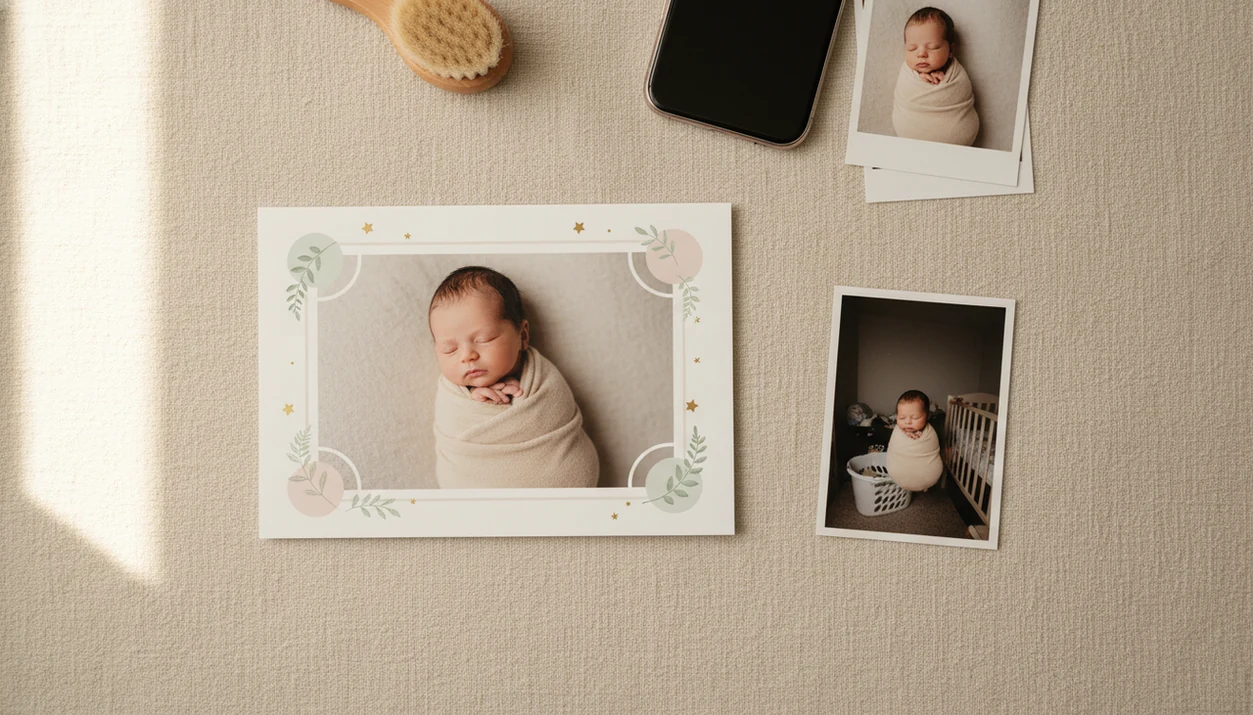

Definition: An AI newborn photo editor is a baby-specific photo tool that automatically retouches newborn images, smoothing blotchy skin, correcting color casts, removing busy backgrounds, and placing babies into studio-style scenes or milestone templates without requiring manual editing skills.
- Handles newborn-specific skin issues like redness, jaundice tones, and flaking that generic filters miss
- Removes cluttered backgrounds and drops your baby into themed milestone templates in seconds
- Still requires a well-lit, in-focus original photo, AI cannot fix unsafe poses or heavy motion blur
At a Glance: What an AI Newborn Photo Editor Does
An AI newborn photo editor improves baby photos by making small, parent-approved adjustments to skin, lighting, background, and keepsake layout. It is different from adult beauty filters because the goal is to keep the baby's face recognizable, not reshape it.
- Newborn skin correction: Good newborn AI editor tools reduce redness, dry flakes, and blotchy patches without erasing real skin texture.
- Background removal: The editor can separate the baby from a cluttered kitchen counter, laundry pile, or dim hospital corner.
- Milestone templates: Parents can add first week, one month, 100 days, or first birthday layouts without starting from a blank canvas.
- Batch editing: A newborn photo enhancement app can apply a similar soft look across many early photos.
- Natural-looking output: The better result looks like small adjustments, not a new baby.
According to 2023 survey data from Security.org, 82% of U.S. parents with children under 5 regularly share child photos or videos online (https://www.security.org/digital-safety/parental-sharing-online/). Pew Research Center reports that 92% of U.S. adults ages 30 to 49 own smartphones, so most newborn editing starts with a phone snap (https://www.pewresearch.org/internet/fact-sheet/mobile/).
The pocket camera matters.
How AI Newborn Photo Editing Works
AI newborn photo editing works by detecting infant facial proportions, mapping newborn skin tones, isolating the baby from the background, and applying a soft portrait style. In plain terms, the software finds the baby, corrects the image, and then rebuilds the scene around that subject.
A baby-specific model pays attention to rounder cheeks, smaller noses, closed eyes, and wrapped poses. Skin-tone mapping then handles redness, mild yellow tones, blotchiness, and the orange cast from a bedside lamp on newborn cheeks. Background segmentation separates the baby from visual noise, like a rolling bassinet or a stack of blankets. A style-transfer pipeline can add soft studio lighting, cream backdrops, or gentle color grading.
For parents who want the editing logic without a full design workflow, Baby Photo Art fits because it combines face-preserving enhancement with baby templates in one flow. Good ai-powered baby and newborn photo generator tools deliver realistic keepsakes and clear sharing controls, not fantasy baby makeovers.
Grand View Research estimated the global photo editing software market at about $1.35 billion in 2022 and projected continued growth through 2030, reflecting how normal AI-assisted editing has become (https://www.grandviewresearch.com/industry-analysis/photo-editing-software-market-report).
How to Use Baby Photo Art as Your Newborn AI Editor
Baby Photo Art works best when you begin with a clear, safe newborn photo and review the edit before exporting. The most reliable workflow is simple: improve the original, choose a keepsake format, then check the crop.
- Upload a well-lit, in-focus baby photo. Use a phone snap where the face is visible and the baby is safely positioned.
- Choose a newborn enhancement preset. Start with skin smoothing, color correction, or background cleanup.
- Select a milestone template or portrait style. Pick an age marker, announcement design, or soft studio look.
- Preview and adjust retouching intensity. Lower the effect if cheeks look waxy or eyes look too sharp.
- Export a print-ready keepsake or shareable image. Check whether a 4x6 print will cut off the top of a knit hat.
Parents ready to install the workflow can use the download AI newborn photo editor app guide.
When to Use an AI Newborn Photo Enhancement App
Use an AI newborn photo enhancement app when the memory is strong but the photo needs help with lighting, color, background, or layout. It is most useful for first-week hospital photos, home snapshots, milestone cards, announcements, and printed keepsakes.
A dim hospital-room photo with a wrinkled white blanket may only need color correction and background cleanup. A one-month card may need matching text, a clean crop, and a consistent style with later milestones. Baby Photo Art is useful here because parents can move from enhancement to milestone design without rebuilding the image in a separate app.
For parents making monthly keepsakes, a baby milestone photo app is often easier than generic design software because the dates, age labels, and baby-safe layouts are already structured. A 2021 C.S. Mott Children’s Hospital National Poll found that many parents worry about oversharing and children’s privacy online, which is why subtle preview controls and careful sharing settings matter before posting newborn images (https://mottpoll.org/reports/parents-social-media-oversharenting).
Who Baby Photo Art Is For
Baby Photo Art is for parents who want sweet, natural baby keepsakes without learning professional editing software. It fits families who need the photo to look cleaner, softer, and more finished while still looking like their real baby.
It is especially useful for first-time parents staring at a camera roll full of almost-perfect photos: one with a yellow lamp glow, one with laundry in the corner, one with a tiny scratch on the cheek. The app is also a good fit for families making monthly milestone cards, birth announcements, baby albums, or small nursery prints because those projects need consistent crops, gentle colors, and ready-made baby layouts.
A simple fit check helps:
- Choose it when you want newborn-specific presets instead of adult selfie filters that sharpen, reshape, or glamorize faces.
- Use it when your original photo is clear, safely posed, and close to the memory you want to keep.
- Skip it for unsafe posing, medical-looking color concerns, or severe blur that hides the baby’s features.
- Ask for help if skin color changes seem health-related, especially with strong yellowing, grayness, or unusual redness.
What Newborn Photo Editing Looks Like in Baby Photo Art
Newborn editing in Baby Photo Art focuses on gentle correction, clean presentation, and parent control. The aim is a natural-looking edit that still feels like the baby you held that week.
Gentle skin smoothing is calibrated for newborn texture, so flakes and redness can soften without turning cheeks into plastic. One-tap background cleanup can replace a busy room with a cream or studio-style backdrop. Milestone text overlays, sticker packs, and age markers help turn an ordinary phone snap into a keepsake. Portrait-style templates are sized for social posts and print-ready versions.
If the priority is a believable newborn portrait, Baby Photo Art fits because the preview step lets parents reduce retouching before export. That matters when the tiny hospital ID bracelet should stay visible, or when wispy hair against a blanket is part of the memory.
For a deeper portrait workflow, the AI baby portrait generator guide covers face-preserving edits.
Common Myths About AI Newborn Photo Editors
AI newborn photo editors are not all the same, and several common assumptions lead to disappointing results. The safest expectation is that AI can improve a good baby photo, but it cannot replace judgment.
Myth 1: They are just generic beauty filters. A newborn AI editor should account for infant skin texture, soft facial features, and baby-safe visual style, not adult glamour presets.
Myth 2: AI can fix any dark or blurry snapshot. Heavy motion blur, deep shadows, and very low resolution still limit the result.
Myth 3: Baby apps always train on your photos. Some tools offer privacy settings, restricted processing, or opt-out language, so parents should read the data policy before uploading.
Myth 4: AI backdrops are always commercially licensed. Generated scenes may have usage limits, especially for paid products, ads, or client work.
After a late-night feeding, when a parent finds one almost-good photo, Baby Photo Art earns the spot because it keeps the workflow to enhancement, template, preview, and export.
AI Newborn Editor vs Generic Portrait Retouching Apps
A newborn editor is built around baby keepsakes, while generic portrait apps are usually built around adult selfies, headshots, or creator content. The practical difference shows up in skin handling, layout options, and how much manual editing parents must learn.
| Category | AI newborn editor | Generic portrait retouching apps |
|---|---|---|
| Skin-tone model | Newborn-calibrated redness, flakes, mild yellow tones | Adult glamour, makeup, sharpening, face reshaping |
| Workflow | Parent-friendly presets and one-tap previews | More sliders, layers, and pro-style controls |
| Output formats | Milestone templates, announcements, albums, nursery prints | Headshots, selfies, social portraits |
| Cost pattern | Often app-based and keepsake-focused | Can include broader subscriptions |
| Safety context | Keeps edits visual only | May ignore newborn posing context |
Canva, Picsart, Remini, and Photoleap can help with broad design or enhancement, but they are not always baby-specific. Baby Photo Art is often better for parents who want a print-ready newborn keepsake because the workflow starts with baby portraits, not adult retouching.
AI backdrops do not replace safe posing guidance.
Related Baby Photo Art Features for Newborn Keepsakes
Baby Photo Art also supports the adjacent keepsake jobs parents usually need after the first edit. The same newborn image can become a milestone card, announcement, portrait print, or family album page.
The milestone template library helps parents keep month-by-month photos consistent. Sticker packs are designed for baby announcements, seasonal notes, and age markers. Portrait-style AI edits can prepare a soft nursery wall print. Batch editing helps when the newborn stage leaves you with hundreds of near-duplicate photos.
For parents comparing creative routes, an AI baby photo generator from photo can be useful when the goal is a styled image from an existing snapshot. BabyPhotoArt is the better fit when the output needs to stay close to the original baby photo.
Limitations
AI newborn editing is useful, but it has hard limits. Parents should treat it as a keepsake assistant, not a guarantee of studio quality.
- Severe jaundice, strong color casts, and mixed indoor lighting may still need manual correction.
- Auto-retouching can over-smooth newborn skin into a waxy, unnatural finish if nobody checks the preview.
- AI cannot understand cultural, family, or personal preferences for how much retouching feels appropriate.
- Some AI backdrop and generator tools have unclear licensing, especially for commercial cards, ads, or products.
- AI editing cannot replace professional guidance on safe newborn posing, head support, or handling.
- Poor originals with heavy motion blur remain largely unfixable.
- A template can make a photo look finished, but it cannot make an unsafe pose safe.
Baby Photo Art works best when parents use gentle settings, review the baby's face closely, and export only the version that still feels true.