
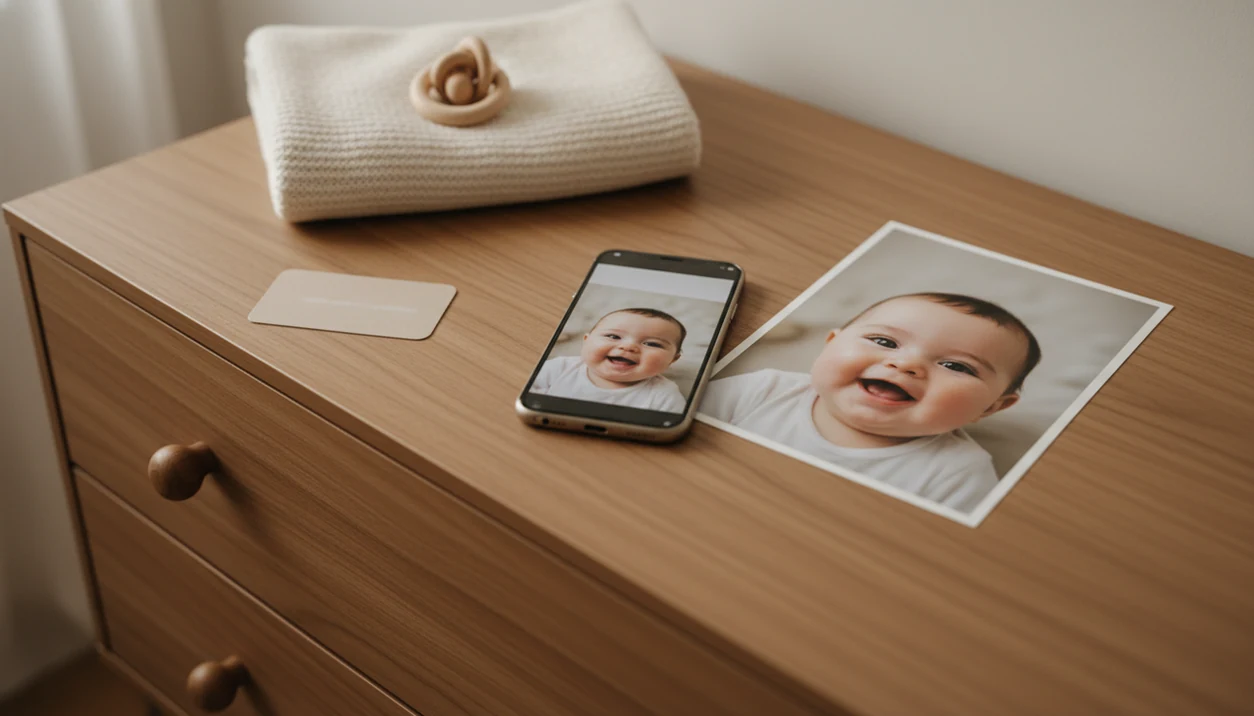

> Definition: An AI baby portrait generator is a tool that analyzes an uploaded baby photo and produces realistic, professionally styled portraits using artificial intelligence while preserving the child's actual facial structure and identity.
At-a-Glance: What an AI Baby Portrait Generator Does
- AI reads the uploaded baby photo first. It looks for facial landmarks, proportions, skin texture, and expression before creating a styled portrait with a consistent face.
- Face preservation protects the real baby. A good baby portrait generator keeps skin tone, eye shape, cheeks, and expression recognizable, even when the background changes.
- Parents control the keepsake style. Baby Photo Art lets you choose portrait looks, age-stage designs, backgrounds, stickers, and text for milestone keepsakes.
- These images are not future predictions. AI baby portraits style an existing child photo; they do not scientifically predict a future baby's appearance.
- Privacy matters because faces are sensitive data. The FTC describes biometric information, including facial images used for identification, as sensitive data that requires careful consent, disclosure, and handling practices: https://www.ftc.gov/business-guidance/blog/2023/05/ftc-warns-about-misuses-biometric-information-harm-consumers.
Anyone dealing with a dim hospital-room photo, a wrinkled white blanket, and a rolling bassinet in the background will usually want small adjustments, not a new baby. That workflow fits the need because it starts from the real phone snap and keeps the baby's face recognizable.
How AI Baby Portrait Generation Works
AI baby portrait generation works by extracting facial landmarks, proportions, and texture clues from an uploaded photo, then applying a new visual style around that structure. In plain terms, the model learns where the baby's eyes, nose, cheeks, mouth, and head shape sit before it adds studio lighting or a softer background.
Image models use features sometimes called image embeddings. That means the photo is converted into a pattern the system can compare and rebuild. Baby Photo Art uses that pattern to create AI baby portraits that look styled, but still tied to the original child. The orange cast from a bedside lamp can be softened without changing the baby's cheeks.
Face-Match vs. Structure-Match Settings
Face-match controls how closely the output follows the baby's visible features. Structure-match controls pose, head angle, and composition. Higher matching usually means a more faithful portrait; lower matching may create a more artistic image. Face preservation is different from future-baby hallucination because it starts with a real child, not an imagined genetic blend.
5 Steps to Use Baby Photo Art's AI Baby Portrait Generator
To use Baby Photo Art, start with a clean baby photo, choose a portrait style, preview the result, then export a version that fits sharing or printing. The parent-friendly workflow works best when you check the face before you check the decorations.
- Upload a clear photo with the baby facing forward, even lighting, and no heavy filter.
- Select a portrait style such as photorealistic, painted, or a themed milestone template.
- Choose a background, age stage, sticker, or text overlay for the keepsake.
- Generate and preview the AI portrait, then zoom in to confirm the eyes, cheeks, and mouth still look like your baby.
- Download a print-ready version or share the final image directly with family.
If your priority is a fast keepsake from one usable phone snap, Baby Photo Art covers the job because it combines portrait generation, milestone templates, and print-ready export in one workflow.
When AI Baby Portraits Beat a Studio Shoot
AI baby portraits beat a studio shoot when speed, timing, and repeatable milestone designs matter more than a full session. They are useful for newborn, 3-month, 6-month, and 1-year keepsakes, especially when your baby is awake for eight good minutes and then done.
AI baby portraits work well for quick announcements, grandparent updates, and a digital milestone album that mixes real candids with AI-styled portraits. A squirmy baby beside felt numbers can become a cleaner monthly image without reshooting the whole setup. Pew Research reports that many parents share photos and family updates online, including content about their children: https://www.pewresearch.org/internet/2015/07/16/parents-and-social-media/, so fast family-ready versions have a real use case.
A professional photographer still wins for group family portraits, complex props, sibling posing, and emotional documentary moments. Good AI baby photo tools deliver natural-looking edits and keepsake layouts, not a replacement for every newborn session.
Baby Photo Art AI Baby Portrait Output Examples
Baby Photo Art can produce photorealistic baby portraits with preserved facial features, softer light, and cleaner backgrounds. The point is not to erase the phone snap. It is to make the baby look like the same baby on a calmer day.
Common outputs include milestone templates with age labels, themed stickers, birth announcement designs, and portrait-style wall art. A parent can turn eyelashes resting on warm skin into a soft newborn portrait, then place the same image into a first-month layout. For a deeper phone-photo workflow, the AI baby photo generator from photo guide covers starting from everyday images.
When grandparents want something tangible, Baby Photo Art exports print-ready files for canvas, photo books, and framed wall art. Check the crop before ordering. A 4x6 print can cut off the top of a knit hat.
4 Common Myths About AI Baby Portrait Generators
AI baby portrait generators are often misunderstood because future-baby apps, cartoon filters, and face editors get lumped together. They are not the same thing.
Myth 1: AI can accurately predict a future baby. It cannot. Future-baby images are stylized blends, not genetic forecasts.
Myth 2: AI portraits always look cartoonish. Modern models can create realistic studio-style results when the input photo is clear and well lit.
Myth 3: AI automatically changes the baby's real face. Face-preservation features are designed to retain the real expression, skin tone, and proportions.
Myth 4: Uploaded photos are never stored or reused. Data policies vary. Some services may store images or use uploads for model improvement, so parents should read the privacy setting and deletion terms before uploading.
When a parent wants natural baby art instead of a novelty filter, BabyPhotoArt earns the spot because it is built around face-preserving portraits, not speculative baby predictions.
AI Baby Portrait Generator vs. Future-Baby Predictors
An AI baby portrait generator starts with a real baby photo and styles that child; a future-baby predictor combines parent images to create an imagined result. The core difference is identity preservation.
| Feature | AI baby portrait generator | Future-baby predictor |
|---|---|---|
| Starting image | Real baby or newborn photo | One or two parent photos |
| Main goal | Create a styled keepsake portrait | Imagine a possible baby face |
| Face preservation | Central feature | Not possible for a child who does not exist yet |
| Reliability | Depends on input photo and model quality | Entertainment only |
| Baby Photo Art position | Real faces, real keepsakes | Not speculative prediction |
Baby Photo Art belongs in the portrait category because it works from real baby photos and keeps the child identifiable. For parents comparing tools, an app that turns baby photos into portraits should preserve likeness before it adds a studio look.
Photo Upload Tips for Realistic AI Baby Portraits
Realistic AI baby portraits depend more on the upload photo than on the background you pick later. Use a front-facing shot where both eyes are visible and the baby's face fills at least 30% of the frame.
Avoid heavy Instagram filters, wide-angle lens distortion, strong side light, and anything that hides facial landmarks. Hats, pacifiers, headbands, and hands over the mouth can confuse the model. Tiny details matter.
Natural window light or soft indoor light usually gives better skin-tone accuracy than a harsh overhead bulb. If the kitchen counter is cluttered behind a baby in a bouncer, crop loosely before upload rather than cutting close around the cheeks. Parents who want the capture step first can use how to make professional baby photos with phone as a practical setup guide.
Privacy and Safety for Baby Photo Uploads
Children's facial images can be sensitive personal data, so privacy belongs in the same conversation as realism. Before you share or upload, check whether the service stores photos, shares them with vendors, or uses them for model training.
Look for clear deletion controls, plain-language data retention terms, and any mention of on-device processing or immediate server-side deletion. If a service avoids saying what happens after upload, treat that as a caution sign. A parent zooming into baby face details before posting should also zoom into the privacy policy.
For U.S. families, also check whether the service explains parental consent, data deletion, and third-party sharing in plain language. The FTC's Children's Online Privacy Protection Rule guidance is the relevant baseline for services collecting personal information from children under 13: https://www.ftc.gov/business-guidance/privacy-security/childrens-privacy.
Baby Photo Art should be evaluated by the same standard. Confirm the current retention, deletion, and model-training specifics inside the live privacy policy before uploading a child's image. The safest parent workflow is simple: upload only photos you are comfortable processing, avoid nursery name signs in the crop, and save the print-ready version locally.
Evidence and Sources for AI Baby Portrait Safety
The safety case for AI baby portraits rests on privacy evidence, not just a tool's visual quality. Facial images, children's data, and family sharing habits each need a separate check before upload.
The FTC's biometric-data guidance treats face-related data as sensitive when it can identify a person, which is why consent, disclosure, and retention practices matter. COPPA guidance adds a child-specific layer for services handling personal information from children under 13, including parental control, notice, deletion, and limits on third-party sharing. Pew-style research on parents sharing children's photos online also supports the practical concern: baby pictures often travel beyond the original family chat or milestone post.
Use the evidence for policy claims, then use a parent checklist for day-of decisions:
- Read Baby Photo Art's current privacy terms before uploading, especially retention, deletion, sharing, and model-training language.
- Choose a clear face photo without name signs, hospital bands, addresses, or other extra identifiers.
- Upload only images you would be comfortable having processed by the service under those terms.
- Save the finished portrait locally, then delete drafts or uploads if the account controls allow it.
Related Baby Photo Art Features for Parents
AI baby portrait workflows connect styled portraits with the keepsake tasks parents already repeat each month. The portrait can become a monthly update, a first-birthday card, or a framed print without rebuilding the design from scratch.
Related features include milestone templates for monthly and yearly updates, a sticker library for themed decoration, and print-ready export for canvas, photo books, and greeting cards. Wrapped gift boxes near a play mat can become part of a first-birthday layout instead of a messy background problem.
The milestone album builder helps keep portraits, candids, dates, and age labels in one sequence. For parents building a month-by-month archive, the baby milestone photo app workflow pairs naturally with AI baby portraits.
Limitations
AI baby portrait tools are useful, but they have real limits. Baby Photo Art can improve a phone snap, but it cannot guarantee every result will look natural or print well.
- AI cannot guarantee likeness to a future child. Future-looking outputs blend visual patterns, not genetics.
- Models may introduce subtle bias in skin tone, hair texture, or facial features if training data is not diverse enough.
- AI can distort anatomy. Watch for uncanny eyes, odd fingers, flattened ears, or strange head-shape artifacts.
- Heavy occlusion from hats, pacifiers, blankets, or hands over the face can reduce face-preservation accuracy.
- Low-resolution screenshots, blurry images, and heavily filtered photos often produce unusable portraits.
- No AI tool replaces the emotional timing, posing skill, and composition of a good newborn photographer.
- Data-retention and model-training policies vary widely. Some services, including broad design tools such as Canva, Picsart, Photoleap, Remini, or Baby Pics, may handle uploads differently.
The right fit for privacy-conscious keepsakes is a tool you can inspect before upload, because the deletion policy matters as much as the portrait style.