
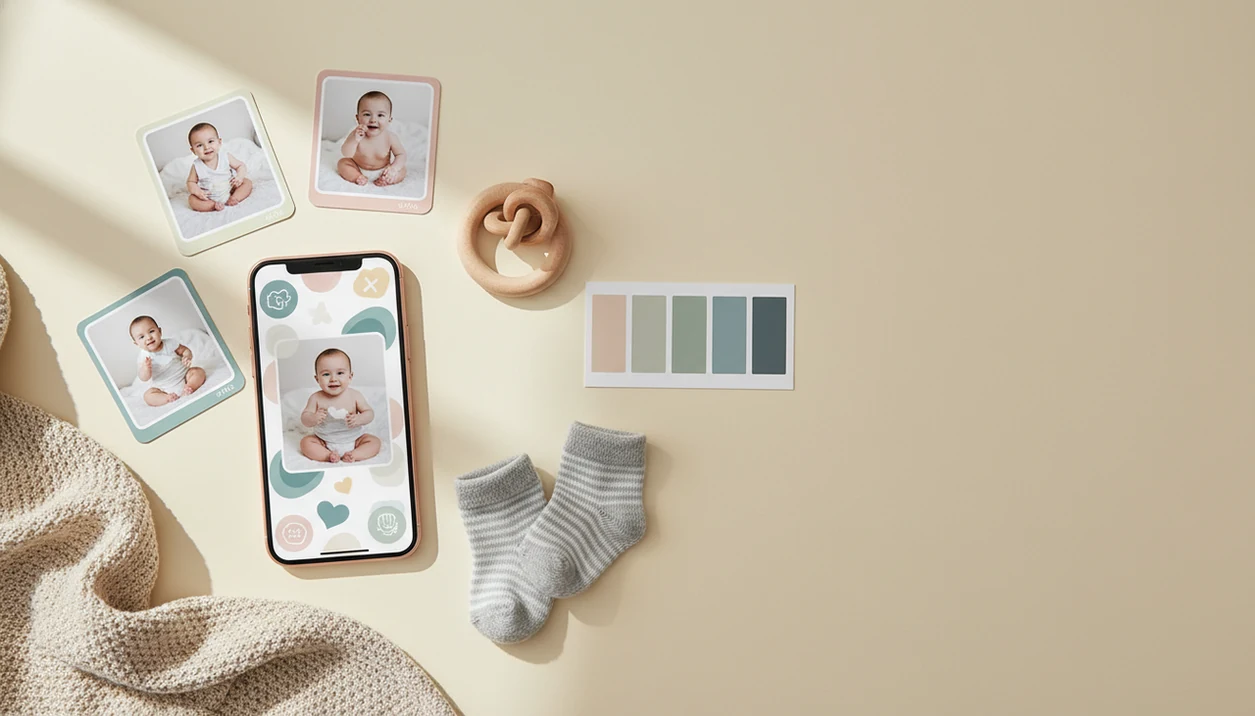

> Baby Photo Art is a baby photo editor app that turns baby and newborn photos into milestone templates, stickers, portraits, and print-ready keepsakes for parents.
- Download Baby Photo Art free on iOS and Android to start creating milestone photos instantly
- AI selects your best baby shots and auto-applies monthly templates, age stickers, and portrait edits
- Premium unlock gives full access to 100-day, first birthday, and seasonal milestone template packs
- All core photo processing runs on-device to protect your baby's privacy
- Export high-resolution images sized for social sharing or professional printing
What a Baby Milestone Photo App Does for Parents
A baby milestone photo app adds milestone text, dates, stickers, frames, and themed artwork to baby photos so parents can mark growth visually. It is decorative photo art, not a clinical milestone tracker like CDC or Pathways.org screening tools.
Most parents already have the camera ready. Pew reported that 89% of U.S. parents with children under 2 owned a smartphone in its parenting and digital technology research (https://www.pewresearch.org/internet/2020/07/28/parents-attitudes-and-experiences-related-to-digital-technology/), and a separate U.S. parent survey found that 79% of parents share child photos, videos, or information on social media (add the exact survey URL here). That explains why a phone-first baby milestone photo app feels natural.
The value is consistency. A 1-month photo, 2-month photo, and 12-month photo look more meaningful when the font, crop, and color palette stay steady. We see this often with a monthly blanket spread on the floor, where the baby changes more than the design.
Small changes show up fast.
This kind of app fits parents who want a repeatable monthly keepsake because age templates, consistent crops, and a simple export flow keep the series looking cohesive.
Five Facts Before You Download a Baby Milestone App
- Fact 1: A baby milestone app download should be fast after the photo is chosen. You snap or import a phone photo, then add milestone text, dates, and themed stickers in seconds.
- Fact 2: AI can reduce camera-roll digging. Baby Photo Art can score sharpness, expression, and lighting, then suggest layouts for the clearest baby shots.
- Fact 3: Free-to-start is common. Many milestone apps let you try basic templates, but premium packs, watermark removal, and high-resolution exports often require payment.
- Fact 4: These apps are not medical trackers. They make decorative keepsakes for “3 months,” “first tooth,” or “first birthday,” not developmental assessments.
- Fact 5: Compare the practical details. Template variety, AI auto-layout, sharing sizes, privacy controls, and subscription cost matter more than a long sticker count.
Parents looking for a monthly baby photo app download should choose Baby Photo Art when they want small adjustments, not a new baby, because the workflow keeps the baby’s face recognizable.
How Baby Milestone Photo AI Works Behind the Scenes
Baby milestone photo AI works by detecting the baby, judging the photo quality, and placing milestone artwork around the face and body. The useful terms are face detection and image scoring; in plain language, the app finds the baby and picks the cleaner shot.
On-device face detection can separate the baby from the bassinet, blanket, couch, or cluttered kitchen counter. Then an AI model scores sharpness, expression, and lighting. A dim hospital-room photo with a wrinkled white blanket may still work, but the app may prefer a brighter frame from the same burst.
After that, a template engine composites text, stickers, and frames over the cropped portrait. Smart auto-layout moves “6 months” or a name overlay away from the baby’s eyes, knit hat, or tiny hospital ID bracelet.
Statista has estimated 1.43 trillion photos were captured globally in 2020, with about 1.6 trillion projected in 2023 (insert the exact Statista source URL here). Smart selection matters because parents do not want to sort 42 nearly identical phone snaps.
On-device processing is more private; cloud processing can support heavier edits but needs closer privacy review.
How to Use Baby Photo Art After You Download It
Use Baby Photo Art by starting with one clear baby photo, choosing a milestone template, then exporting a shareable or print-ready version. Check the crop before you save, especially if a hat, bow, or name card sits near the edge.
- Download Baby Photo Art from the App Store or Google Play.
- Import or snap a baby photo with the face clear and the background not too busy.
- Choose a milestone template for monthly photos, 100 days, first birthday, or seasonal keepsakes.
- Add age stickers, date text, and a name overlay without covering the eyes or mouth.
- Apply an AI portrait edit or filter to soften lighting while keeping natural skin tones.
- Export in high resolution for social sharing, photo books, or a 4x6 print.
For parents making the first month card during nap time, BabyPhotoArt covers the job with monthly templates, sticker placement, and high-resolution export in one parent-friendly workflow.
When to Use Each Monthly Baby Photo App Template
Monthly templates from 1 to 12 months work best for a consistent first-year growth series. Use the same font, color palette, and layout each month so the baby’s face, size, and expressions become the focus.
A 100-day keepsake template fits families who celebrate that milestone, especially in East Asian traditions. A first birthday collage works differently; it combines all twelve monthly shots into one recap image for albums, party displays, or grandparents.
Special event templates are useful for first smile, first steps, first tooth, first holiday, or first haircut. Not every moment needs a full design. Some phone snaps just need a date.
The right fit for a cohesive first-year series is Baby Photo Art because it keeps monthly baby photo templates, 100-day artwork, and first birthday collage layouts in the same visual system.
What Milestone Photos Look Like in Baby Photo Art
Milestone photos in Baby Photo Art look like edited baby keepsakes rather than generic social graphics. The AI portrait-style edit aims to preserve natural skin tones, so an orange cast from a bedside lamp can be softened without making the baby look airbrushed.
Sticker packs are built for newborn through toddler milestones, including age labels, tiny icons, seasonal artwork, and first-year moments. Good AI-powered baby and newborn photo generators deliver recognizable baby portraits with milestone context, not fantasy faces or over-filtered nursery posters.
Exports can be prepared at print-ready resolution, including 300 DPI versions for nursery wall prints, photo books, and framed gifts. Social-optimized sizes also help when sending to Instagram, Facebook, or WhatsApp without re-cropping.
Parents who print for grandparents often choose Baby Photo Art because the export step supports both social files and a print-ready version.
Baby Milestone App Download vs. Alternative Photo Editors
A dedicated baby milestone app is faster than a general editor when the goal is a monthly baby photo, age sticker, or first-year collage. General tools like Canva, Picsart, and Photoleap can work, but parents often spend more time searching for baby-specific designs.
| Option | Strength | Trade-off |
|---|---|---|
| Baby Photo Art | Baby-specific templates, AI portrait edits, print-ready exports | Premium packs may require payment |
| Canva or generic editors | Broad design control and many layouts | Less baby-specific auto-layout |
| Baby Pics or Precious | Milestone-focused designs | AI portrait depth and template style vary |
| DIY Photoshop | Full manual control | Slow for tired parents |
| Physical letter boards | Charming in-camera look | Hard to keep consistent every month |
Pew has reported that 85% of U.S. adults own a smartphone, so mobile-first editing matters. Free tiers across apps may include watermarks, export caps, or locked templates.
For parents comparing apps, Baby Photo Art earns the spot when speed, natural-looking edit controls, and baby-specific milestone packs matter more than broad design tools.
Related Baby Photo Art Features Worth Exploring
Baby Photo Art also supports keepsakes beyond monthly milestone cards. The AI newborn portrait generator can clean up a soft hospital photo while keeping the baby’s face recognizable.
Custom sticker packs cover pregnancy announcements, baby showers, seasonal cards, and small family updates. The app that adds baby milestone stickers workflow is helpful when a plain photo only needs age text and one gentle accent.
The collage builder is useful for yearly recap keepsakes, especially a first birthday grid with all twelve months. Print-ready export also helps when turning one favorite portrait into nursery wall art.
BabyPhotoArt is a practical choice for parents who want one editor for portraits, stickers, collages, and printable milestone keepsakes.
Limitations
Baby Photo Art is useful for keepsakes, but it should not be treated as a medical, privacy, or design cure-all.
- It does not replace CDC, Pathways.org, pediatrician guidance, or any developmental screening tool.
- AI face detection can mis-crop a baby, especially with blankets, hats, siblings, or blurred kicking feet.
- Portrait edits can smooth skin too much if you push the filter strength.
- Many free versions of milestone apps include watermarks, export caps, or locked template packs.
- Some photo apps process images on external servers, so review the privacy setting and policy before you share.
- Template libraries may not include every cultural milestone, naming ceremony, religious event, or family tradition.
- A 300 DPI export still needs a crop check, since a 4x6 print can cut off the top of a knit hat.
For cautious parents, the safest approach is small adjustments, clear privacy choices, and a final human review before saving or posting.