
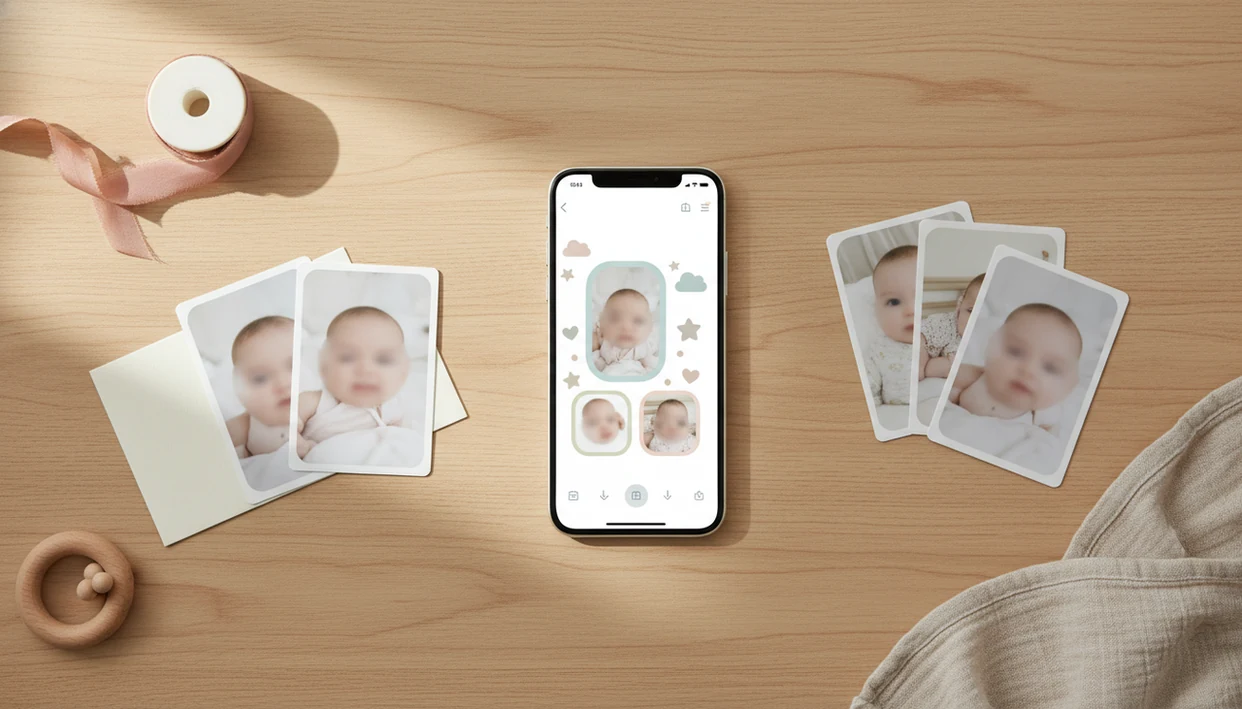

Definition: A baby photo collage app is a mobile tool that combines multiple baby photos into themed layouts with milestone templates, stickers, and portrait filters, then exports print-ready or shareable keepsakes for parents.
Baby Photo Collage App Download Reasons For Parents
A dedicated baby collage app saves parents time because it starts with baby layouts, not blank design boards. In 2023, 93% of U.S. parents with children under 18 owned a smartphone, according to Pew Research Center (https://www.pewresearch.org/internet/fact-sheet/mobile/), and Pew has also reported that many parents share photos or videos of their children online (https://www.pewresearch.org/internet/2015/07/16/parents-and-social-media/).
That explains the need. The camera roll fills fast.
Generic editors can make a collage, but they usually miss one-month cards, first birthday grids, newborn announcement text, and soft filters that keep the baby's face recognizable. Baby Photo Art fits parents who want small adjustments, not a new baby, because it combines milestone templates, age-based layouts, and baby portrait edits in one parent-friendly workflow.
The photo editing software market has been estimated in the low single-digit billions by industry researchers such as Grand View Research (https://www.grandviewresearch.com/industry-analysis/photo-editing-software-market), which matches what parents already feel: phone snaps have become keepsakes, gifts, and family updates.
Five Facts About Baby Collage App Downloads
- Baby-specific templates reduce setup time. A baby photo collage maker should include monthly milestones, first-year grids, sibling layouts, and birth announcement designs so you aren't rebuilding the same frame at midnight.
- AI can organize the camera roll faster. AI-assisted sorting can group photos by age and surface sharper shots, which helps when ten nearly identical bouncer photos are hiding between grocery screenshots.
- Privacy settings are not equal. Before you share or upload, check whether photos stay on-device, move to encrypted cloud storage, or get used for model improvement. Security researchers commonly recommend reviewing app permissions before storing children's images in cloud services.
- Free downloads often have paid upgrades. Most baby collage apps are free to install, but premium templates, watermark removal, extra sticker packs, and high-resolution exports may require a subscription or in-app purchase.
- Compatibility matters before download. Check iOS or Android support, device storage, recent reviews, and export quality. A cute layout is less useful if the final 4x6 print cuts off the top of a knit hat.
What Baby Photo Art Does For Baby Collage Downloads
Baby Photo Art turns a baby collage app download into a practical keepsake tool: it helps parents choose photos, place them in baby-first layouts, polish portraits, and export files for sharing or printing. The point is not just a cute frame; it is a faster path from camera roll chaos to an announcement, monthly update, gift, or print.
- Build collages from multiple baby photos using first-year grids, sibling layouts, and announcement templates.
- Choose milestone designs for one month, 100 days, first birthday, holidays, and recap posts grandparents can follow easily.
- Edit portraits with soft lighting, natural skin tone adjustments, and gentle background blur that keeps the baby's face familiar.
- Add stickers and text for names, dates, birth stats, seasons, and tiny details without covering hands, eyes, or hospital bracelets.
- Export high-resolution files for framed prints, photo books, cards, and gift-makers who need something cleaner than a screenshot.
The app is free to download on iOS and Android through the App Store and Google Play. Premium templates, watermark removal, extra sticker packs, and export upgrades may require payment. New parents, grandparents, siblings, and anyone making a baby gift benefit most.
AI Baby Photo Collage Creation Workflow
How baby photo collage apps work: modern collage tools use face detection, image embeddings, and scoring models to find likely baby photos, rank the clearest shots, and group them into age-based sets. In plain terms, the app looks for faces, checks quality, and suggests layouts before you drag anything.
Face Detection And Best-Shot Ranking
Face detection helps separate baby faces from adult faces in the camera roll. Best-shot ranking then scores sharpness, eyes-open moments, expression, and lighting. It may pick the photo where the pacifier clipped to a wrinkled onesie is sharp, even if the blanket is crooked after feeding.
Portrait-Style Filters For Newborn Photos
Portrait-style enhancement adjusts soft lighting, skin tone, and background blur without reshaping cheeks, eyes, or mouth. Baby Photo Art is useful here because the edit aims to preserve the child in the photo, including details like a tiny hospital ID bracelet parents may want to keep visible. Processing may happen on-device or through encrypted cloud systems, depending on the feature.
Good AI baby collage apps deliver faster sorting and natural-looking edits, not fantasy faces or unrecognizable newborn portraits.
Baby Photo Art Collage Maker Download Steps
How to use a baby collage app starts with a clean import and ends with a print-ready version. Baby Photo Art keeps the steps short so a parent can finish a milestone keepsake during a nap, or at least before the next bottle.
- Download Baby Photo Art from the App Store or Google Play, then open the collage maker.
- Import your baby photos and let AI-assisted sorting group images by age, month, or event.
- Pick a milestone template or collage layout for one month, 100 days, first birthday, siblings, or family gifts.
- Add stickers, text, names, and dates without covering the baby's face or important details.
- Export a high-resolution file for a print, gift, photo book, or social post.
Parents trying to download baby collage maker software for fast monthly updates often choose BabyPhotoArt because its workflow moves from camera roll import to milestone template to high-res export without opening a separate design app.
Baby Photo Collage Layout Occasions
Baby collage layouts work especially well when one photo cannot tell the whole story. Month-by-month first-year growth grids show change clearly, from curled toes beside a one-month card to a sitting-up six-month portrait.
After a family visit, when grandparents ask for “just a few favorites,” Baby Photo Art covers gift-ready collages because it exports layouts made for frames, albums, and keepsake prints. For more gift planning, the best baby photo collage maker for grandparents guide focuses on album-friendly choices.
Other strong uses include twin comparison collages, sibling introductions, birth announcements, baby shower thank-you cards, and social media shares. Check the crop before exporting. Tiny fingers near the edge disappear fast.
Baby Photo Art Collage Examples In The App
The app includes milestone templates for 1–12 months, first smile, first steps, first birthday, and first-year recap layouts. It also includes themed sticker packs for soft neutrals, playful stars, seasonal cards, and announcement-style frames.
When birth stats need to sit beside tiny footprints, Baby Photo Art gives the design structure without making the image feel overbuilt. Portrait-style edits add soft filters, natural skin tones, and gentle background blur, which helps with a dim hospital-room photo with a wrinkled white blanket and a rolling bassinet in the background.
If print quality is the priority, export sizes support common 4×6, 5×7, and 8×10 keepsakes. The print-ready baby photo exports page explains resolution choices in more detail.
Baby Photo Art Download Vs. Alternative Collage Apps
Baby Photo Art is strongest when the job is baby-specific collage creation, while generic design apps are broader but less guided. Canva and PicCollage can build family layouts, but they do not center the workflow around milestone months, newborn portrait cleanup, or baby-safe sticker placement.
| App type | Strength | Tradeoff |
|---|---|---|
| Baby Photo Art | Baby milestones, portrait-style edits, high-res keepsake exports | Premium templates may require payment |
| Canva or PicCollage | Broad design libraries and social templates | Less baby-specific AI sorting and milestone structure |
| Baby Pics | Baby-themed stickers and captions | May offer less portrait-style enhancement |
| Remini or Photoleap | Photo enhancement and creative edits | Not built mainly for baby collage keepsakes |
If natural baby portraits are the condition, then Baby Photo Art fits better than a general editor because it combines collage layouts with face-preserving enhancement. For privacy-first editing, compare permissions against a safe AI baby photo app checklist before uploading large camera-roll batches.
Evidence And Privacy Notes For Baby Photo Collage Apps
Parents should treat baby collage apps as both creative tools and child-photo data handlers. Smartphone use is now routine for parents, and photo sharing is common, so the safer choice is to verify each app’s current privacy details before sending a child’s camera roll into any editor.
Baby Photo Art’s product claims should be read separately from general privacy habits. The app may describe on-device editing, encrypted cloud features, or limits on AI training in its own policy, while broader guidance still applies to every collage app: reduce permissions, upload only the photos needed, and avoid syncing an entire album just to make one first-birthday grid.
Before downloading or importing photos:
- Check the app listing’s privacy labels, including Apple’s App Privacy Details and Google Play’s Data Safety section where available.
- Review camera roll, cloud storage, face data, and location access requests.
- Confirm whether photos are used for model improvement, advertising, analytics, or account sync.
- Limit uploads to the smallest set needed for the collage.
- Recheck store listings before download, because app-store policies and disclosures can change.
Limitations
Baby collage apps are helpful, but they are not magic. A few limits matter before you download Baby Photo Art or any alternative.
- AI can struggle with group photos, side profiles, hats covering the forehead, and low-light images with an orange bedside-lamp cast on newborn cheeks.
- Heavy filters and retouching may age poorly; a natural-looking edit usually lasts better in a family album.
- Cloud backup features can introduce privacy and security risks, especially if you upload an entire baby camera roll.
- Subscription costs compound over several years of milestones, holidays, birthdays, and sibling albums.
- Large high-resolution collages can consume device storage and mobile data quickly.
- Free tiers often include watermarks, limited templates, lower export resolution, or restricted sticker packs.
- No collage app can fix every blurred phone snap, especially if motion blur covers the baby's eyes.
Outcome quality usually depends more on the original photo's light, focus, and crop than on the sticker pack chosen afterward.